
YouTube Video Ads: Match Scripts to Landing-Page Offers
Use eight dated advertising contact sheets, original script examples, and a practical audit workflow to align opening hooks, product claims, calls to action, and landing-page offers.
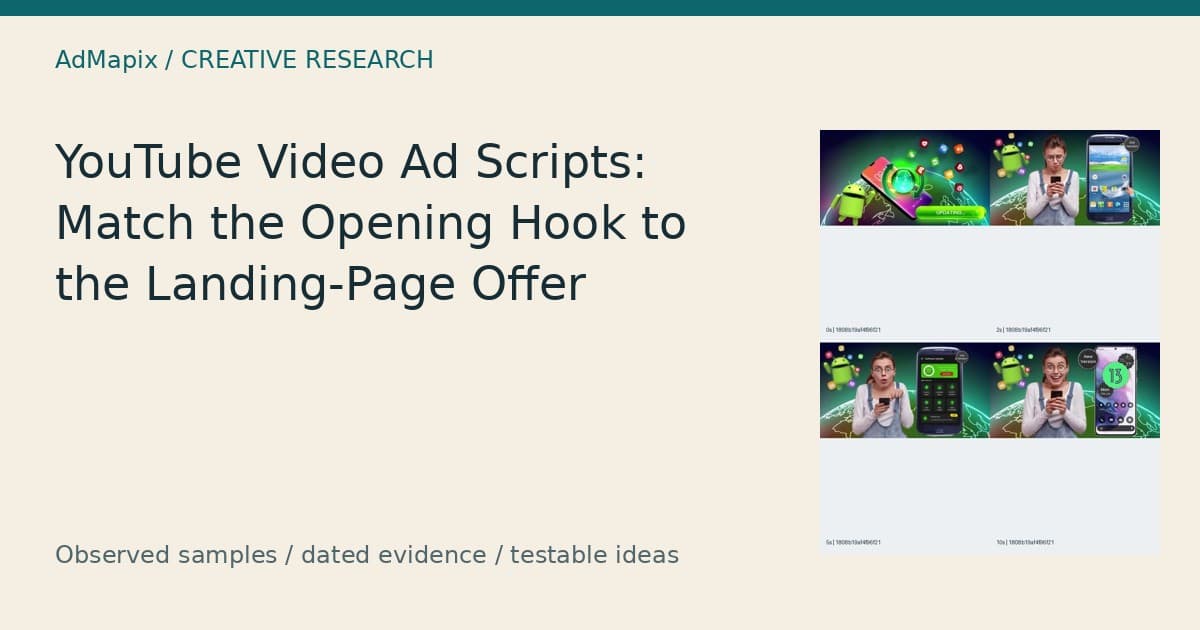
YouTube Video Ads: Match Scripts to Landing-Page Offers
YouTube video ads need an opening promise that the destination can actually fulfill. Before polishing the hook, write down what the viewer will receive after clicking, what action they must take, and which conditions apply. Then make the opening, demonstration, call to action, and landing page describe that same exchange.
For paid acquisition teams, creative strategists, and agencies, this is a practical scripting decision: should the ad promise an outcome, demonstrate a process, invite a compatibility check, or introduce a specific product? Eight dated advertising contact sheets below show why those choices matter. They also expose a research limitation: a compelling visual and a reported app association do not establish what the actual landing page offered. This guide turns those observations into original scripts, a destination audit, and a production workflow without inventing conversion results.
Prepared and updated: 2026-09-27.
AdMapix Research — prepared with Codex and checked against the dated source sample. Editorial ownership: Brad at AdMapix. Editorial ownership does not imply personal human review of this automated draft. AdMapix is our product.
Quick Answer
A useful script for YouTube video ads carries one consistent promise from the opening frame to the first meaningful action after the click.
- Define the offer as the product, outcome, required action, eligibility conditions, and commercial terms—not merely a discount.
- Treat visuals as claims: a device transformation can imply more than the narration explicitly says.
- Check product identity before pairing an ad with a destination. A reported store association is not a captured click path.
- Use the eight examples here to develop test hypotheses. Their screenshots do not establish campaign performance or prove landing-page mismatches.
- Research references in AdMapix, then verify your own product, destination, and results separately.
What Hook-to-Offer Match Actually Means
Hook-to-offer match means that someone who clicks because of the opening message encounters the same product, benefit, conditions, and next step on the destination. The words do not have to be identical, but the expectation should remain intact. A hook about checking available updates can lead to a page explaining an update-checking utility. A hook implying that an old phone becomes a new device requires a much stronger product capability and supporting explanation.
An offer is the exchange proposed to the viewer. It can be access to an app, a software demonstration, a compatibility check, a downloadable resource, or a purchase. Price is one component. Setup requirements, supported devices, included functionality, and the distinction between requesting access and receiving an outcome can be equally important.
For scripting, separate four questions:
| Question | What the script must establish | What the destination must confirm |
|---|---|---|
| What is this? | Recognizable product and category | Matching product identity and version |
| What can it help me do? | A specific, supportable benefit | The same benefit with sufficient explanation |
| What happens when I click? | An accurate next action | A page or store flow that performs that action |
| What conditions apply? | Material limits that affect the promise | Accessible eligibility, setup, and commercial terms |
A script can be internally coherent while its destination remains unknown. That is the situation for the supplied advertising examples: we can inspect sampled frames and associated descriptions, but the frozen package does not include captured landing pages. The correct output is therefore a set of audit questions and proposed improvements, not a verdict that particular advertisers broke their promises.
If your immediate task is finding reference material, the broader YouTube competitor video research guide covers discovery. Here, the decision starts after discovery: which promises belong in an original script, and what evidence must support the page that receives the click?
Methodology: What This Dated Sample Can Establish
This analysis uses a bounded US keyword sample collected on 2026-09-27, with the exact measurement window 2026-08-29 to 2026-09-27. The query was software. The collection requested up to three pages of ten records each, using descending modeled impressions, and returned 30 advertising records containing nine distinct video fingerprints. All 30 records included video; the supplied counts show zero image fingerprints and zero playable fingerprints.
Those units matter. Thirty advertising records are not thirty independently produced videos. The video fingerprints were treated as arrays and flattened for the supplied deduplication counts. The eight contact sheets reproduced here correspond to eight distinct video fingerprints. They are not a complete view of the nine-file sample, much less a complete advertising fleet or a representative survey of software advertising.
The research request was configured for a YouTube media filter. However, the supplied records expose a numeric source code without a readable network mapping in the presented evidence. A media label alone is insufficient to verify an individual placement. Accordingly, this article uses the examples to inform YouTube scripting without calling them independently confirmed YouTube placements, identifying a particular YouTube format, or extrapolating platform coverage.
Visual observations are limited to the supplied 0, 2, 5, and 10 second frames. We did not watch complete playback, hear audio, inspect unseen end cards, install the apps, or test their features. The spaces between sampled frames remain unobserved. Advertising descriptions are historical source copy, not verified product documentation or instructions.
The records provide reported app associations, which we preserve using their store IDs. Several visible themes and reported listing names differ. Those differences require further verification; they do not prove incorrect redirects, separate ownership, infringement, or fraud. No unified product entity was supplied for this keyword sample.
Any impression values in the underlying package are third-party model estimates for the explicit window. They are not observed delivery, spend, installs, profit, or lifetime totals. This article does not use them to rank creative quality, calculate daily intensity, or infer conversion.
The public frozen source package includes collection batches, request parameters, and checksums so readers can reproduce the sample accounting. Checksums establish artifact identity, not the truth of advertising claims.
Evidence Table: Eight References and Their Open Questions
The sample supports analysis of visible promises and reported listing relationships, while leaving destination fulfillment unresolved. The table keeps those two evidence layers separate. Record references are shortened identifiers that can be matched to the public source package; they are not campaign names or advertiser identities.
| Image | Record reference | Reported listing and store ID | Visible material | Question to resolve before adapting the idea |
|---|---|---|---|---|
| 1 | 1808b19af4f96f21 | Update Software - Apps Updater; com.updatesoftware.updateallapps | Updating graphic, old phone, utility interface, newer-looking phone | Does the offer concern checking app updates, installing updates, or changing the operating system? |
| 2 | 536432ace0429885 | Update Software - Apps Updater; com.updatesoftware.updateallapps | Similar old/new contrast with larger central subjects | Can the product substantiate the transformation implied by the image? |
| 3 | 352d9e6775d8a7c9 | Farming Simulator Kids; com.giantssoftware.fskids.google | Farm machinery and visible Farming Simulator 26 branding | Which exact title, edition, and destination belong together? |
| 4 | a89353247f3c7a62 | Update Software - Apps Updater; com.updatesoftware.updateallapps | Old/new phone sequence associated with French-language wrapper copy | Does localized wording preserve the same capability boundaries? |
| 5 | 99a8e0abef04ee87 | Update Software - Apps Updater; com.updatesoftware.updateallapps | Portrait presentation with a smaller central demonstration | Are the promise and necessary conditions legible in the final format? |
| 6 | cba653b2242a25b9 | Smart Printer: Mobile Print; com.astralertechnology.android.printer | Printer, handheld phone, app screens, document preview | What compatibility and setup conditions make the demonstrated task possible? |
| 7 | c1378614e38d1605 | Arrows Out - Escape Puzzle; com.cem.arrows.out.escape.puzzle | Drawing reference on a phone and a hand tracing on paper | Why does drawing-themed material accompany this reported listing association? |
| 8 | 00b0ce5bf8c116d3 | Duplicate Contacts Fixer; com.systweak.duplicatecontactfixer | Animated photography and accidental-deletion scenario | Which product and recovery capability would the actual click lead to? |
The table is an editorial worksheet, not a quality leaderboard. It identifies what a production team should verify before borrowing a storytelling pattern. Repeated visual ideas can inform a brief, but repetition does not establish which opening attracted qualified users or whether any resulting page fulfilled the promise.
Write the Offer Contract Before the Opening Line
An offer contract is a short internal statement of what the viewer can expect after clicking, and it should exist before the hook is written. It gives the scriptwriter, editor, product owner, and landing-page owner a shared factual reference. Without it, each contributor can make the message more appealing while quietly changing what the product appears to do.
Use this copyable structure:
We are offering [specific product or access] to [eligible audience] so they can [supported task]. After clicking, they will [immediate next action]. The task requires [material conditions]. Commercial terms are [verified current terms]. We will demonstrate [documented capability] and will not imply [unsupported outcome].
For a hypothetical printing utility, the contract might say that eligible users can select a document and print through a supported printer after completing the required connection process. That is a proposed contract structure, not a factual description of the sampled Smart Printer app. The product owner must fill it with actual supported devices, connection requirements, and access terms.
The contract should also name the destination. An app-store listing, a compatibility page, a checkout, and a sales-demo form are different exchanges. “See supported printers” fits a compatibility page. “Start printing” may require installation and setup first. “Book a demonstration” should not lead to a page that only collects an email for an unspecified future contact.
Keep an evidence reference beside each statement. Product identity can point to a verified store listing. A workflow claim can point to an approved recording from the current release. Commercial terms can point to the current purchase flow. If a statement lacks support, mark it unresolved before writing around it.
This document is deliberately small. Its purpose is to constrain promises, not replace the creative brief. A concise contract leaves room for distinctive dialogue and visuals while making the factual boundaries visible to everyone producing the ad.
Image 1: A Transformation Hook Can Outrun the Actual Offer
The first updater example shows why an opening graphic must be audited as carefully as written copy. The sampled frames associate an updating symbol with an old phone, a utility screen, and a newer-looking phone carrying a large version number. That visual relationship creates a transformation hypothesis, but the contact sheet does not establish what the app actually changes.
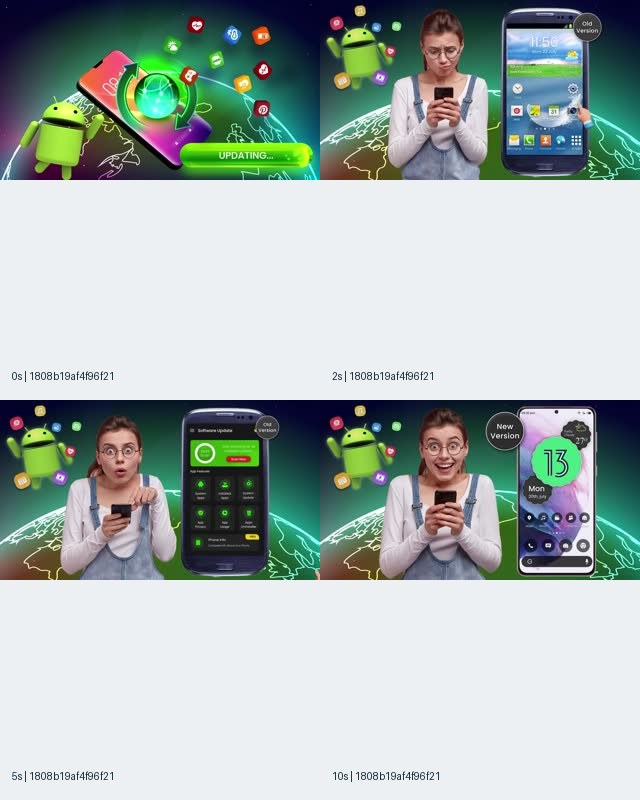
Image 1. Record 1808b19af4f96f21, reported listing Update Software - Apps Updater (com.updatesoftware.updateallapps). Contact sheet at 0, 2, 5, and 10 seconds; a visual reference, not evidence of an operating-system upgrade or campaign performance.
At the first sampled timestamp, the frame contains Android imagery and an “UPDATING...” label. The later frames show a person holding a phone, an enlarged old-device interface, a utility screen, and a contrasting newer-device presentation. The arrangement makes the before/after relationship easy to notice even without reading the surrounding ad description.
The question for a scriptwriter is whether that apparent change is the same change the product can deliver. Checking which apps have available updates, opening a store update page, installing an app update, and upgrading an operating system are distinct tasks. A script that blurs them leaves the destination to repair the expectation.
For an original ad, use a narrower hypothetical line such as “See which of your apps have updates available” only if the product supports that task. Pair it with an actual screen showing that exact result. If the product performs a different function, rewrite the line around that function rather than retaining the more dramatic visual.
The corresponding destination should name the task early and explain what the user does next. A useful acceptance question is: could someone describe the expected result from the opening alone and arrive at the same description after reading the page? That is a proposed comprehension check, not a finding from this sample.
Image 2: Larger Subjects Make the Implied Promise Easier to Inspect
The second updater reference provides a clearer view of the same general old/new device idea, which helps separate visual emphasis from product proof. Larger subjects make the phone screens and reaction more prominent in the supplied contact sheet. They do not show that the app delivered the apparent transformation, and they do not establish that this composition performed better than Image 1.
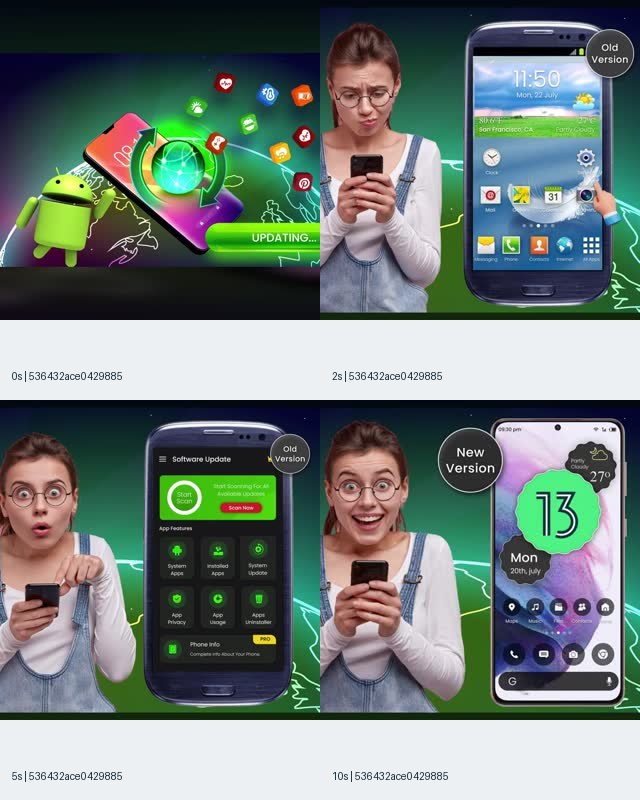
Image 2. Record 536432ace0429885, reported listing Update Software - Apps Updater (com.updatesoftware.updateallapps). Observed frames: 0, 2, 5, and 10 seconds. The record has a different video fingerprint from Image 1 despite the similar visible concept.
At the sampled two-second point, the person and old handset dominate the composition. At the sampled five-second point, the utility interface becomes prominent. At ten seconds, a smiling expression accompanies the newer-looking handset and “New Version” label. These are observable changes between still frames; the complete motion, narration, and transition logic were not inspected.
For a brief, split the reference into reusable components: concern about an existing state, an interface that presents a next action, and a visible resolution. Then replace every component with material that fits your product. A person discovering pending updates could show a smaller, truthful resolution: finding the update list and understanding the next step.
The landing-page audit should distinguish emotional continuity from factual continuity. A happy expression can carry the mood forward, but a matching expression does not confirm the capability. The page needs to explain the actual result, identify the product, and disclose any required installation or setup.
A proposed test could compare an interface-led opening with a person-led opening while holding the verified promise constant. That would investigate presentation. Comparing a modest app-checking promise against an unsupported device-upgrade promise would change both the hook and the claimed product, making the result difficult to interpret and unsuitable as a clean creative comparison.
Image 3: Confirm the Product Edition Before Writing the Payoff
The farming reference shows that product identity belongs inside the offer audit, because visible branding and a reported listing can name different editions. The frames display Farming Simulator 26 branding, while the record is associated with Farming Simulator Kids. That discrepancy is observable in the supplied package, but its cause and the actual click destination are not established.
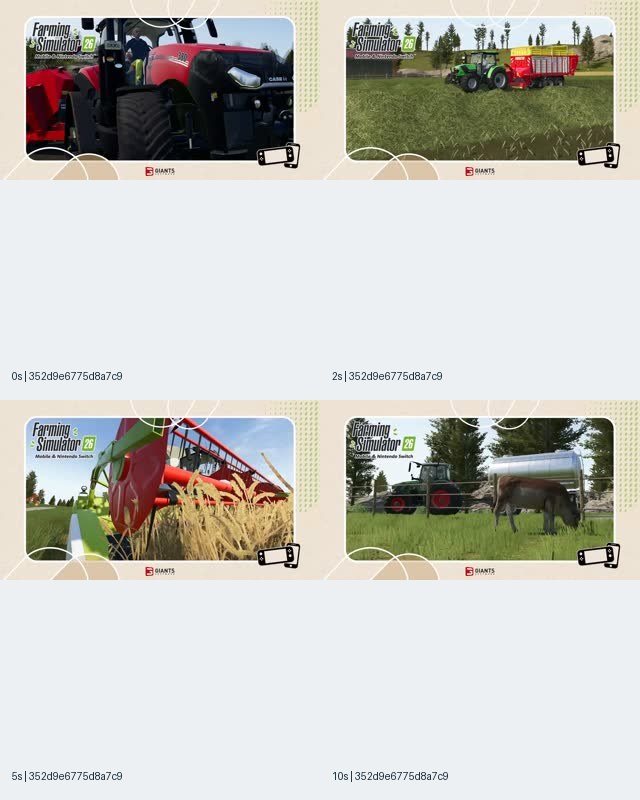
Image 3. Record 352d9e6775d8a7c9, reported listing Farming Simulator Kids (com.giantssoftware.fskids.google). The 0, 2, 5, and 10 second frames visibly carry Farming Simulator 26 branding. Product-edition and destination matching remain unresolved.
The sampled frames feature a close view of a tractor, a tractor and trailer in a field, harvesting equipment, and a livestock scene. These visuals offer concrete production lessons: different tasks can demonstrate a product’s breadth, and recognizable tools can establish a setting without lengthy exposition. They do not establish which of those experiences belongs to the reported store listing.
Before adapting this structure, a game team should obtain an identity package containing the exact store ID, product title, edition, platform, and approved footage source. A shared publisher name or franchise theme is insufficient to prove that all titles offer the same features. The same principle applies to desktop software editions, subscription tiers, and region-specific app releases.
A proposed opening might introduce a specific activity rather than an entire franchise: “Plan your next harvest,” for example, would require evidence that the advertised product supports that activity. The destination should then identify the same edition and show relevant gameplay or product information.
Do not publish an accusation from the discrepancy. It could reflect a reporting association problem or another explanation that the frozen sample cannot resolve. The useful operational conclusion is narrower: hold product-specific claims until the visual, listing ID, and actual destination are reconciled. Creative inspiration can remain in the reference folder while attribution is marked unresolved.
Image 4: Localization Must Preserve the Same Capability Boundary
Localized advertising needs the same promise audit as the source-language script, because a translated verb can change the apparent task. Image 4 presents another updater contact sheet associated with French-language wrapper copy. The visible old/new device idea resembles earlier examples, but neither a familiar image nor a similar app name establishes that the localized message preserves the same capability boundary.
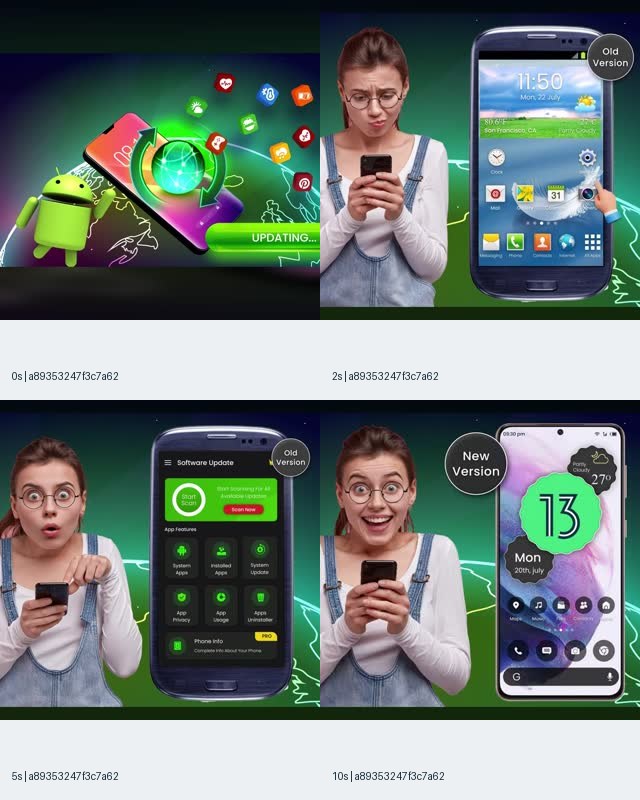
Image 4. Record a89353247f3c7a62, reported listing Update Software - Apps Updater (com.updatesoftware.updateallapps). Frames at 0, 2, 5, and 10 seconds accompany French-language wrapper text in the source record; this does not establish audience targeting or a French landing page.
The important copy distinction is between checking, viewing, updating, and upgrading. Those verbs can refer to different operations. A translated headline that promises to update a phone may create a broader expectation than an interface that only helps a user inspect available app updates.
For an original localized script, preserve a factual glossary alongside the translated copy. Include the object of each action: installed applications, the operating system, a document, a printer connection, or a subscription. “Update” without an object is too ambiguous for a brief when the visuals also suggest a broader transformation.
The page should use language that is both natural and consistent with the actual task. Literal repetition is not required. A localized opening can use a familiar expression, provided the page explains the same result and next step. Have the locale owner flag wording that implies automatic completion, universal compatibility, or guaranteed outcomes when those claims are absent from the product evidence.
The source record’s interface language also should not be converted into a targeting claim. The sample used a US country filter, yet it contains wrapper copy in multiple languages. That observation does not reveal campaign language settings or who saw the ad.
To inspect related indexed references, search software creatives in AdMapix, then verify the available date, country, and source filters. The live results can differ from this frozen collection, and the query alone does not recreate its scope.
Image 5: Format Adaptation Must Keep the Promise Readable
A portrait adaptation should preserve the information needed to understand the offer, including any qualification that changes its meaning. Image 5 places the updater concept in a tall composition with a relatively small central scene and blurred surroundings. This supports a useful production question about legibility, but it does not identify a specific placement or demonstrate that a vertical version outperformed a horizontal one.
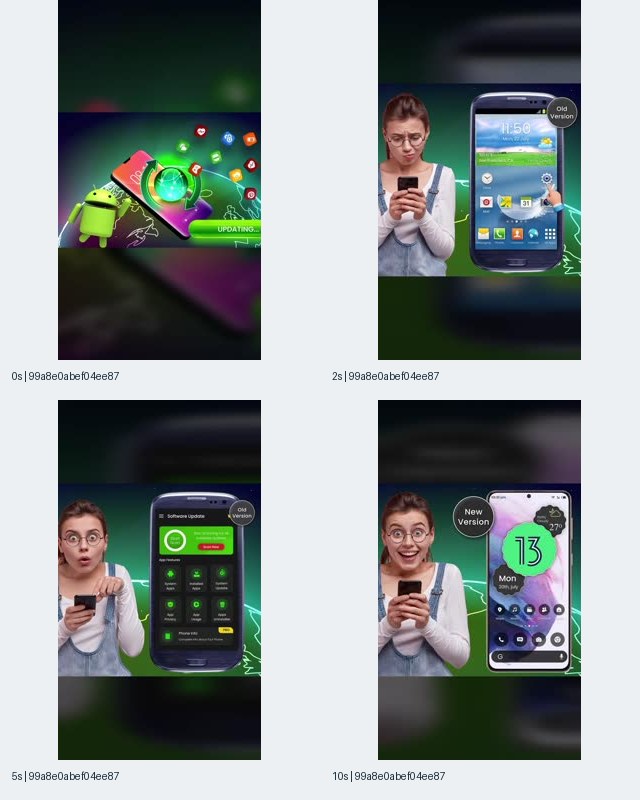
Image 5. Record 99a8e0abef04ee87, reported listing Update Software - Apps Updater (com.updatesoftware.updateallapps). Observed timestamps: 0, 2, 5, and 10 seconds. Portrait composition does not independently establish a YouTube Shorts placement.
The phone imagery, person, and labels sit within the central portion of the sampled frames. That layout may preserve the original composition, but it gives the production team a specific thing to inspect: whether the task remains understandable at the intended viewing size. The attached contact sheet is a research artifact, so readability in this composite should not be mistaken for a measured readability result in the delivered ad.
When building an original adaptation, distinguish essential information from decorative framing. Essential information includes the product, the task, the action the user performs, and any condition required to understand the claim. Decorative elements can support recognition or mood, but should not displace the only explanation of what the product does.
A practical acceptance check is to preview the actual export at its intended display size and ask a reader to state the offer. If the only remembered message is “old becomes new,” while the approved offer is “check available updates,” the composition needs revision. That proposed check examines comprehension; it does not predict conversion.
Also compare the first destination screen at the same device size. A legible ad can still lead to an unreadable compatibility note or a hidden commercial condition. Treat format adaptation as an ad-and-page task, with both outputs included in the production handoff.
Image 6: A Process Demonstration Needs Its Setup Conditions
The printing reference offers a concrete process structure: show the physical task context, show the phone, and show the relevant interface. Its sampled frames make the intended use easier to describe than an abstract benefit alone. However, they do not establish printer compatibility, connection requirements, subscription access, or that a print job completed successfully.
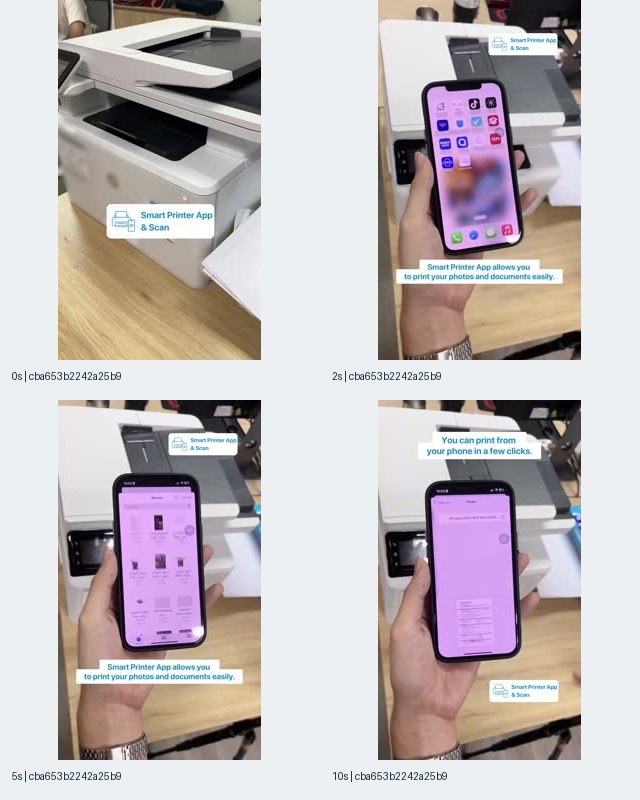
Image 6. Record cba653b2242a25b9, reported listing Smart Printer: Mobile Print (com.astralertechnology.android.printer). Contact sheet at 0, 2, 5, and 10 seconds. A printer and phone workflow are visible; completion, compatibility, and current access terms were not tested.
The opening sample shows a physical printer. Later samples place the handheld phone in front of it and show app screens, including a document preview. Captions describe printing photos and documents and printing from a phone in a few clicks. Those captions are advertising claims, not independently verified results.
This is a useful reference for turning a broad promise into a visible sequence. An original script can name a particular task, show the relevant selection, and explain the next step. The product team should decide which setup conditions must be present for that sequence to work. If connection or device compatibility is material, it belongs in the offer contract and destination.
A proposed opening could be “Need to print this document from your phone?” The next line should explain the supported process rather than jump to an unconditional result. Depending on verified functionality, the CTA might invite users to check compatible printers or inspect the app’s printing workflow.
The destination should answer the questions raised by the demonstration: which printers are supported, what connection is needed, which file types work, and where access terms appear. If a particular hardware brand is mentioned in ad copy, verify the exact relationship and supported scope instead of treating that mention as proof of endorsement.
For production, request a continuous recording of the actual supported process, plus any additional shots needed for a shorter edit. That future evidence would let the team distinguish a shortened demonstration from a fabricated completion. No such full-process test is claimed for this reference.
Image 7: Visible Function and Reported Listing Must Stay Separate
The drawing example demonstrates a useful action sequence while presenting an unresolved product association. The frames show a drawing reference on a phone, the phone supported above the work surface, and a hand tracing on paper. The source description is drawing-themed, but the reported listing is Arrows Out - Escape Puzzle. Neither the image nor the name should be used to silently overwrite the other.
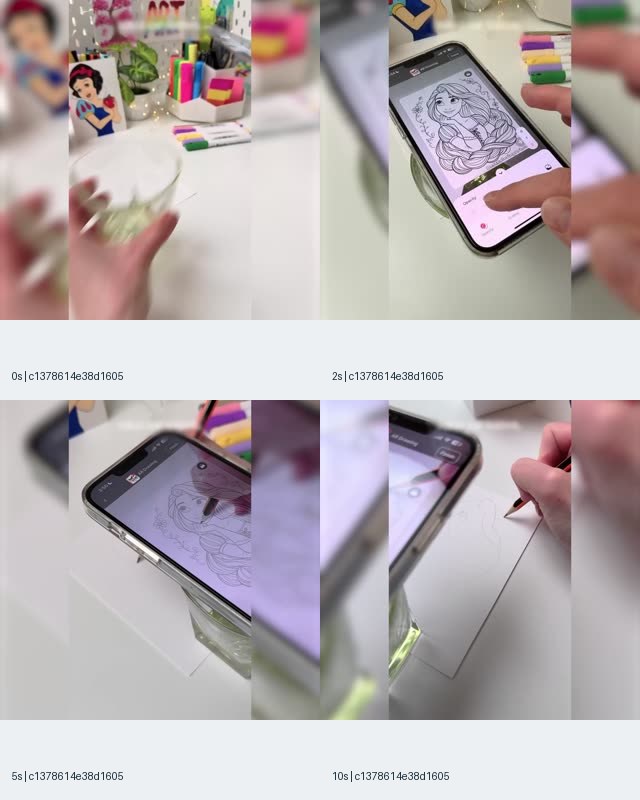
Image 7. Record c1378614e38d1605, reported listing Arrows Out - Escape Puzzle (com.cem.arrows.out.escape.puzzle). The 0, 2, 5, and 10 second frames show a drawing workflow. The relationship between that workflow, the drawing-themed description, and the reported listing remains unresolved.
The creative lesson is about demonstrating a mechanism. A phone, a reference outline, a support arrangement, and a pencil make the proposed task tangible. For an original drawing product, those elements could help explain how the user participates. They would not justify promising that the software automatically produces a finished drawing or that every user can achieve a particular result.
The identity lesson is equally useful. A researcher should preserve three separate fields: what the image shows, what the ad text says, and which store ID the record reports. Combining them into a single confident product summary would erase the very discrepancy that needs investigation.
Before assigning a similar concept to production, obtain the exact product version and an approved workflow demonstration. Confirm whether the phone support shown is required, optional, or merely part of the filming setup. Any necessary physical accessory changes the user’s expected effort and should be explained at the appropriate point.
The destination should continue the same task with an accessible explanation of setup and supported functions. It should not rely on the viewer recognizing a visual trick. The contact sheet provides no evidence about the actual destination, so this remains a proposed audit requirement rather than a judgment about the sampled record.
Image 8: Problem Recognition Does Not Prove Recovery
A problem-led opening can establish an emotional reason to care without yet proving that the product solves the problem. Image 8 shows an animated photography scenario followed by accidental deletion messaging. It gives a scriptwriter a clear problem sequence, but the sampled frames do not show a successful recovery, and the reported listing differs from the recovery-themed advertising description.
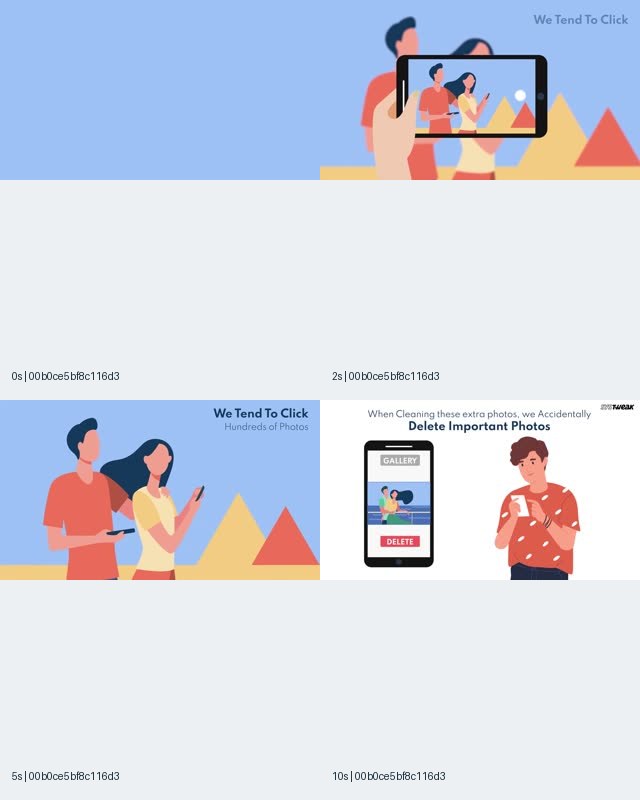
Image 8. Record 00b0ce5bf8c116d3, reported listing Duplicate Contacts Fixer (com.systweak.duplicatecontactfixer). Observed frames: 0, 2, 5, and 10 seconds. Photography and accidental deletion are visible; product identity for the recovery offer and successful recovery are not established.
The source description refers to Photo Recovery & File Manager and describes searching for and recovering lost or deleted pictures. The contact sheet’s later sampled frame introduces deleting important photos while cleaning a gallery. These are related story elements, but the record does not provide the landing-page evidence needed to connect them to a verified offer.
For an original recovery product, the script should distinguish the problem from the possible result. “Deleted a photo you still need?” is a problem statement. “Recover every deleted photo” would be a universal outcome claim requiring evidence far beyond an animated scenario. A conditional capability should remain conditional in both the script and destination.
A useful page would explain supported recovery situations, required permissions or preparation, and the point at which the user can determine whether a file is recoverable. Those are proposed checks, not verified features of the sampled product.
The production lesson is to make the proof transition explicit. After showing the problem, move to evidence of the actual supported mechanism. Do not let a relieved character or a restored-looking gallery stand in for a documented result. If the available evidence supports only searching for recoverable files, write and demonstrate that narrower action.
Choose a Hook That Fits the Available Proof
The right opening depends on what you can substantiate and what the destination offers, rather than on a universal hook ranking. The sample contains transformation imagery, process demonstrations, product scenes, and problem recognition. These are useful categories for a brief, but the frozen evidence does not show which category produced better retention, clicks, or qualified actions.
| Hook approach | Suitable starting point | Proof needed before production | Destination continuity |
|---|---|---|---|
| Task question | A clearly defined user job | Evidence that the product supports that job | Explain the task and how to begin |
| Process demonstration | A visible, repeatable workflow | Current product recording with setup context | Show requirements and the same workflow |
| Before/after contrast | A measurable, supportable change | Evidence connecting the product to the change | Explain scope and conditions of the result |
| Product or edition introduction | A specific release or offering | Verified identity and approved feature material | Name the same edition and availability |
| Problem recognition | A relevant user difficulty | Evidence for the proposed remedy, not only the problem | Explain what can and cannot be resolved |
Start by choosing the narrowest useful promise your evidence supports. That does not require dull copy. A concrete task can be memorable: a document that needs printing, an app that needs checking, or a reference drawing that needs positioning. Specificity gives the editor something meaningful to show.
Avoid selecting a hook category and forcing the product into it. A before/after structure creates an obligation to explain the change. If the product only provides information, a decision or discovery story may fit better than a dramatic transformation.
Record the reason for your selection in the brief. For example: “We are using a process opening because the current release has an approved demonstration of this task; we are not using an outcome guarantee because no evidence supports one.” That is a production decision grounded in available proof, not a forecast of which ad will win.
Audit the Destination Before You Finalize the Script
A destination audit should compare the viewer’s expected exchange with the actual page, store listing, or form that receives the click. For this article’s sampled advertisers, that audit has not been completed because destination captures were not supplied. For your own campaign, perform it before approving dialogue and visual claims, then preserve the result with the script version.
Begin with the exact route. Record the intended destination, any intermediate page, the final product identity, and the first meaningful action. An install page can be appropriate for an app ad, but the CTA should accurately prepare the viewer for installation rather than suggest immediate completion of the advertised task.
Inspect the first visible screen in the relevant market and device context. It should make the product recognizable and explain the benefit that motivated the click. The page can expand the story, but it should not require the viewer to discover that the opening used a different meaning of “update,” “recover,” “print,” or “try.”
Use this worksheet:
| Audit field | What to capture | Revision trigger |
|---|---|---|
| Product identity | Name, store ID or product identifier, edition | Ad footage and destination identify different products |
| Core promise | Opening visual, spoken claim, page headline | Page describes a narrower or different task |
| Next action | CTA text and actual resulting step | Button promise skips installation, setup, or a request form |
| Eligibility | Supported devices, markets, users, or plans | Ad implies access outside the supported scope |
| Commercial terms | Current price presentation and access conditions | Ad suggests broader free access or a different commitment |
| Proof | Demonstration, documentation, or substantiated result | Page repeats the claim without supporting it |
| Continuation | What happens after the first action | Required effort or conditions appear only after commitment |
Commercial language needs a separate pass. “Free to download,” “free feature,” “preview,” and “trial” describe different arrangements. Use the precise verified arrangement. Do not import a historical “FREE” label from a competitor record into a current offer, and do not assume a page’s most prominent button explains the entire commitment.
When the destination changes by locale, device, or account state, preserve the state used for the audit. A logged-in page may skip steps that a new user encounters. A desktop preview may hide the mobile experience. These are reasons to record conditions, not reasons to invent a universal experience.
Finish with a plain-language comparison: “The ad promises X; the page offers X subject to Y; the click begins Z.” If the team cannot complete that sentence without qualifiers that substantially change the hook, revise the script or destination before launch.
Build the Script as a Chain of Supported Statements
A production-ready script should connect each spoken line and visual to the offer contract, with an explicit destination counterpart. This makes factual review possible before filming and helps an editor preserve meaning when shortening the piece. A paragraph of persuasive copy alone does not show which screen proves the claim or which condition must remain visible.
Use the following template for an original script. The stages are a planning structure, not a claim about an optimal duration or the timing of the sampled ads.
| Stage | Script field | Visual field | Evidence field | Destination counterpart |
|---|---|---|---|---|
| Opening | Name the task or supportable benefit | Show the relevant object or product state | Approved offer statement | Matching headline or first-screen explanation |
| Mechanism | Explain what the user does | Show the actual interaction | Current workflow recording | Setup or how-it-works section |
| Proof | State the demonstrated result precisely | Show the resulting state | Evidence appropriate to the claim | Relevant demonstration or documentation |
| Qualification | Explain a material condition | Keep the condition readable | Product and access requirements | Accessible eligibility or terms |
| CTA | Name the immediate next action | Show the destination or action label | Verified click path | The same action on arrival |
Write the visual column before approving the strongest line. If the team cannot show the promised result without substituting an unrelated screen, a simulated outcome, or an unexplained jump, the claim may be too broad for the available evidence.
Keep illustrative material clearly distinguished from actual product capture. Animation can explain a problem, and a mockup can outline a proposed interface, but neither should be treated internally as evidence that the current product performs the action. The brief should tell the editor which assets are demonstrations and which are explanatory devices.
The related UGC video script template provides a broader hook-to-demo structure. For this offer-matching workflow, add a destination counterpart to every material promise so that the page owner participates in script approval rather than receiving the finished video as a surprise.
Original Script Example: A Task-Led Printing Utility
A task-led printing script should show one supported workflow and make the CTA describe the next available step. The following is an original illustrative script for a hypothetical utility. It is not a transcription of Image 6, a tested ad, or a verified description of Smart Printer: Mobile Print. Every capability and condition must be replaced with facts from the product being advertised.
Proposed offer: help an eligible user print a selected document through a supported printer after the required setup.
Opening line: “Need this document on paper?”
Opening visual: the document on the user’s phone, followed by the actual printer used in the approved demonstration. Keep the task recognizable without implying that the app works with every printer.
Mechanism line: “Choose your document and connect to a supported printer.”
Mechanism visual: the real document-selection and connection process. If connection requires an additional step, show or explain it rather than using an edit that makes the requirement disappear.
Proof line: describe only the result captured in the approved recording. If a completed print is documented, show that result. If the available evidence ends at a preview, say “Check the preview before printing” and avoid pretending completion was recorded.
CTA line: “Check compatibility and see how to get started.”
Destination requirement: a page that makes compatibility easy to inspect and explains the actual installation, setup, and access conditions.
The useful creative variable is the opening perspective. One version can begin with the document, another with the person facing the task. Both should keep the same supported workflow and destination. This produces a hypothesis about presentation without changing the offer midway through the comparison.
Before production, ask the page owner to read the script aloud while looking at the destination. Any line that requires them to say “actually, first you need to…” reveals a condition that should be considered for the ad or first page screen.
Original Script Example: An Update-Checking Utility
An update-checking script should name the exact object being checked and avoid borrowing a broader device-transformation promise. The following original example assumes a hypothetical product whose verified function is presenting information about available application updates. It does not assert that the sampled updater app has that capability, nor that it can upgrade an operating system.
Proposed offer: inspect available updates for supported installed applications, with the next action explained accurately.
Opening line: “Which of your apps have updates waiting?”
Opening visual: a genuine current interface showing the relevant application list. Avoid a before/after handset swap unless it is clearly unrelated to the promised product result.
Mechanism line: “Review the available update information in one place.”
Mechanism visual: the actual supported inspection workflow. The recording should establish what the user selects and what information appears. If the product only directs users to another surface to complete an update, that continuation needs to be clear.
Proof line: “See the next step for each supported app.” Use this line only if the demonstrated product actually provides that information.
CTA line: “See how the update check works.”
Destination requirement: explain the app-checking task, identify supported scope, and distinguish checking from installing or upgrading.
The proposed creative hypothesis is that a clear task question may produce a more accurate expectation than a broad old/new device contrast. That is a hypothesis to evaluate with comprehension and campaign data. The frozen references do not show that it would improve conversion or reduce acquisition cost.
For the editor, the critical restriction is semantic: do not replace the task result with a more dramatic phone screen simply because it looks better. The visual finish can be polished while the demonstrated result remains exactly the one supported by the product.
Original Script Example: A Conditional Recovery Workflow
A recovery script should preserve uncertainty whenever the product cannot guarantee an outcome for every situation. The following original example is a planning model for a hypothetical recovery product. It is not derived from a completed test of the products mentioned in the source sample, and its proposed capabilities must be verified before use.
Proposed offer: help eligible users inspect whether particular files can be recovered under documented conditions.
Opening line: “Deleted a photo you still need?”
Opening visual: an original, clearly illustrative deletion scenario. Do not imply that the animation itself demonstrates a recovery capability.
Mechanism line: “Check the supported recovery options for your situation.”
Mechanism visual: the actual product workflow appropriate to the verified scope. If the process begins with permissions, a scan, or an eligibility check, show the relevant step and explain what it does.
Proof line: describe only the documented result. A preview of recoverable files supports a statement about that preview; it does not establish that every deleted file will return in its original condition.
CTA line: “Review recovery requirements before you start.”
Destination requirement: explain supported situations, limitations, required access, and the action the user can take next.
This script keeps the emotional problem while narrowing the promise to something the product team can substantiate. If stronger evidence exists for a particular recovery case, the team can make a more specific claim about that case. It should not turn a documented example into a universal guarantee.
A proposed test could compare a question-led opening with a mechanism-led opening. The qualification and destination should remain consistent. If one version removes the condition, the comparison is partly a test of a different promise, and any apparent improvement in clicks would need to be assessed against the resulting user expectations and downstream outcomes.
Give Creators and Editors an Acceptance Brief
A creator brief should define what must remain true in the final edit, not only what must be filmed. Offer matching can be lost during production when a creator improvises a stronger benefit, an editor substitutes a more attractive interface, or a shorter cut removes a condition. The acceptance brief turns those risks into observable checks before delivery.
Provide the approved offer contract, exact product identity, current interface references, allowed claims, and the destination capture. Include the line that names the next action after clicking. A creator should not have to infer whether the viewer is installing an app, requesting information, checking compatibility, or purchasing access.
Specify the evidence shots separately from optional storytelling shots. Evidence shots should show the supported action and resulting state. Storytelling shots can establish the task, setting, or emotion. If the editor replaces an evidence shot with a reaction shot, the script may retain its enthusiasm while losing the basis for its claim.
Request these deliverables where relevant:
- The approved final edit and its corresponding script version.
- Original product recordings that support the demonstration.
- Caption and on-screen text files for factual and locale checks.
- A list of any simulated, illustrative, or substituted visuals.
- Format adaptations with the same material conditions preserved.
- The destination version used during approval.
The product demonstration creator brief expands the filming and evidence handoff. For the present workflow, the key addition is a page-side acceptance owner who confirms that the click begins the action the ad names.
Acceptance should focus on the delivered artifact. “The creator understood the brief” is not enough if the export contains a broader promise. Read captions, inspect screen labels, and compare the final CTA with the actual destination. An accurate draft does not automatically make an accurate edit.
Keep Localization and Device Context in the Same Review
Localization should preserve the offer’s meaning across language, interface, and destination, rather than translating the script in isolation. A natural local phrase can change the level of certainty or the object of an action. Device context can change the available next step. Review those dimensions together so a localized ad does not promise an experience the corresponding page cannot provide.
Create a glossary of the product’s important verbs and nouns. Distinguish checking from completing, viewing from editing, requesting from receiving, and downloading from accessing all functionality. For software ads, name the object each verb acts on. A phrase that is unambiguous to the product team may be ambiguous to a new viewer.
Then inspect the actual localized destination. Confirm that it identifies the same product, uses current interface language where necessary, and explains the same commercial arrangement. If the ad is localized but the destination is available only in another language, the team should decide how to communicate that experience accurately.
Device footage also needs a factual check. The printing reference shows a handheld phone, while its reported listing uses an Android package ID. The image alone should not be used to establish supported operating systems. For your own ad, use approved footage from the relevant product version and verify what the destination offers on the viewer’s device.
Preserve locale-specific approval notes with the asset. A broad sign-off such as “translation approved” does not reveal whether capability, commercial terms, and page continuity were checked. A better note states the approved promise, required conditions, and the destination version inspected.
These checks are proposed production practice. The frozen sample does not establish which advertisers localized their pages, which audiences they targeted, or whether any depicted device caused a user problem.
Run a Practical Research-to-Script Workflow
A repeatable workflow should end with a supported script and a verified destination, rather than a folder of attractive references. Use the sample’s strongest operational lesson: preserve what is observed, identify what remains unknown, and convert only the supported structure into an original production decision.
First, lock the research scope. Record the query, country, date bounds, collection date, requested source filter, and sample limit. For this article, those are software, US, 2026-08-29 to 2026-09-27, and the bounded three-page collection. Keep the frozen sample separate from later live searches.
Second, separate records from assets. Deduplicate video files using the supplied fingerprints while retaining the advertising records attached to them. Similar-looking files can remain technically distinct, and repeated records can share a file. Neither condition establishes how many independent creative ideas the advertiser tested.
Third, annotate only available evidence. For each reference, write the visible task, exact sampled timestamps, relevant source copy, reported listing ID, and open questions. Do not fill unseen narration or end cards with the story you expect to be there.
Fourth, choose a reusable structure. Examples include introducing a task with a physical object, demonstrating a mechanism, or framing a problem before explaining the remedy. Describe the structure without copying the original script, character, branding, or distinctive execution.
Fifth, write your offer contract. Replace the reference’s claims with current facts about your own product. A product owner should supply the evidence needed for the promise, and a page owner should supply the actual next-step experience.
Sixth, draft and audit the script-page pair. Complete the visual, spoken, proof, qualification, CTA, and destination columns. Mark missing evidence as a production blocker for the relevant claim, not as an invitation to improvise it.
Finally, create a test record. State the proposed hypothesis, the variable being changed, the outcome to measure in your own account, and the conditions that must stay consistent. Keep the reference evidence attached so future readers can distinguish inspiration from measured results.
Test Message Continuity Without Calling It Proven Lift
Message continuity should be tested with your own comprehension checks and campaign data, because public creative references cannot establish the effect of a script change. This article supplies hypotheses and audit criteria; it does not report a completed experiment. No conversion, acquisition-cost, retention, or revenue outcome was supplied for the sampled advertisements.
Begin with a comprehension exercise before media testing. Show the intended opening and ask participants to describe the product, expected result, required action, and any remembered conditions. Then show the destination and ask what changed in their understanding. Record their actual responses rather than scoring the script by how persuasive the team thinks it sounds.
For a campaign experiment, choose what you want to learn. If the question concerns the hook, hold the core offer and destination stable while varying the opening. If the question concerns the page, preserve the ad’s promise and change a specific destination element. If you change both together, describe the comparison as a test of the complete ad-page pair rather than attributing the result solely to the hook.
Use outcomes appropriate to the task. Click-through behavior can indicate response to the ad, but it does not establish whether the promise was fulfilled. A printing utility might need a meaningful product-action measure; a sales-demo offer might need qualified requests. Define the event and denominator before interpreting the result.
Record the experiment’s audience conditions, device context, destination versions, attribution settings, and observation period. Determine the required sample size from the decision and available baseline data rather than adopting a universal traffic threshold. Do not stop merely because an early result looks favorable.
The creative testing framework provides a broader structure for isolating variables and interpreting results. For hook-to-offer work, add a specific failure condition: a version should not be treated as successful merely because it attracts more clicks if it also creates an expectation the product cannot meet.
If results are inconclusive, preserve that conclusion. A well-documented unresolved test is more useful than a confident story built from a small or confounded comparison. The research reference remains inspiration; the experiment becomes evidence only for the conditions actually measured.
Common Mistakes That Break the Promise
The most consequential mistakes change what the viewer thinks they will receive while leaving the team convinced it has only improved the creative. They appear in copy, visuals, identity matching, and measurement. Each mistake below has a practical repair that can be applied before launch.
| Mistake | Why it creates a problem | Practical repair |
|---|---|---|
| Using a broad verb such as “upgrade” | It can imply a capability beyond the actual task | Name the object and operation precisely |
| Treating a dramatic screen change as decoration | The image may imply a product result | Audit the before/after relationship as a claim |
| Pairing material by product name alone | Names and editions can differ from store associations | Preserve exact IDs and verify the destination |
| Calling a reported association a redirect | The actual click path has not been captured | Mark the destination unknown until inspected |
| Repeating historical “free” copy | Current access conditions may differ | Use verified current terms for your own offer |
| Removing setup from a short edit | The demonstrated ease can become misleading | Preserve material requirements in the ad-page pair |
| Calling every record a unique creative | Reused files inflate the apparent variety | Report records and deduplicated assets separately |
| Treating repeated ads as winners | Repetition does not reveal conversions or profit | Use repetition only as a research observation |
| Assuming a portrait file proves Shorts delivery | Shape does not identify placement | Verify the source and placement separately |
| Declaring a landing-page mismatch from screenshots alone | The destination is missing | State the audit question instead of the verdict |
Another common error is letting an unresolved reference become an authoritative example through repetition. Image 7 should remain drawing-themed material with an unresolved listing relationship every time it appears in a brief. Removing that note for a presentation does not resolve the identity question.
Do not repair uncertainty with a confidence score that lacks a defined basis. “Likely correct” can conceal the absence of a destination capture. A short evidence status—observed, reported, verified separately, or unresolved—usually communicates the actual state more clearly.
Version the Ad and Destination Together
An approved script can become inaccurate when the product or destination changes, so the ad and page should be versioned as a pair. Store the script, final export, product release, destination capture, locale, and approval date together. This makes it possible to determine what viewers were promised at the time of a particular campaign decision.
A useful change log names the affected promise. “Page updated” is too vague. “Compatibility conditions changed” or “CTA now opens a request form” tells the creative owner whether the ad needs revision. The same applies when a product feature moves behind a different access condition or a setup process gains another required step.
Assign responsibilities by evidence type. The product owner confirms capability. The page owner confirms destination behavior and terms. The creative owner confirms that the delivered asset preserves the approved meaning. The analyst confirms what campaign data can establish. One person may hold several roles in a small team, but the questions should remain distinct.
Set review triggers around meaningful changes rather than a cosmetic date update. A new release, changed offer, redirected destination, or localized launch should reopen the relevant checks. Archive the earlier pair so a later analyst does not interpret old campaign results using today’s page.
For this article, the observation date remains 2026-09-27. A later live search would produce a new research snapshot; it would not retroactively change what these contact sheets show. That same discipline makes internal creative learning easier to trust.
When AdMapix Fits This Workflow
AdMapix fits the discovery and evidence-organization stage of script development: finding indexed creative references, inspecting available records, and building a research set that preserves source context. It is an advertising-intelligence product, meaning it helps teams study advertising material rather than substituting for their own product tests or campaign measurement.
The practical handoff is a research packet containing the reference, dated scope, reported product identity, visible promise, unresolved questions, and an original test hypothesis. From there, your team supplies the current offer contract, verified destination, approved product footage, and eventual performance data.
This separation is useful for agencies managing several products and for small teams that need a consistent brief. It is less useful to expect an indexed screenshot to answer whether a feature works, whether a destination currently converts, or which advertiser paid for a record. Those questions require evidence beyond the supplied creative sample.
Before choosing a plan, confirm that the current product supports the research tasks your team actually needs and consult the live AdMapix pricing page. Commercial terms can change, so this evergreen workflow does not enumerate plan prices or credit allowances and does not promise a paid-plan trial.
The decision CTA is straightforward: build your next research packet around one real offer, then use it to approve a script and destination together. The deliverable should be a clearer production decision, with open questions visible, rather than a claim that competitor screenshots reveal a winning campaign formula.
FAQ
How do I match a YouTube ad hook to a landing page?
Write the expected exchange before the hook: product, supported benefit, immediate next action, conditions, and commercial terms. Compare that statement with the opening visual, spoken line, CTA, and first destination screen. The wording can vary, but the meaning should remain consistent. If the page introduces a condition that changes the apparent promise, revise the ad or make the condition clear earlier.
Does offer matching require the same headline everywhere?
No. Matching meaning is more important than repeating identical wording. An ad can introduce a task through a question while the page explains the supported workflow directly. The product, outcome, eligibility, and next step should still agree. Repeating a vague headline does not solve a mismatch if the visual implies a broader capability than the destination provides.
Do these screenshots prove that the sampled landing pages were mismatched?
No. The frozen package contains advertising records and timestamped contact sheets, but no captured landing pages or completed click-path audits. Some visible themes differ from reported listing names, which creates verification questions. Those discrepancies do not establish what users reached, why the association exists, or whether an advertiser made an incorrect promise on its destination.
Are all eight examples verified YouTube placements?
The research request used a YouTube media filter, but the presented evidence does not include a readable mapping that independently verifies each record’s numeric source code. The article therefore treats the examples as scripting references rather than confirmed placement examples. It also does not infer Shorts delivery, targeting settings, or cross-platform coverage from a file’s shape or wrapper language.
Can I use a before-and-after hook for software?
Yes, if the depicted change is accurate, supported, and relevant to the advertised product. Audit the visual as a claim even when the narration is cautious. A screen change can imply a completed operation or broader transformation. Document the actual mechanism and conditions, and make the destination explain the same result rather than relying on a dramatic image alone.
How should I handle “free” or “try” in the script?
Use the exact current arrangement that your product can substantiate. Free download, limited free functionality, a preview, and a trial are different offers. Explain material access conditions where they affect the viewer’s decision. Historical advertising copy is not a current pricing source, and a generic “try now” line should not conceal the actual commitment after clicking.
What should I measure after changing the hook?
Measure the outcome relevant to the advertised task, with a defined event, denominator, and observation period. Click response alone does not establish fulfilled expectations. Keep the offer and destination stable if the experiment is meant to isolate the opening. If both the ad and page change, interpret the result as a comparison of complete pairs rather than attributing it only to the hook.
What can I learn from thirty records containing nine videos?
You can study how the returned records relate to distinct files and inspect the creative structures represented in that bounded collection. You cannot infer the full advertising fleet, unique concept count, profitability, or the preferred format of an entire platform. Preserve the query, dates, country, sample limit, and deduplication method whenever you report the finding.
Key Takeaways
A useful YouTube script makes a supportable promise and carries it through to the destination without changing the exchange.
- Write the offer contract before choosing a hook or filming a demonstration.
- Audit visual transformations, product editions, setup requirements, and commercial terms as carefully as spoken copy.
- Preserve reported listing IDs and unresolved associations; do not turn a metadata discrepancy into a destination verdict.
- Treat the 30 records and nine video fingerprints as a bounded dated sample, not a complete fleet or performance benchmark.
- Test original scripts with your own product evidence and campaign data, keeping the ad and destination versioned together.
Sources
The article’s empirical observations come from the dated advertising sample and its supplied contact sheets; the proposed scripts and audit workflow are original editorial recommendations.
- Frozen advertising evidence, observed 2026-09-27: Public source package with batches, request parameters, and checksums. Scope: software query, US, 2026-08-29 to 2026-09-27, 30 records, nine video fingerprints, and eight supplied contact sheets observed only at 0, 2, 5, and 10 seconds. No landing-page captures or conversion results were supplied.
- AdMapix research workflow, referenced 2026-09-27: Software creative search. This is a live discovery entry point; results and available filters may differ from the frozen sample.
- AdMapix methodology, referenced 2026-09-27: Public methodology. Read alongside the article’s explicit sampling and measurement limits. Current product facts supplied for drafting were reviewed on 2026-08-13; current commercial terms belong on the live pricing page.
Turn these observations into your next creative study
Open the creative library and select samples for your market, network and research question.
Related Articles
UGC Creator Brief for Product Demo Ads: Shots, Claims, and Proof to Request
Build a practical UGC creator brief with eight source-linked visual references, product and claim worksheets, shot requirements, delivery specifications, and acceptance criteria.
TikTok Carousel Ads vs Video Ads: How to Compare Creative Structure
Compare carousel and video creative structure through eight source-linked images from a reproducible US kitchen-keyword sample, matched production briefs, and a practical testing workflow.
UGC Video Ads: Script Template for Hook, Demo, Proof and CTA
A complete UGC video ad script template for skincare teams, covering hook, demonstration, proof, CTA, creator direction, testing, and evidence limits.