
Foreplay.co Alternative: When Creative Teams Need Ad Intelligence Too
Compare Foreplay.co with ad intelligence alternatives. Learn when Foreplay is enough for swipe files and when teams need broader competitor ad tracking.
A Foreplay alternative decision should start with workflow fit, not only price.
Foreplay.co Alternative: When Creative Teams Need Ad Intelligence Too
Foreplay.co is strong when your team needs a better creative swipe file: save ads, organize boards, write briefs, and keep creative references from disappearing. If that is your main workflow, Foreplay may be enough.
But many teams searching for a Foreplay alternative are not only looking for a cheaper swipe file. They need competitor tracking, cross-channel ad intelligence, recurring reports, query or platform context, and a workflow that connects saved ads to paid-media decisions.
That is where the decision changes. This guide compares Foreplay.co, Foreplay.co pricing, and the situations where a Foreplay vs AdMapix comparison makes sense. The goal is not to dismiss Foreplay. The goal is to help creative, growth, and agency teams choose the right workflow.
For a broader market view, read ad spy tools by channel and best ad spy tools 2026.
What Foreplay.co Is Best For
Foreplay.co is best understood as a creative workflow platform around saved advertising inspiration.
According to its Swipe File page, Foreplay helps teams save ads from Facebook, TikTok, LinkedIn, and other sources, organize them into folders and boards, share examples, keep saved references, and use tags or filters for creative research.
That solves real problems:
| Problem | Why Foreplay helps |
|---|---|
| Ad links expire | Saved examples stay in the team's swipe file |
| Creative references live in screenshots and group chats | Boards and folders create a shared ad creative library |
| Creative briefs are disconnected from inspiration | Saved ads can be attached to briefs |
| Agencies need client-facing examples | Boards and public sharing make presentation easier |
| Designers and media buyers use different references | Tags and comments create a shared vocabulary |
If your team mostly needs an ad creative library, Foreplay.co is a natural option.
Foreplay.co Pricing Snapshot
Foreplay.co pricing can change, so always confirm on the official Foreplay pricing page before buying. As checked on April 17, 2026, Foreplay lists monthly plans including Basic at $59/month, Workflow at $175/month, and Agency at $459/month, with annual pricing shown at lower monthly equivalents.
The important part is not only the headline price. Compare pricing against the job you need the tool to do.
| Pricing question | Why it matters |
|---|---|
| How many users need access? | Creative teams and agencies often need more than one seat |
| Do you need competitor tracking? | Tracking features may matter more than saving ads |
| Do you need analytics or reporting? | Creative analytics and reports can change the required plan |
| Do you need cross-channel coverage? | Meta and TikTok workflows may not cover every research need |
| Will this support a weekly process? | A tool is expensive if it only stores inspiration and never changes decisions |
A low-cost plan can still be expensive if the team needs competitor intelligence and does not get it. A higher-cost workflow can be reasonable if it replaces manual research, client reporting, and scattered creative handoffs.
Where Foreplay Fits in the Creative Workflow
Foreplay fits best in the middle of the creative process.
| Workflow stage | Foreplay fit |
|---|---|
| Inspiration collection | Strong |
| Swipe file organization | Strong |
| Creative briefing | Strong |
| Team review and comments | Strong |
| Competitor creative monitoring | Useful, especially around Meta workflows |
| Cross-channel ad intelligence | Depends on the channel and evidence needed |
| Search, native, display, and app intelligence | May need a broader tool stack |
| Executive or client reporting | Depends on reporting requirements |
This is why the phrase "Foreplay alternative" is ambiguous. Some people want a cheaper swipe file. Others want a wider ad intelligence platform. Those are different buying decisions.
Where Teams Start Looking for a Foreplay Alternative
Teams usually start looking beyond Foreplay for one of five reasons.
| Reason | What it means |
|---|---|
| They need cross-channel coverage | Meta and TikTok inspiration are not enough |
| They need competitor monitoring | Saved ads are useful, but weekly changes matter more |
| They need reports | Leadership or clients need evidence, not only boards |
| They need search or native context | Google Search and native ads need query, publisher, and landing-page evidence |
| They need workflow accountability | Every finding needs a confidence label and next test |
If the team says, "We need better creative references," Foreplay may be the right answer. If the team says, "We need to know what competitors changed this week and what we should test next," a broader ad intelligence workflow is a better fit.
Foreplay vs AdMapix
Use this scorecard when comparing Foreplay vs AdMapix.
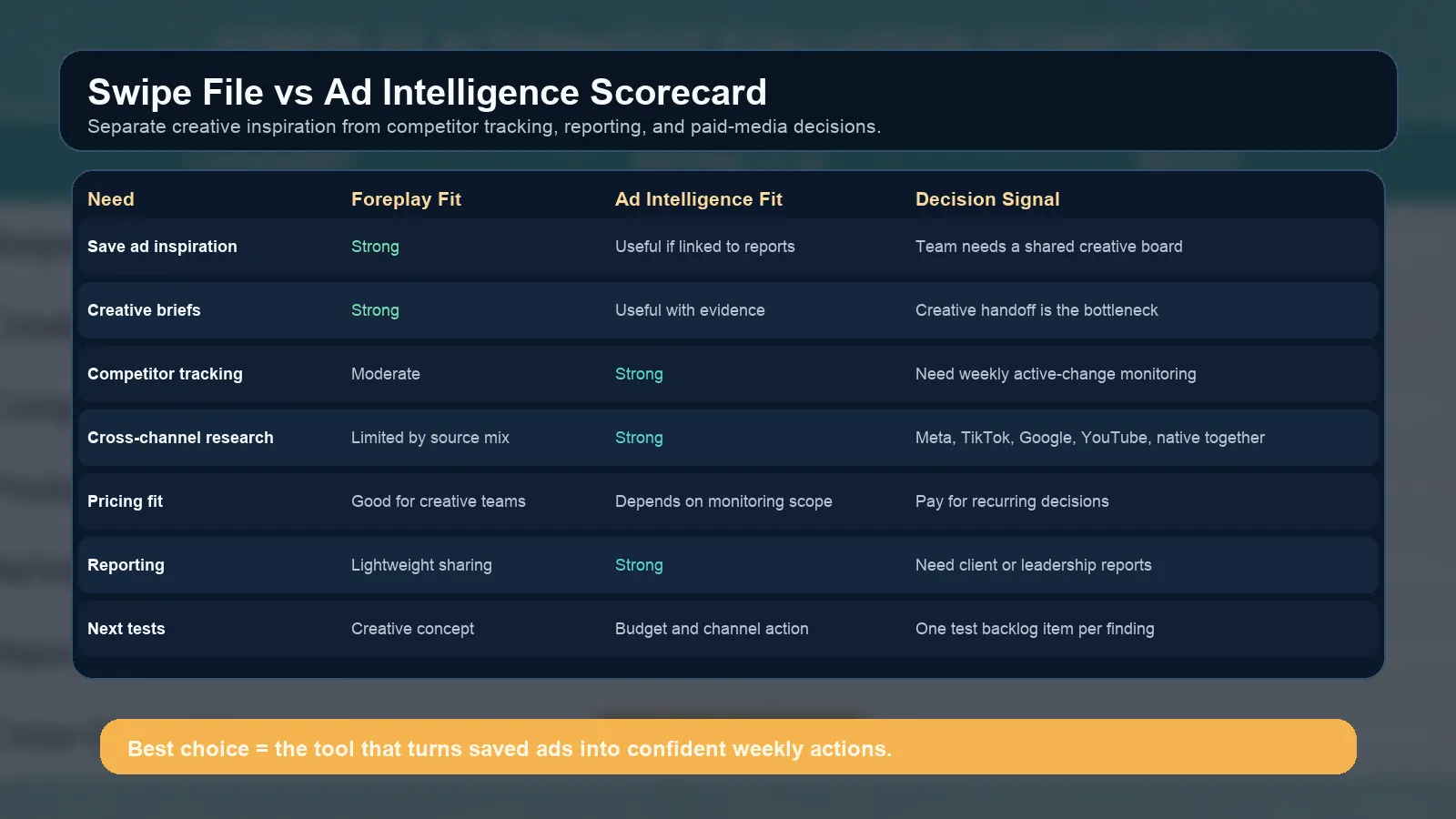
The scorecard separates creative inspiration from competitor intelligence and reporting needs.
| Need | Foreplay.co fit | AdMapix fit |
|---|---|---|
| Creative swipe file | Strong fit when teams need boards, saved ads, and creative references | Useful when saved examples need to connect to competitor reports |
| Creative briefs | Strong fit for inspiration-to-brief workflows | Useful when briefs need market evidence and channel context |
| Competitor tracking | Useful for creative-oriented tracking | Strong fit for recurring competitive ad tracking and reports |
| Cross-channel research | Strongest where the source mix supports creative saving | Stronger when Meta, TikTok, Google, YouTube, native, display, and app ads need one evidence workflow |
| Reporting | Helpful for creative sharing | Stronger when client or leadership reporting is required |
| Paid-media decisions | Indirect, through creative ideas | Direct, through evidence, confidence, and next actions |
Foreplay is closer to a creative operating system. AdMapix is closer to an ad intelligence and reporting workflow. Many teams could use both. But if budget or process complexity forces a choice, choose based on the weekly job.
Best Alternatives by Team Type
Different teams mean different Foreplay alternative requirements.
| Team type | Best-fit workflow |
|---|---|
| Solo creator or freelancer | Lightweight swipe file, official libraries, manual notes |
| DTC creative team | Foreplay-style swipe file plus creative brief workflow |
| Performance marketing team | Ad intelligence workflow with competitor tracking and landing-page analysis |
| Agency | Shared boards plus client-ready reporting and exports |
| App growth team | Cross-channel ad intelligence with app store, install funnel, and creative context |
| B2B SaaS team | Search, LinkedIn, YouTube, Meta, landing-page, and competitor messaging analysis |
If your team mainly produces ads, a creative library matters. If your team allocates budget, reports to clients, or tracks competitors weekly, ad intelligence matters.
When Foreplay Is Still the Right Choice
You do not need a Foreplay alternative just because another tool has more data. Foreplay is still the better fit when the weekly bottleneck is creative organization.
Choose Foreplay when:
| Situation | Why Foreplay fits |
|---|---|
| The team saves many Meta and TikTok references | Boards and tags keep inspiration usable |
| Creative strategists write briefs from examples | Saved ads can become a brief input |
| Designers need a visual library | Swipe files are easier to browse than reports |
| Agencies need to share references with clients | Public boards and links reduce presentation friction |
| The problem is expired ad links | A saved ad creative library preserves important examples |
This is especially true for DTC and creator-led teams where the work is mostly about new angles, UGC formats, creator references, and creative review. In that environment, a board of strong examples can create faster output than a dense competitor report.
The warning is simple: do not ask a swipe file tool to answer questions it was not designed to answer. If the team asks which competitor changed messaging this week, which channel is getting repeated investment, or which landing page pattern deserves a test, you are moving from creative inspiration into ad intelligence.
When AdMapix Should Be the First Workflow
AdMapix should be the first workflow when the team needs competitive evidence before it writes the next test.
Use AdMapix when:
| Situation | Why AdMapix fits |
|---|---|
| You need recurring competitor monitoring | Reports can summarize change over time |
| You compare multiple channels | Meta, TikTok, Google, YouTube, native, display, and app ads need one evidence model |
| You need landing-page context | The ad is only useful if the page supports the promise |
| You report to leadership or clients | Evidence needs to be structured, not only saved |
| You need a test backlog | Each finding should become an action |
For example, a media buyer reviewing facebook ads spy tool data may want to know whether a competitor is repeating the same UGC angle. A creative strategist reviewing TikTok ad spy tools may want to compare hook patterns. A search marketer reviewing Google search ads spy tools may need query and landing-page match evidence. Those are connected but different jobs.
This is where a Foreplay vs AdMapix comparison becomes practical. Foreplay helps teams manage creative references. AdMapix helps teams turn competitor evidence into monitoring, reports, and decisions.
Trial Questions Before You Switch
Before choosing a Foreplay alternative, run a short trial with real team work. Do not evaluate tools only by demo screenshots.
Ask these questions:
| Trial question | Strong answer |
|---|---|
| Can we recreate last week's creative review faster? | The tool reduces manual collection and discussion time |
| Can we find competitor changes without starting from zero? | The workflow preserves history and highlights changes |
| Can we connect an ad to a landing page or offer? | The evidence includes the click path, not only creative |
| Can we explain the finding to a client or manager? | The output can become a report or decision note |
| Can we turn findings into tests? | Every saved example has a next action |
Also run one negative test: ask the tool to support a workflow it may not be built for. If a swipe file tool struggles with reporting, that is not a failure; it is a fit signal. If an intelligence tool feels heavy for daily creative inspiration, that is also a fit signal. The right choice depends on the job.
Migration Checklist
If you are evaluating a Foreplay alternative, do not migrate blindly.
- List your saved boards, tags, and must-keep creative references.
- Identify which channels matter this quarter.
- Mark which workflows are about inspiration and which are about competitive intelligence.
- Export or document the ads that already influenced current tests.
- Build a scorecard for each tool: source coverage, saved examples, tracking, reporting, users, and price.
- Run one week of parallel research before switching.
- Decide which tool creates clearer next actions.
The last step matters most. A tool that stores more ads but produces weaker decisions is not an upgrade.
How AdMapix Handles the Gap
AdMapix is designed for teams that need recurring competitor ad monitoring, cross-channel evidence, and reports.
Use AdMapix reports when the question is: what changed, which competitor is repeating a message, what channel is active, and what should the team test next?
Use pricing when the question is: what ongoing workflow do we need for weekly ad intelligence?
This does not replace every creative swipe file use case. A creative director may still prefer a visual board for inspiration. A growth lead may prefer a report that summarizes competitor movement and decision signals. The best workflow respects both.
FAQ
What is Foreplay.co?
Foreplay.co is a creative workflow platform that helps teams save ads, build swipe files, organize creative inspiration, track competitors, and turn references into briefs.
What is the best Foreplay alternative?
The best Foreplay alternative depends on the job. Use a swipe file tool for creative inspiration. Use AdMapix when the team needs competitor ad tracking, cross-channel intelligence, and reports.
Is Foreplay.co an ad spy tool?
Foreplay overlaps with ad spy tool workflows, especially around saving and analyzing ads. It is best described as a creative workflow and swipe file platform with competitor tracking features.
How much does Foreplay.co cost?
As checked on April 17, 2026, Foreplay.co pricing lists Basic at $59/month, Workflow at $175/month, and Agency at $459/month for monthly plans, with annual discounts shown. Confirm current pricing on Foreplay's official pricing page before purchase.
When should I use AdMapix instead of Foreplay?
Use AdMapix when you need recurring competitor monitoring, channel context, ad intelligence reports, and next-test recommendations rather than only saved creative inspiration.
Can I use Foreplay and AdMapix together?
Yes. Some teams use Foreplay for creative boards and AdMapix for competitor intelligence, reports, and cross-channel tracking.
Conclusion
Foreplay.co is a strong choice for teams that need a structured ad creative library and swipe file workflow. A Foreplay alternative becomes relevant when the team needs more than saved inspiration: competitor tracking, cross-channel ad intelligence, reports, and clearer next actions.
Choose by workflow, not by price alone. If your team needs creative references, Foreplay may be enough. If your team needs weekly competitive evidence and decision-ready reports, start with AdMapix reports or review pricing.
Turn these observations into your next creative study
Open the creative library and select samples for your market, network and research question.
Related Articles
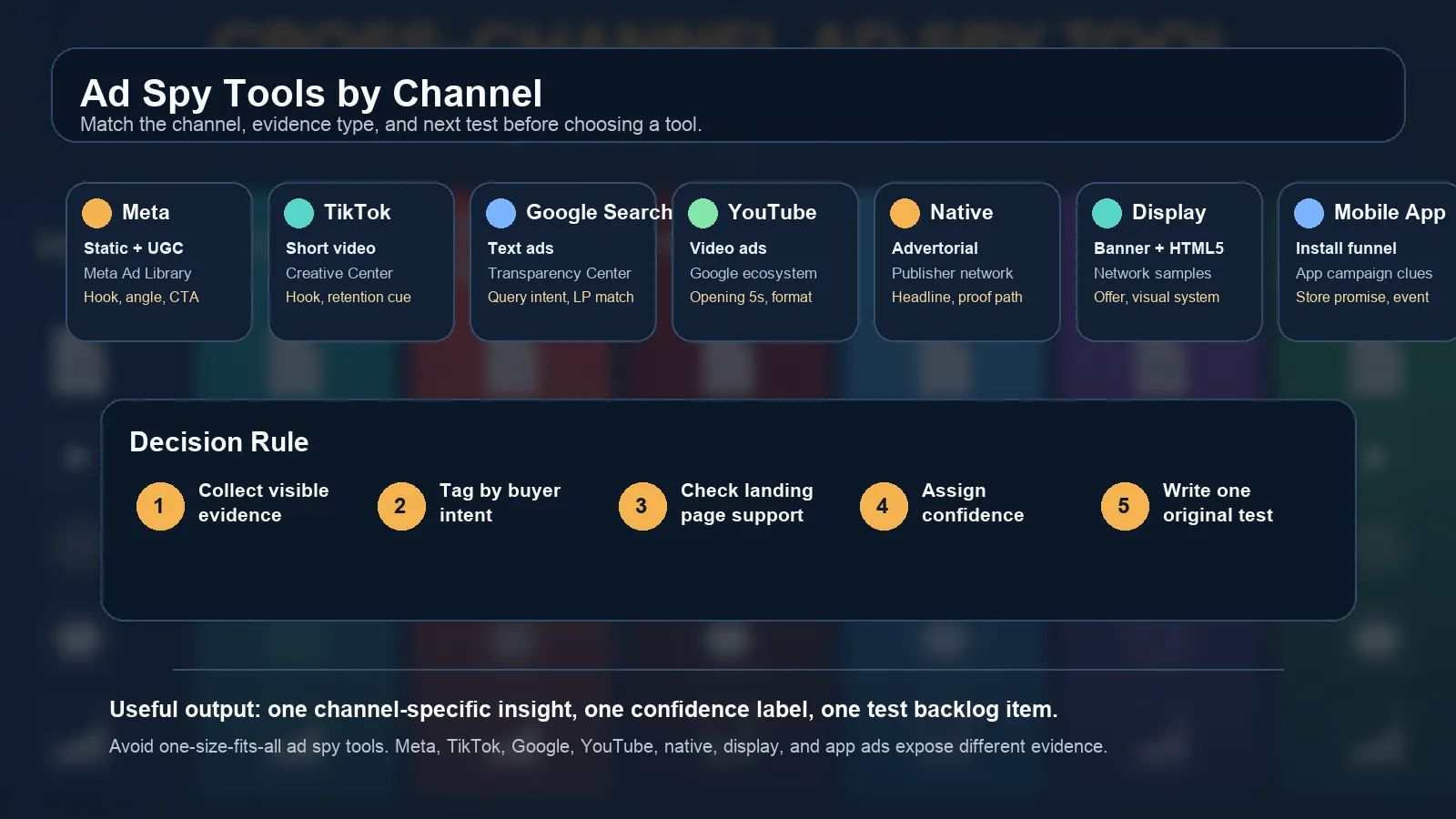
Ad Spy Tools by Channel: Meta, TikTok, Google, YouTube, Native
Choose ad spy tools by channel. Compare Meta, TikTok, Google Search, YouTube, native, display, and mobile app ad research workflows.
Google Search Ads Spy Tool: What You Can Actually See
Learn what a Google search ads spy tool can actually show, what remains private, and how to combine Transparency Center, SERP checks, and PPC intelligence.
Facebook Ads Spy Tool: Free Methods vs Paid Platforms (2026)
How to spy on competitors' Facebook and Instagram ads in 2026: the free Meta Ads Library workflow, when it stops being enough, a comparison of paid Facebook ad spy tools with September 2026 pricing, what to capture from every ad, and a decision matrix for choosing.