
Where Is Facebook Ads Library? Official Meta URL & 3-Step Guide
The Facebook Ad Library lives at facebook.com/ads/library. Free, no login. Here's the exact URL, a 6-step walkthrough, what you can see, and what the 2026 update changed.
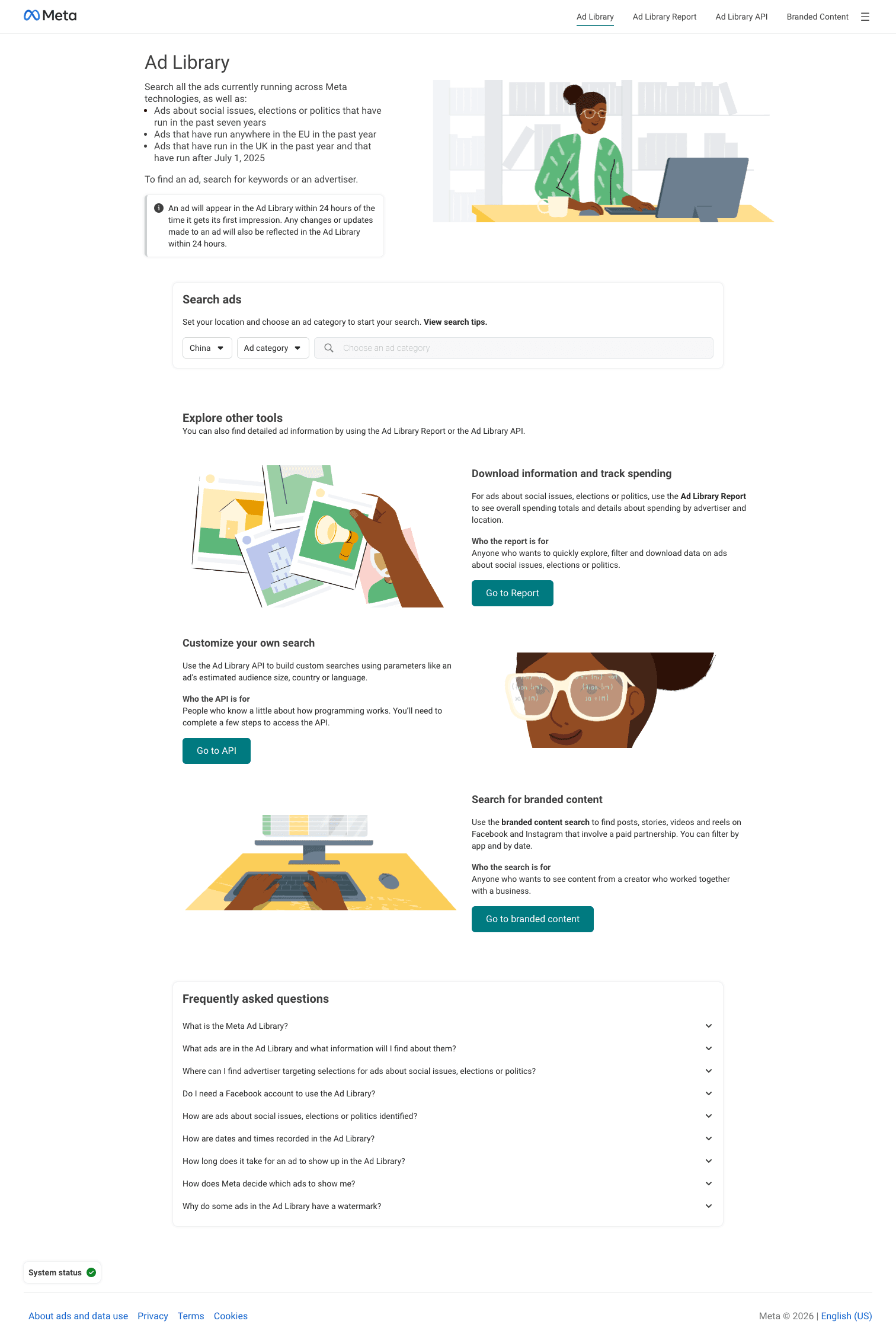
Quick answer (reviewed 2026-07-10): The official Facebook Ads Library is https://www.facebook.com/ads/library/. Choose the relevant country or region and ad category, search for the advertiser, and record only what Meta displays in the live result.
Evidence boundary: Use the official Meta Ad Library and Meta help; the public Library is viewable without login, while fields vary by category and region.
Next step: For filters and a weekly SOP, use the complete Facebook Ads Library guide, then read AdMapix methodology.
Quick FAQ
Is Facebook Ads Library the same as Meta Ad Library?
Facebook Ad Library is the commonly searched name for Meta's official advertising-transparency surface at the same official URL.
Can it prove which competitor ad is profitable?
No. Visible duration and creative patterns are research signals, not verified profit or conversion data.
<!-- /admapix-p0-low-ctr-refresh-2026-07-10 -->By the AdMapix Research Team — Updated April 16, 2026
Meta's Facebook Ad Library lives at https://www.facebook.com/ads/library/ — it's free, public, and works without a Facebook login. Type an advertiser name, select a country, and see every currently-active ad that advertiser is running across Facebook, Instagram, WhatsApp, Threads, and Messenger. Below you'll find the direct URL, a six-step walkthrough, the 2026 UI changes, the difference between the Ad Library and Meta Transparency Center, and the hard limits that push teams to paid tools.
TL;DR Box
- The URL: https://www.facebook.com/ads/library/ — works in any browser, no account needed.
- What it shows: Active ad creative, platforms (FB/IG/WhatsApp/Threads/Messenger), start date, impression ranges (as of Jan 2026, for all ads), and cumulative spend for political/social-issue advertisers.
- What it hides: Exact spend on non-political ads, targeting, audience data, CTR, conversions, pixel events, historic (paused) non-political creative.
- When to upgrade: If you need modeled spend, cross-platform spend, historic creative, or automated monitoring, skip to a paid ad-intelligence tool — see our best ad spy tools 2026 breakdown.
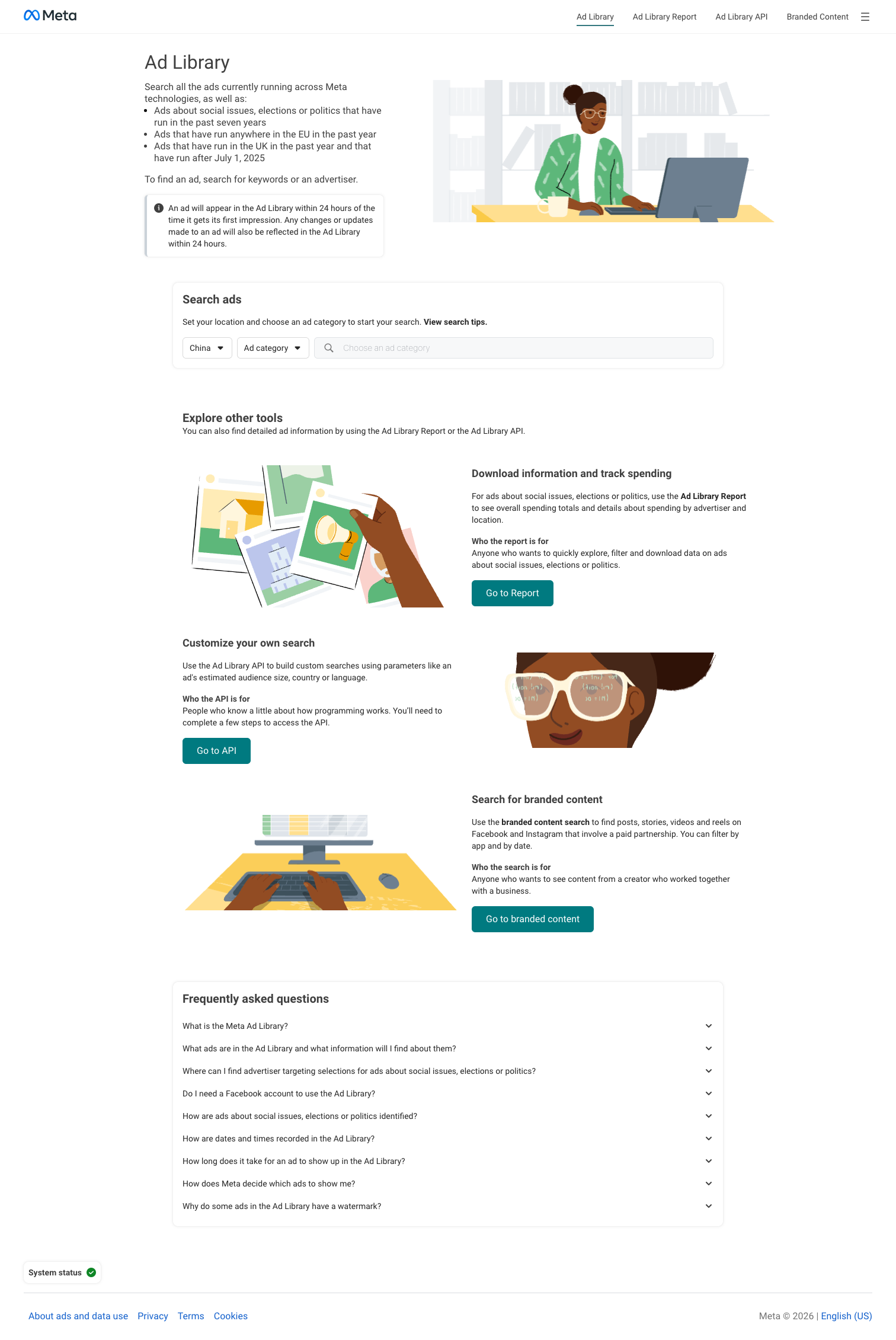
What Is the Facebook Ad Library?
The Facebook Ad Library (officially "Meta Ad Library") is Meta's public transparency tool. It catalogs every ad currently running on Facebook, Instagram, Messenger, WhatsApp status, and Threads — plus a seven-year archive of ads about social issues, elections, or politics. Launched in 2018 after Cambridge Analytica, it's been expanded annually, most recently with the January 2026 update that brought impression ranges to all ads.
It's free. No login wall. No Facebook account, Business Manager account, or developer key required. That matters because most people asking "where is the Facebook Ads Library" have been bounced off a login screen elsewhere and assume this must be gated too. It isn't.
Where Is the Facebook Ad Library? (The URL + Quick Access)
Primary URL
https://www.facebook.com/ads/library/
That's the canonical address. Bookmark it. Meta occasionally reshuffles its transparency hub but the /ads/library/ path has been stable since 2019.
Alternate paths
- Ad Library Report (downloadable CSVs): https://www.facebook.com/ads/library/report/
- Ad Library API landing page: https://www.facebook.com/ads/library/api
- Meta Transparency Center (the parent hub, not the tool itself): https://transparency.meta.com/
Quick access tips
- Google "Facebook Ad Library" — the first organic result is the real URL. Skip sponsored results; they're often third-party tools impersonating the library.
- On mobile, tap "Continue in browser" or use request-desktop-site to keep the full filter bar.
- From mainland China, facebook.com is blocked entirely. Use a VPN with a Hong Kong, Taiwan, Singapore, or Japan node — Hong Kong and Taiwan are fastest.
How to Use the Facebook Ad Library (Step-by-Step)
Six clicks from cold open to a full view of a competitor's active ads.
- Open the URL. Go to facebook.com/ads/library in any browser. No login prompt for public search.
- Select the country. The dropdown defaults to "United States." Change it to the market you want — Meta only returns ads visible to users in that country.
- Choose an ad category. "All ads" (everything, including consumer brands) or "Issues, elections, or politics" (archive with spend figures). For competitive research, keep it on "All ads."
- Search a brand or keyword. Type an advertiser's Facebook Page name (e.g., "Nike") or a keyword from the creative. Page-name search is far more reliable; keyword search only matches the first ~40 characters of ad text.
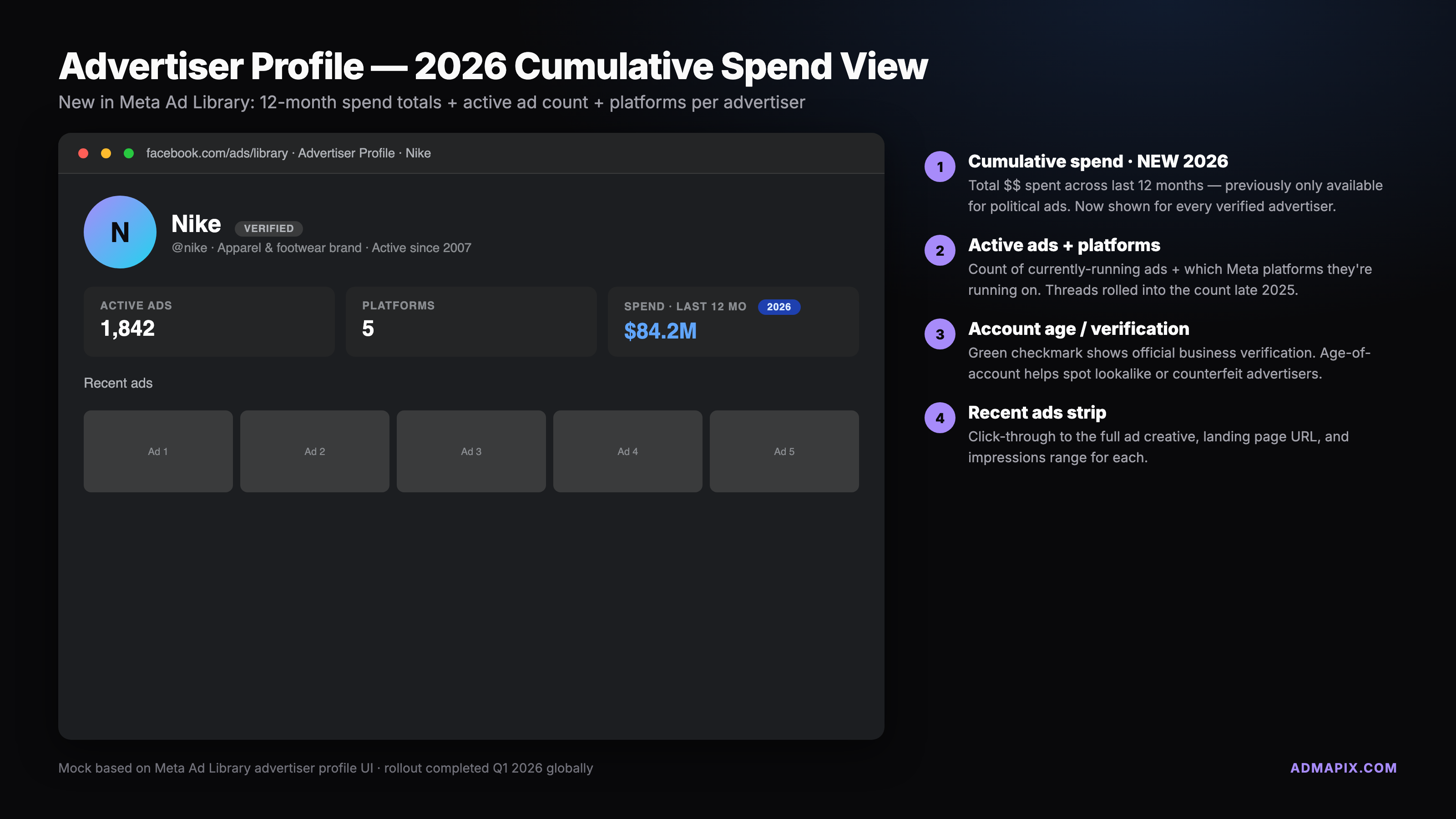
- Click the advertiser to open the profile. The advertiser profile page (rolled out to all pages in late 2025) shows every active ad in one grid with platform badges, start dates, impression ranges, and cumulative spend for political advertisers.
- Save or share via permalink. Click any ad for its permalink URL (
/ads/library/?id=...). Stable and shareable — drop into Notion, Slack, or a report and they'll resolve for anyone, logged in or not.
If you're skimming for a single ad, steps 1, 4, and 6 take under 30 seconds.
What You Can See
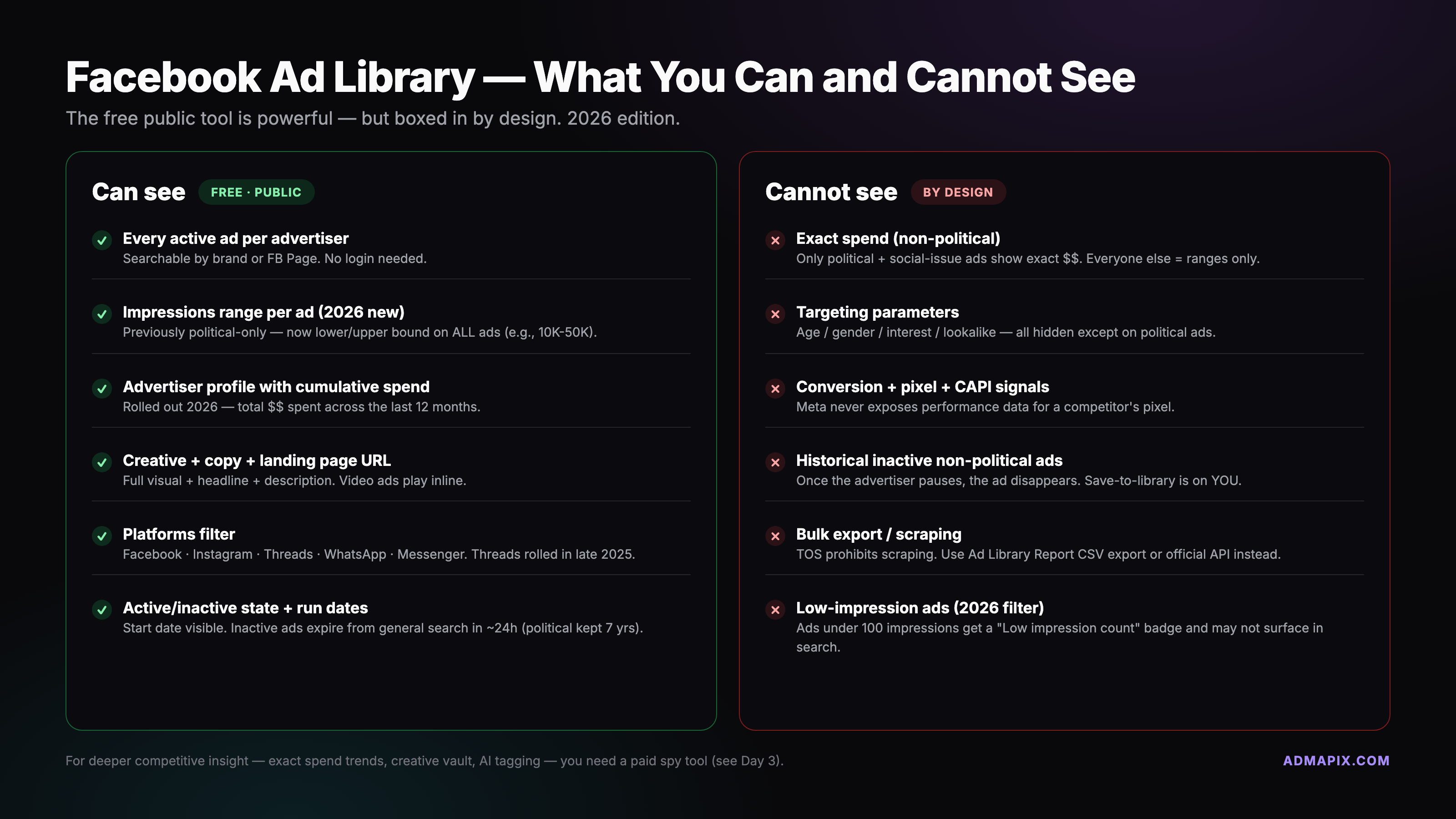
The Ad Library exposes a bounded dataset. Visible on every ad card:
- Creative: Full image, video, carousel, or collection — exactly as a user would see in-feed.
- Status: Active or inactive. Political/social-issue ads stay in the archive for 7 years; non-political ads disappear when paused.
- Platforms: Facebook feed, Instagram feed and Reels, Messenger, WhatsApp status, Threads.
- Library ID + start date: Unique ad ID for citations, plus the date the ad first ran.
- Impressions range: As of January 2026, every ad shows an impressions bucket (10K–50K, 50K–100K, etc.). Ads under 100 impressions carry a "Low impression count" badge.
- Political spend and reach: For "Issues, elections, or politics" ads — spend ranges plus age/gender/region demographics.
- Advertiser profile: Page name, verification status, page transparency data (creation date, admin country, past name changes), and cumulative lifetime spend for political advertisers.
What You Cannot See
This is where most researchers hit a wall. The Ad Library is a transparency tool, not a competitive-intelligence platform. Hidden:
- Exact spend on non-political ads. No dollar figures — only impression ranges.
- Targeting parameters. No interests, lookalikes, custom audiences, geo narrowing, or device targeting.
- Performance metrics. No CTR, CVR, CPM, CPC, ROAS, or post-click data.
- Pixel or conversion events. Nothing about landing pages, add-to-carts, or purchases.
- Historical non-political creative. Once paused, consumer ads vanish. Only political/social-issue ads persist in the 7-year archive.
- A/B test structure. You see the creative, not the test groups or budget splits.
If those gaps matter, the Ad Library isn't enough alone. Modeled-spend tools triangulate the numbers from public signals — see our competitor ad spy guide for the comparison. If what you need is the history, tools that spy on Facebook ads beyond the library keep app and game ads after they stop and let you sort a market by how long each ad has run.
2026 UI Updates
Meta pushed a cluster of transparency updates in Q1 2026, mostly prep for the US midterms and the EU DSA's second audit. Four things changed what you see on screen:
Impressions filter on all ads (January 2026)
Previously, impression ranges only appeared on political ads. Now every ad card shows an impressions bucket, and you can filter results by range — useful for spotting which competitor creative is scaling vs. just testing.
"Low impression count" badge
Ads under 100 impressions carry a yellow "Low impression count" badge. A testing signal — lots of badged ads on a profile means that brand is running creative experiments before scaling winners.
Threads and WhatsApp platform filters
Added in late 2025. Filter the library to show only Threads or WhatsApp status ads. Threads volume is still small, but it's the cleanest public view of what brands are testing there.
Advertiser profile with cumulative spend
Every Page now has a profile page showing all active ads in one grid. Political advertisers also show cumulative lifetime spend — a number that previously required manually summing the Ad Library Report CSV.
Facebook Ad Library vs Meta Transparency Center
People confuse these because Meta links them, but they serve different purposes.
- Facebook Ad Library (facebook.com/ads/library) is the tool — the searchable database of ads. Go here to look up a brand.
- Meta Transparency Center (transparency.meta.com) is the hub — policy docs, enforcement reports, Community Standards, researcher program applications, and links out to the Ad Library.
Sibling properties, different UIs. If someone says "check the Transparency Center for a competitor's ads," they mean the Ad Library. The Transparency Center has no ad-search UI — it just points to the library.
Mobile Access
The Ad Library works on any mobile browser — Safari, Chrome, Firefox, Edge. There is no dedicated Meta Ad Library app as of April 2026 and no signal Meta is building one.
- Rotate to landscape for the full filter bar. Portrait hides the country selector and ad-category toggle behind a hamburger menu.
- Use permalinks for sharing. Tap an ad, grab the
/ads/library/?id=...URL, drop into Notes, Slack, or email. Resolves for anyone.
For serious research the mobile experience is thin — filters buried, one ad per row. Bookmark the URL, do real work on desktop.
Advanced Uses
Three power-user surfaces beyond the main search UI:
Ad Library Report (CSV export)
The Ad Library Report offers downloadable weekly, monthly, or all-time CSVs of political/social-issue ad spend by country, advertiser, and region. Only way to get bulk spend data out of Meta without code. Non-political ads excluded.
Ad Library API (EU political ads)
The Ad Library API exposes political and social-issue ads programmatically. Requires a Facebook developer account and token. Gated to researchers under the EU Political Advertising Regulation plus verified journalists and academics elsewhere — see Meta's EU Political Ads researcher access page for the application flow. Tight rate limits but the best programmatic option.
Meta Researcher Program (formerly FORT)
Credentialed academics can apply via the Transparency Center for deeper datasets including engagement and reach-by-demographic. Multi-week review; academics only. Meta's 2026 transparency update outlines the full Q1 changes.
Common Limitations and Workarounds
Six problems that show up over and over:
1. "I know this brand is running ads, but I see nothing."
Check your country setting. Meta only returns ads visible to users in the selected country. Geo-targeted US-only campaigns won't show with the country set to UK. Also verify you're searching the exact Page name, not a tagline.
2. "Ads I saw last month are gone."
Non-political ads disappear the moment the advertiser pauses them. Only political/social-issue ads persist in the 7-year archive. For historical non-political creative, use a third-party tool that indexes daily.
3. "No spend numbers."
Correct — non-political ads never show dollar spend, only impression ranges. For modeled dollar-spend, use a paid tool; see our SpyFu alternatives deep-dive.
4. "The data lags."
Active-ad listings update in near-real-time but impression ranges and spend can lag 24–48 hours. Supplement with a real-time spy tool for time-sensitive monitoring.
5. "I can't scrape it."
Meta's ToS forbid automated scraping of the UI. The only sanctioned automated access is the Ad Library API (political/social-issue only). Third-party "Facebook ad data" tools license through partnerships or collect via user-contributed signals — not scraping.
6. "I can't access it from mainland China."
Facebook.com is blocked. Use a VPN with a Hong Kong, Taiwan, Singapore, or Japan node. Don't log in to a Facebook account on a China IP even through a VPN — permanent-lock risk is real. Browse logged out.
FAQ
Is it legal to use the Facebook Ad Library?
Yes. The Ad Library is a public transparency tool published by Meta. Browsing, searching, taking screenshots, and sharing permalinks are all allowed. What's not allowed under Meta's Terms of Service is automated scraping, reselling the raw data, or misrepresenting yourself when you apply for the researcher program.
Can I see how much competitors spend?
For non-political advertisers, no — only impression ranges, which are indirect. For political and social-issue advertisers, yes: you get spend ranges per ad and cumulative spend on the advertiser profile. If you need exact or modeled dollar figures for consumer ads, use a paid ad-intelligence tool.
Why are some ads missing?
Three common causes: (1) the ad is geo-targeted to a country other than the one you have selected; (2) the advertiser paused the ad and it's non-political, so it was removed from public view; (3) you're searching a keyword that doesn't match the first 40 characters of the ad text — switch to searching by Page name.
How far back does it go?
Active non-political ads are visible only while they're running. Political and social-issue ads have a 7-year archive, currently extending back to 2018. There is no public historical archive of paused non-political ads inside the Ad Library.
Can I scrape the Facebook Ad Library?
Not legally. Meta's Terms of Service prohibit automated scraping of the library UI. The sanctioned alternatives are the Ad Library API (political/social-issue only, developer token required), the Ad Library Report CSV exports (political only), and the researcher program (academic credentials required). For commercial automated monitoring, licensed third-party tools are the path.
Does Facebook Ad Library show Instagram and Threads ads?
Yes. The library covers all Meta surfaces — Facebook feed and stories, Instagram feed and reels, Messenger, WhatsApp status, and Threads. Each ad card shows platform badges indicating where it's running. You can also filter search results by platform, including Threads and WhatsApp filters added in late 2025.## When the Ad Library Isn't Enough
The Facebook Ad Library is the best free source of truth for what a brand is currently running on Meta. It's not a competitive-intelligence platform. If you need modeled spend, historical creative, cross-platform coverage (TikTok, Google, YouTube), automated alerting, or team collaboration, you'll hit the wall fast.
AdMapix models Meta ad spend from public signals, keeps historical creative indefinitely, and covers TikTok, Google, and YouTube alongside Meta — one dashboard for the full paid-media footprint. Start with our cross-platform ad spy guide, compare options in our best ad spy tools 2026 breakdown, or see AdMapix pricing.
Bookmark facebook.com/ads/library for quick lookups. Layer a paid tool on top when you need more than the snapshot.
Turn these observations into your next creative study
Open the creative library and select samples for your market, network and research question.
Related Articles
How to Check Competitors' Google Ads (AdWords) in 2026: Free and Paid Methods
See what competitors run on Google Ads (formerly AdWords) with the free Ads Transparency Center and Auction Insights, then decide when paid tools like Semrush or SpyFu earn their cost. Includes a monitoring sheet and a 20-minute weekly routine.
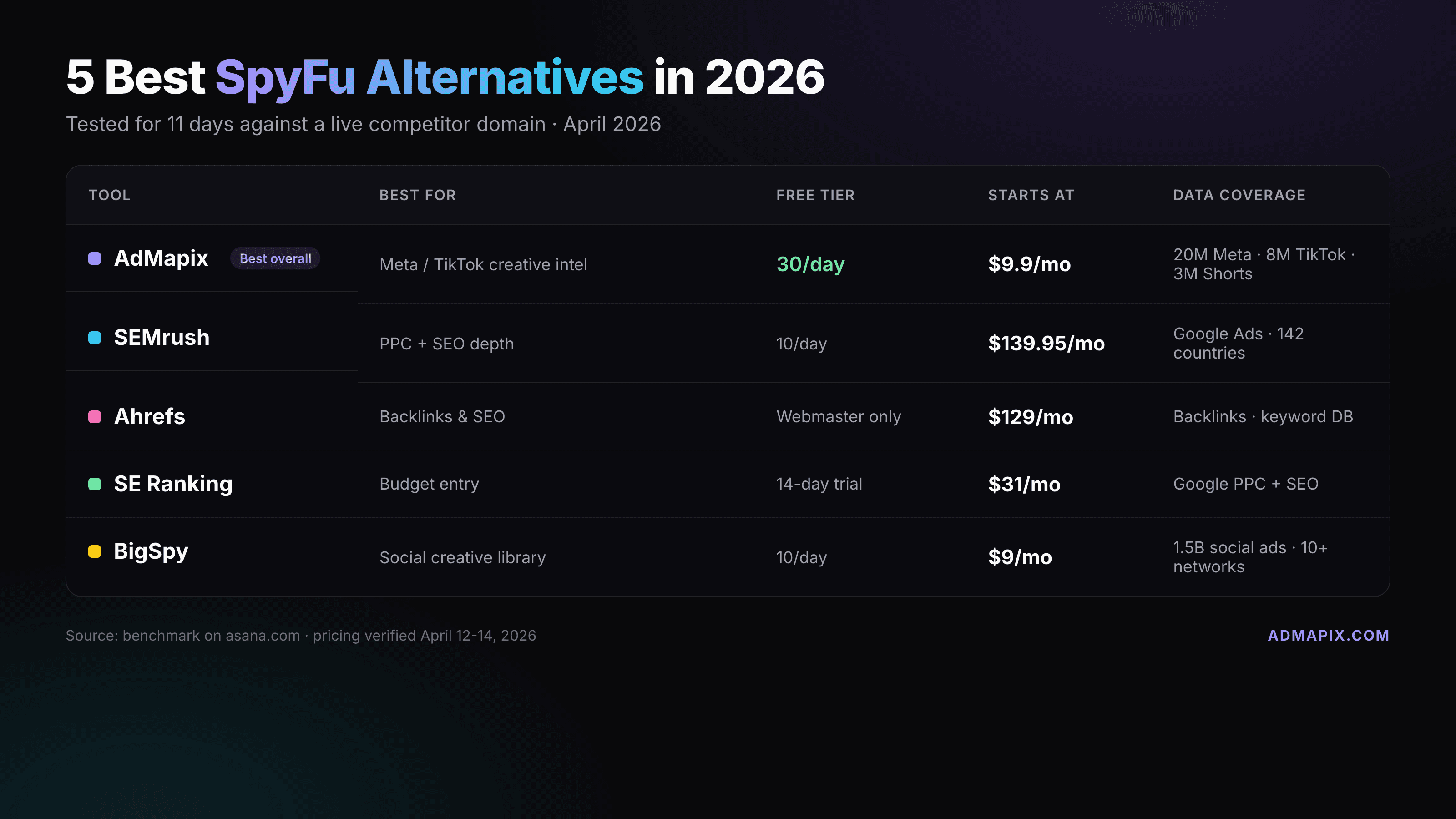
Best SpyFu Alternatives for PPC Keyword Research (2026)
Seven SpyFu alternatives compared by job, not by hype. Semrush, Similarweb, Ahrefs, SE Ranking, Ubersuggest, and Google's free Ads Transparency Center for PPC keyword and ad-copy research, plus AdMapix for the social and video creative research SpyFu does not cover. Prices checked on vendor pages in September 2026.
TikTok Shop Ads: Beauty References for Demonstrations, Proof, and Offers
Compare eight beauty creative references from a dated US skincare sample, distinguish demonstrations from claims and historical offers, and build original briefs without assuming verified TikTok Shop attribution or campaign performance.