
How to Check Competitors' Google Ads (AdWords) in 2026: Free and Paid Methods
See what competitors run on Google Ads (formerly AdWords) with the free Ads Transparency Center and Auction Insights, then decide when paid tools like Semrush or SpyFu earn their cost. Includes a monitoring sheet and a 20-minute weekly routine.
Reviewed and updated by the AdMapix editorial team on September 7, 2026.
If you want to check competitors' Google Ads (many people still call them AdWords, the product's name until 2018), start with three free moves before you buy any software. First, open the Google Ads Transparency Center and search the competitor by name or website to see the ads they have been running. Second, open Auction Insights inside your own Google Ads account to see which advertisers actually compete with you in live auctions. Third, run the Ad Preview and Diagnosis tool or a manual search from the target region to see where those ads land on the page. Paid tools are the upgrade path, not the starting point. This guide walks through each step, explains which data points matter, and ends with a monitoring sheet and a 20-minute weekly routine you can run without a budget.
TL;DR
- Free stack first: Ads Transparency Center (public, no Google Ads account needed) + Auction Insights (inside your account) + Ad Preview and Diagnosis + a manual search from the target market. That covers most of what an in-house PPC manager needs week to week.
- What the free stack can't show: competitor spend, impressions, keyword lists, targeting, or anything outside Google. Those gaps are exactly where paid tools sell.
- When to go paid: you track more than roughly ten competitors, you need months of history, you want keyword-level CPC estimates, or you need Meta, TikTok, and Google in one view.
- Weekly cadence: 20 minutes every Monday. Five minutes in the Transparency Center, five in Auction Insights, five in Ad Preview, five on landing-page snapshots, all logged into a ten-column sheet.
What "checking competitor Google Ads" actually means in 2026
The phrase used to mean "search your keyword and see who shows up." That still has a place, but a single search from a single device in a single location tells you almost nothing about a competitor's program. Ads are personalized, geo-targeted, day-parted, and rotated. What you see at 9am on your laptop is one sample from a distribution.
In practice, checking a competitor's Google Ads means pulling from three surfaces, because no single view shows everything.
Creative: the headlines, descriptions, images, videos, and landing pages a competitor is running. The Transparency Center is the primary source here. It shows what Google served, for verified advertisers, over a date range you choose.
Auction overlap: which advertisers compete against you on the queries you already bid on, measured by Google itself. Auction Insights handles this, but only for your own keywords and campaigns. It cannot tell you about auctions you don't participate in.
Placement and page position: where the competitor's ad appears on the results page for a given query, device, and location. Ad Preview and Diagnosis and a careful manual search cover this.
Keyword lists, spend, and impressions are not exposed by Google for other advertisers. Any tool that shows you a competitor's "keywords" or "monthly spend" is estimating from its own crawl data, not reading Google's books. That distinction matters when you decide how much to trust a number.
Why Google's own free tools are your first move
Google's tools come first for three reasons. They are free. They are authoritative, because the data comes from Google's own ad serving rather than a third-party crawl. And they need no special access: the Transparency Center is public, and Auction Insights only needs the Google Ads account you already have.
The Transparency Center is Google's public repository of advertisers and the ads they have served across Google surfaces such as Search, Display, Gmail, and YouTube. Google requires advertisers to complete identity verification, and the verified advertiser's name and location appear both on ad disclosures and in the Transparency Center. Since mid-2025 (Google's help documentation dates the feature to June 2025), Google also shows the entity that pays for the ads. That is useful when a brand runs through an agency, a holding company, or a cross-border subsidiary, because the paying entity is often a legal name rather than the consumer-facing brand.
Auction Insights is the only place you get non-estimated overlap data between your campaigns and other advertisers. Third-party tools guess at impression share from sampled searches. Google knows. If a domain appears in your Auction Insights report, it really did enter the same auctions you did.
These two tools will not do everything. There is no keyword-level CPC, no spend, no cross-platform coverage, and no long-term trend charting. But for the core question, "what is competitor X running on Google right now, and how much do we overlap?", they are enough. Our Google Ads Transparency Center guide goes deeper on the signals you can infer from the archive alone if you want the long version.
How to see competitors' AdWords (Google Ads) campaigns in the Transparency Center
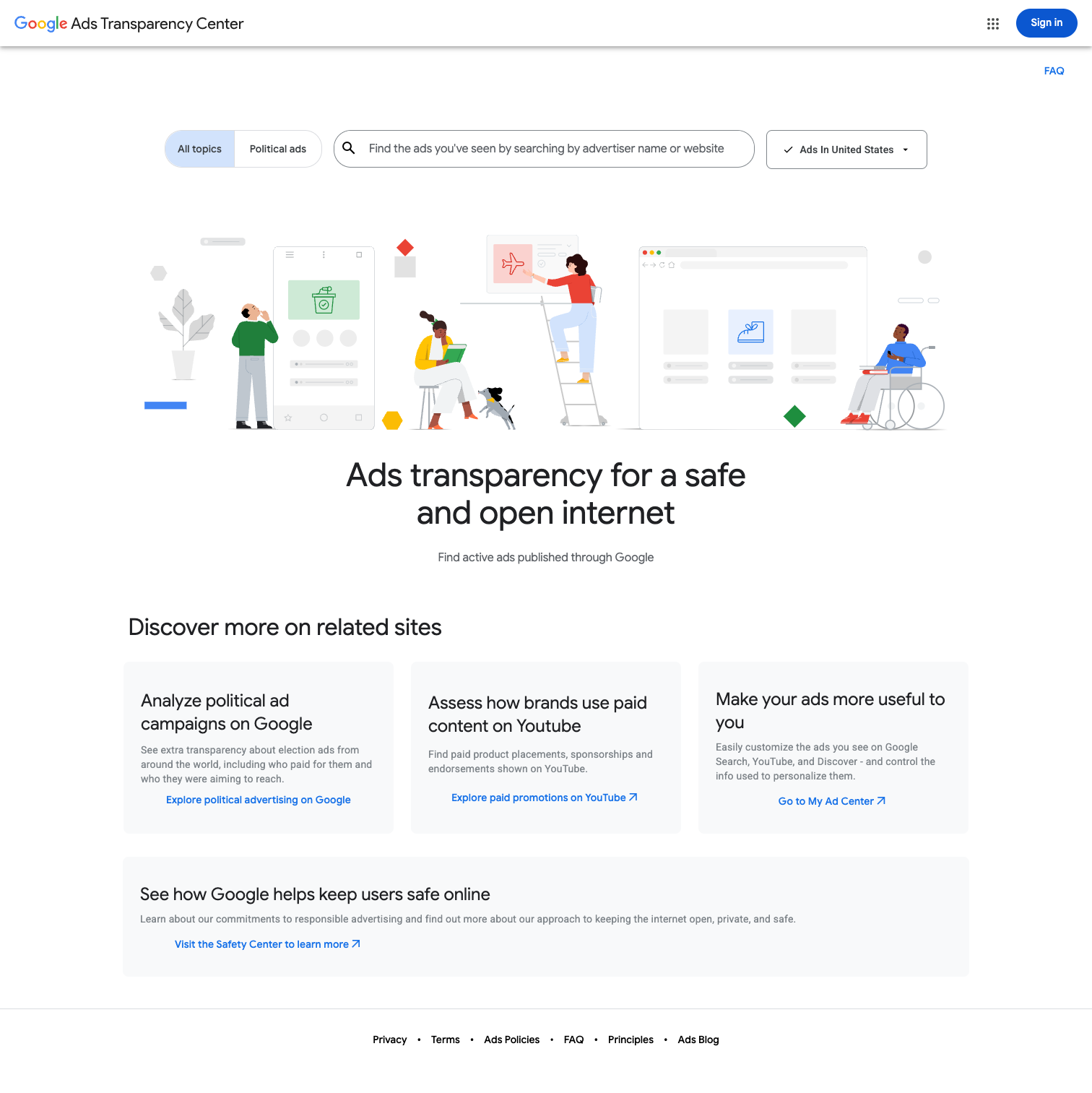
Go to adstransparency.google.com. You do not need a Google Ads account. The interface changes from time to time, so treat the labels below as a guide and confirm against the live tool.
Step 1: Search by advertiser name or website. Google's help documentation describes the search as "advertiser or website name." Type the competitor's brand or their domain. If a brand name returns several advertisers, use the domain to narrow it, then look at the verified name and location on each result. Agencies and parent companies frequently show up under a legal entity that differs from the marketing brand, so keep a mapping of "trading name" to "verified name" for each competitor you track.
Step 2: Filter by region. The Transparency Center lets you filter by the location the ads targeted. A US-only view of a brand that spends heavily in Europe or Asia will badly undercount their activity. For cross-border sellers, step through each priority market individually and note the differences in offers and languages.
Step 3: Filter by date range. Google's documentation names date as a core filter. Use a wide range for a first look, to catch seasonal and evergreen creatives. Narrow it to the last week for ongoing monitoring, which is what the weekly routine later in this post uses.
Step 4: Filter by format, if available. Google's help article only names date and location as filters, but the live tool has also carried a format control; as of September 2026, check the tool itself for the exact options in your region. For search-heavy competitors, text ads carry most of the intelligence. For brands leaning on Performance Max or YouTube, the image and video creatives tell you where the media budget is going. If you can't find a format filter in your region, the date and region filters still do most of the work.
Step 5: Open individual ads. Each ad opens into a larger preview with the creative and the dates it was shown. Note the headline, the offer, and the landing-page destination. For ads shown in the European Economic Area, Google also publishes additional details such as targeting information and the number of recipients, and it offers API access to that EEA data. Outside the EEA, expect the creative and dates only.
Step 6: Note what you can't see. Impressions. Spend. Keywords. Bids. Device split. Audience targeting outside the EEA disclosures. The Transparency Center is a creative archive, not a spend intelligence tool. That is the boundary where paid tools start.
How to read Auction Insights inside your own account
Auction Insights lives inside your own Google Ads account. In the current interface it sits under Insights and reports; if Google has moved it by the time you read this, the search box at the top of Google Ads will find it. You can run it at account, campaign, ad group, or keyword level. Campaign level is where most weekly monitoring happens.
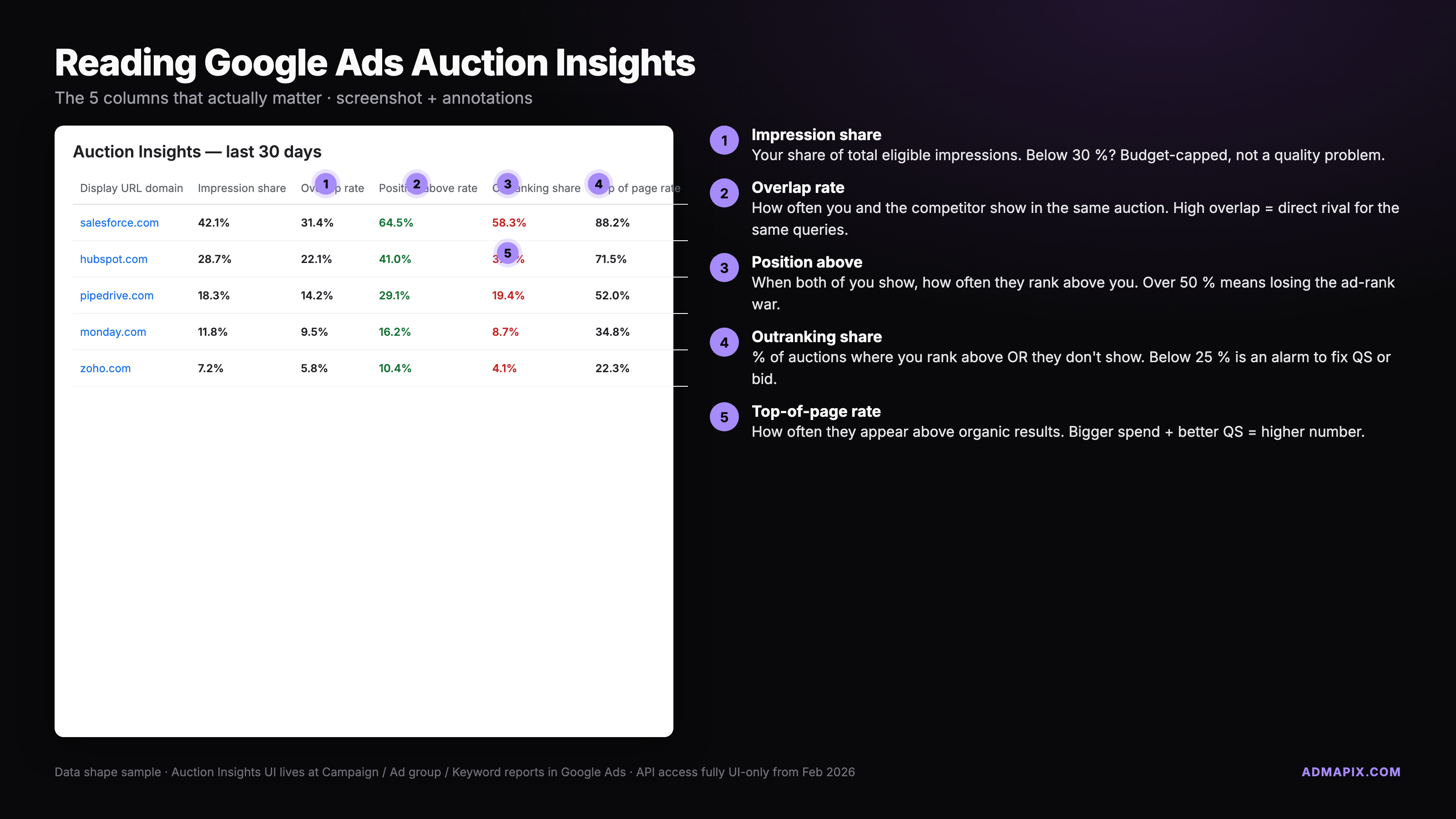
Six columns carry almost all the signal.
- Impression share: the percentage of eligible auctions in which a given advertiser's ad actually appeared. Your own impression share is a ceiling check. A competitor's impression share tells you their commitment: a domain at 70% is spending seriously on your terms, one at 8% is dabbling.
- Overlap rate: how often a competitor appeared in the same auction as you. This is the most actionable number in the table. A large week-over-week swing usually means the competitor launched, paused, or restructured a campaign targeting your terms.
- Position above rate: how often the competitor's ad showed above yours when you both appeared.
- Top of page rate and absolute top of page rate: how often the ad showed above the organic results, and how often it held the very first slot. Gaps here tell you where the premium-real-estate fight is happening.
- Outranking share: how often your ad ranked above the competitor's, or showed when theirs did not. If outranking share drops while overlap stays flat, the competitor raised bids or improved quality. If both drop together, they pulled budget.
Two practical limits. Auction Insights has historically been a reporting-UI feature, and as of September 2026 we are not aware of an equivalent report in the Google Ads API, so a scripted pull still means exporting from the interface. And at manager-account level the report is per client account, so an agency tracking a portfolio has to pull each account and stitch the results together in a spreadsheet.
What competitor data actually matters
You do not need every data point. You need the four that change decisions.
Keywords. Google does not hand you a competitor's keyword list, but you can triangulate. The Transparency Center shows creative copy. If a headline says "Free shipping on dog food over $40," the advertiser is almost certainly bidding on terms like dog food delivery and bulk dog food, and possibly on rival brand names. Combine that with Auction Insights, which tells you which of your keywords they overlap on, and you get a usable picture. Our search ads intelligence guide covers how to turn creative copy into keyword themes in more detail.
Copy angles. Competitors rarely run forty different messages in parallel. They run three to five core angles and rotate variants. Pull the Transparency Center weekly and log the angle, not just the headline: price anchor, new launch, trust signal, urgency, guarantee. When a competitor switches from "guarantee" to "urgency" for several weeks running, they are probably testing into a seasonal push.
Landing pages. The destination is the tell. Does the ad go to a category page, a bespoke lander, or a product page? Bespoke landers signal a program with real budget, because nobody builds one-off pages for campaigns that are not earning it. Track the URL, then snapshot the page with the Wayback Machine or archive.today so you can diff it later.
Bid-strategy signals. You cannot see a competitor's bid strategy, but you can infer it. If their outranking share swings wildly day to day, they are likely on an automated conversion-based strategy with tight targets. If it sits stable above 80%, they are likely on a target impression share strategy with headroom. If their ads only appear during business hours in one region, they are day-parting. None of this is in any report. It is what you read between the rows.
The same logic applies beyond search. If a competitor's Transparency Center results are heavy on image creatives, our competitor display ads guide explains how to read targeting clues from banner sizes, placements, and creative themes.
Paid tools that go deeper
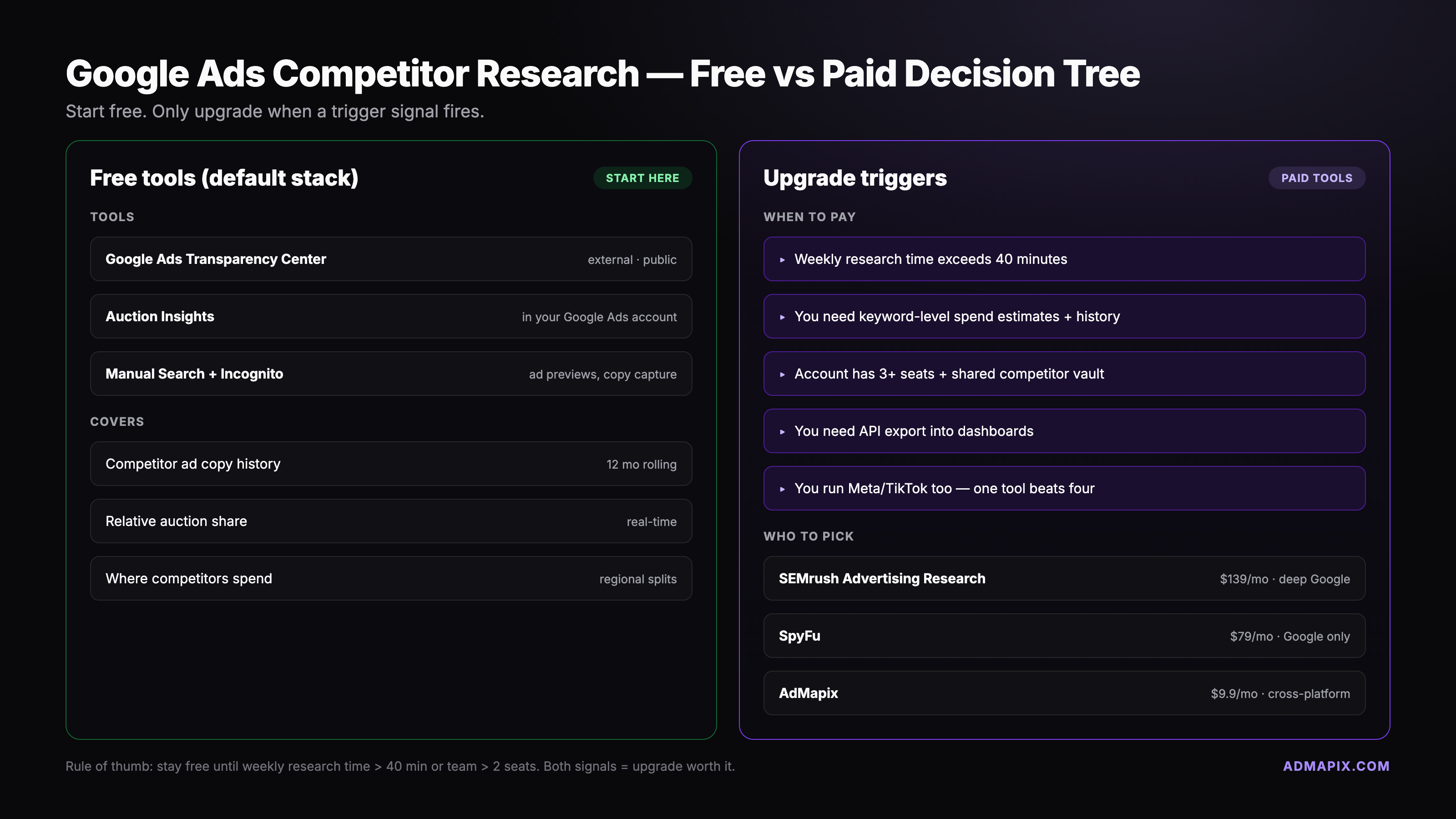
Google's free stack scales to roughly ten competitors in one market with a short lookback. Past that, or when you need numbers Google does not publish, paid tools earn their cost. Three are worth knowing for Google-specific research. (iSpionage, once a common pick here, was shut down by TapClicks in July 2025 and is no longer available.)
- Semrush Advertising Research: estimated paid keywords per domain, ad copy history, and estimated CPC and traffic. Strongest when you want a competitor's keyword footprint across many domains and a long history of copy changes.
- SpyFu: a clean view of a single domain's paid keyword history, including which terms it has bought over multiple years and the ad variations it has tested. The go-to when you are researching one competitor deeply rather than scanning many.
- Similarweb: traffic-source attribution, so you can see roughly how much of a competitor's traffic comes from paid search versus organic, social, or referral. Useful for sizing the paid program rather than dissecting it.
All three estimate. Their keyword and spend numbers come from crawls and models, not from Google's ledger, so treat them as directional and validate anything important against Auction Insights. For a head-to-head on the PPC keyword tools specifically, see our SpyFu alternatives comparison. For a wider ranking that includes social and creative tools, the best ad spy tools for 2026 roundup is the counterpart.
The trigger for going paid is scale, not complexity. Stay free until one of four things happens: you cross ten competitors, you need six or more months of history, you need Meta and TikTok creatives in the same view as Google, or you are running five or more regions and manual region-toggling stops being feasible. That cross-platform case is where AdMapix fits: it is built for creative research across Meta, TikTok, and Google in one workspace rather than for Google keyword estimation.
Build a Google Ads competitor monitoring sheet
A sheet you actually fill in beats a dashboard that looks great and sits empty. The template below is ten columns wide.
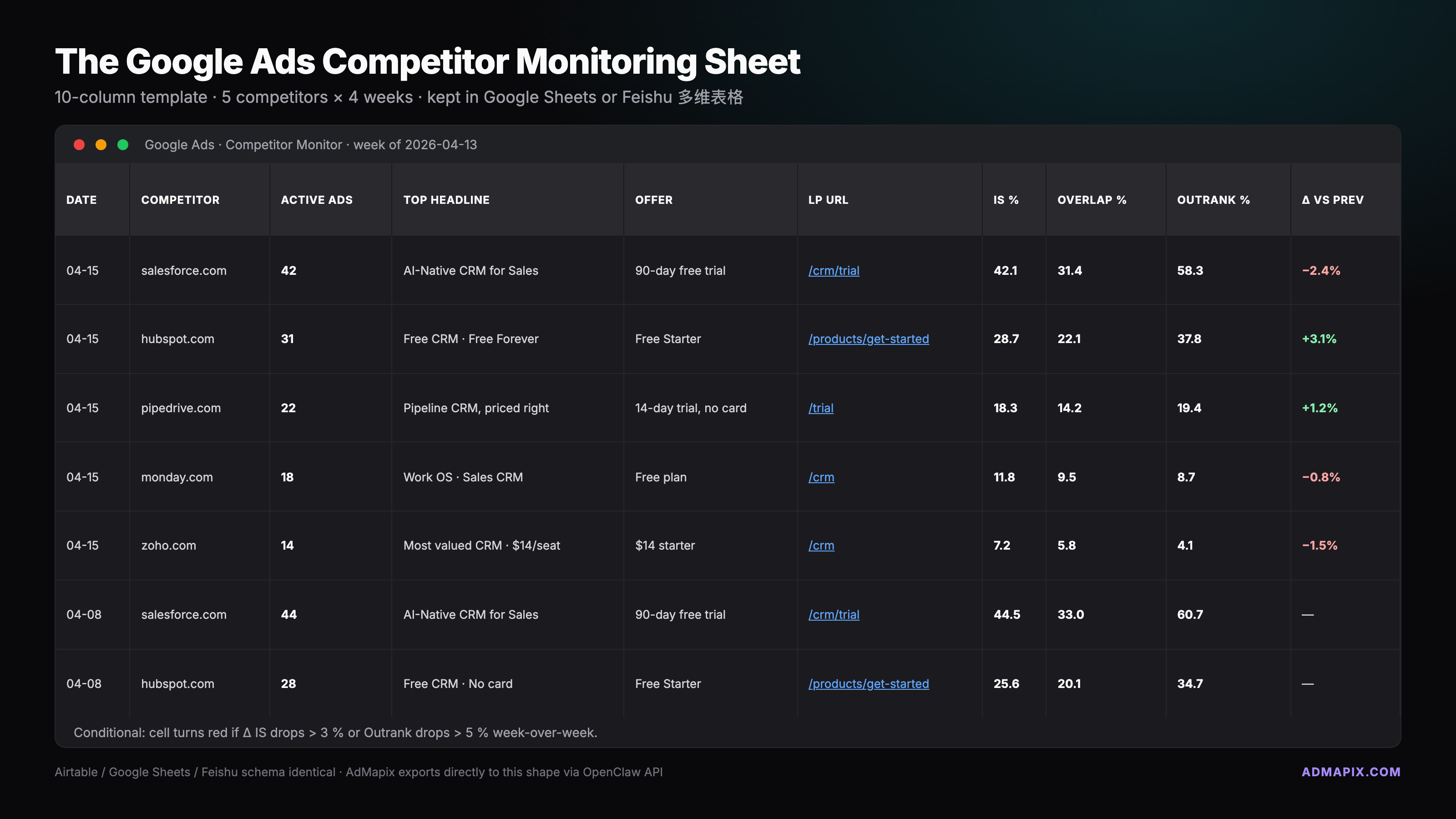
| Date | Competitor | Active Ads | Top Headline | Offer | LP URL | IS% | Overlap% | Outranking% | Change vs last week |
Row structure: one row per competitor per week. Five competitors means five rows every Monday. Once the drop-downs and conditional formatting are set up, filling it takes about 20 minutes.
Column by column:
- Date: the Monday of the week pulled, in ISO format such as 2026-09-07.
- Competitor: the verified advertiser name from the Transparency Center, or the trading name if you have mapped it.
- Active Ads: count of ads shown in the Transparency Center for the last seven days in your target region.
- Top Headline: the headline that appears on the most ads that week, copied verbatim.
- Offer: the promotion or value proposition. "Free shipping over $40." If there is none, write "generic brand claim."
- LP URL: the landing-page URL from the most prominent ad. Keep the path in the cell and the full URL in a note.
- IS%: the competitor's impression share from your Auction Insights, last seven days.
- Overlap%: overlap rate with your account, same window.
- Outranking%: your outranking share against them, same window.
- Change vs last week: a short note. "New landing page." "Switched offer to urgency." "Overlap up sharply, investigate."
Suggested conditional formatting:
- Overlap swing above 40 points week over week: red cell. This is the early-warning trigger.
- New landing-page URL detected: orange cell.
- New offer language: yellow cell.
- Outranking share drop above 15 points: red cell.
If your team uses Looker Studio, connect the sheet as a data source and chart overlap and outranking share over time. The sheet stays the source of truth; Looker is read-only visualization.
The 20-minute-per-week Google Ads competitor SOP
Same day, same time block, same sheet. Monday morning works because Auction Insights has the full previous week.
Minutes 0 to 5: Transparency Center sweep. Open adstransparency.google.com. Search each competitor by verified name or website. Filter to your target region and the last seven days. Note the active ad count. Screenshot the top three creatives into a dated folder. Copy the top headline into the sheet. About one minute per competitor.
Minutes 5 to 10: Auction Insights pull. In Google Ads, open Auction Insights at campaign level for your priority campaigns, filtered to the last seven days. Export or copy the rows for the competitors you track. Paste impression share, overlap rate, and outranking share into the sheet. Flag any large overlap swing.
Minutes 10 to 15: Ad Preview on money keywords. Open Ad Preview and Diagnosis in Google Ads. Test three of your highest-revenue keywords against your target location and device. Screenshot the results. Note which tracked competitors appear and in what position. This is where you catch a competitor who just started bidding this week; they show up in Ad Preview before their data is meaningful in Auction Insights.
Minutes 15 to 20: Landing-page snapshot. For each competitor, open the landing page behind their most prominent ad from a signed-out, incognito session. Note offer, price, and call to action. If anything changed since last week, log it in the Change column. A bookmarklet for archive.today makes snapshots one click.
That is 20 minutes. If the sheet flags a red cell, spend an extra 30 minutes that afternoon on a focused deep-dive. Red cells are the only thing that earns extra time in this process.
For teams running this across three or more markets or ten or more competitors, the 20-minute cadence breaks. That is the point where a paid tool, and for cross-platform work a creative research platform like AdMapix, replaces the manual sweep. The free workflow is purpose-built for focused, single-market Google monitoring.
Legal and ethical edges
Three lines you should not cross, and a few that are fine but feel murky.
Not okay: scraping Google's results pages at scale in violation of Google's terms of service, using stolen or shared credentials to access a competitor's Google Ads account, or impersonating a customer to extract private campaign data through support channels. Each of these creates legal exposure, and the first one gets your IP blocked.
Fine: looking at competitor ads in the Transparency Center, which exists for exactly this purpose. Running Ad Preview queries in your own account. Visiting competitor landing pages. If you visit often, do it from a signed-out session so you do not pollute their retargeting audiences or your own personalization.
Murky but defensible: bidding on a competitor's brand name. It is permitted in the US and most markets, subject to Google's trademark policy: you can generally bid on the keyword but cannot use the trademark in your ad text unless you qualify under an exception such as being an authorized reseller. Our guide to bidding on competitor brand keywords covers the rules, the complaint process, and how to defend your own brand terms.
The short version: Google built the Transparency Center so the public could see who is running what. Auction Insights exists so advertisers can see who they compete with. Using both as intended is legitimate competitive research.
Frequently asked questions
How do I check competitors' AdWords? AdWords is the old name for Google Ads, and the method is the same. Open the Google Ads Transparency Center, search the competitor by advertiser name or website, and filter by region and date to see the ads Google served for them. Then open Auction Insights in your own Google Ads account to see whether that competitor appears in the same auctions as you, and how often they outrank you.
Can I see what keywords competitors bid on in Google Ads? Not directly. Google does not publish any advertiser's keyword list. You can infer keyword themes from the ad copy in the Transparency Center and confirm overlap on your own keywords through Auction Insights. Paid tools such as Semrush and SpyFu publish estimated keyword lists built from their own crawls; treat those as directional, not exact.
Is the Google Ads Transparency Center free? Yes. It is a public website and does not require a Google Ads account or a paid subscription. Auction Insights and Ad Preview and Diagnosis are also free inside any Google Ads account, so the entire first-move stack described in this post costs nothing.
How do I check competitor ads across all platforms? Each platform has its own public archive: Google's Transparency Center for Google surfaces, the Meta Ad Library for Facebook and Instagram, and TikTok's Ad Library and Creative Center for TikTok. Checking them one by one works for a handful of competitors. Past that, a cross-platform ad intelligence tool saves the manual sweep; our guide to spying on competitors' ads across platforms walks through the process and the tools.
Can I see how much a competitor is spending on Google Ads? Not from Google, except for political ads in regions where Google publishes spend ranges. For everything else, neither the Transparency Center nor Auction Insights shows spend. Paid tools estimate spend from keyword volume and CPC models. Use those estimates to size a program, not to quote a number.
Is it legal to check competitors' Google Ads? Yes, when you use Google's own tools and public data as intended. The Transparency Center is designed for public disclosure, and Auction Insights is a core reporting feature. Problems start when you scrape in violation of terms of service, impersonate someone, or access a private account without authorization.
Ready to see what your competitors are actually running across Meta, TikTok, and Google? Sign in to AdMapix and start your creative research with live ad data.
Sources and further reading:
- Google Ads Transparency Center, the primary free tool (checked September 7, 2026)
- Google Advertising Policies Help: Ads transparency, Google's description of search by advertiser or website name, date and location filters, and payer disclosure (checked September 7, 2026)
- Google Ads Help: About Auction Insights, official documentation for the report's columns
- My Ad Center Help: About advertiser verification, how verified advertiser names and locations reach the Transparency Center
Turn these observations into your next creative study
Open the creative library and select samples for your market, network and research question.
Related Articles
Best SpyFu Alternatives for PPC Keyword Research (2026)
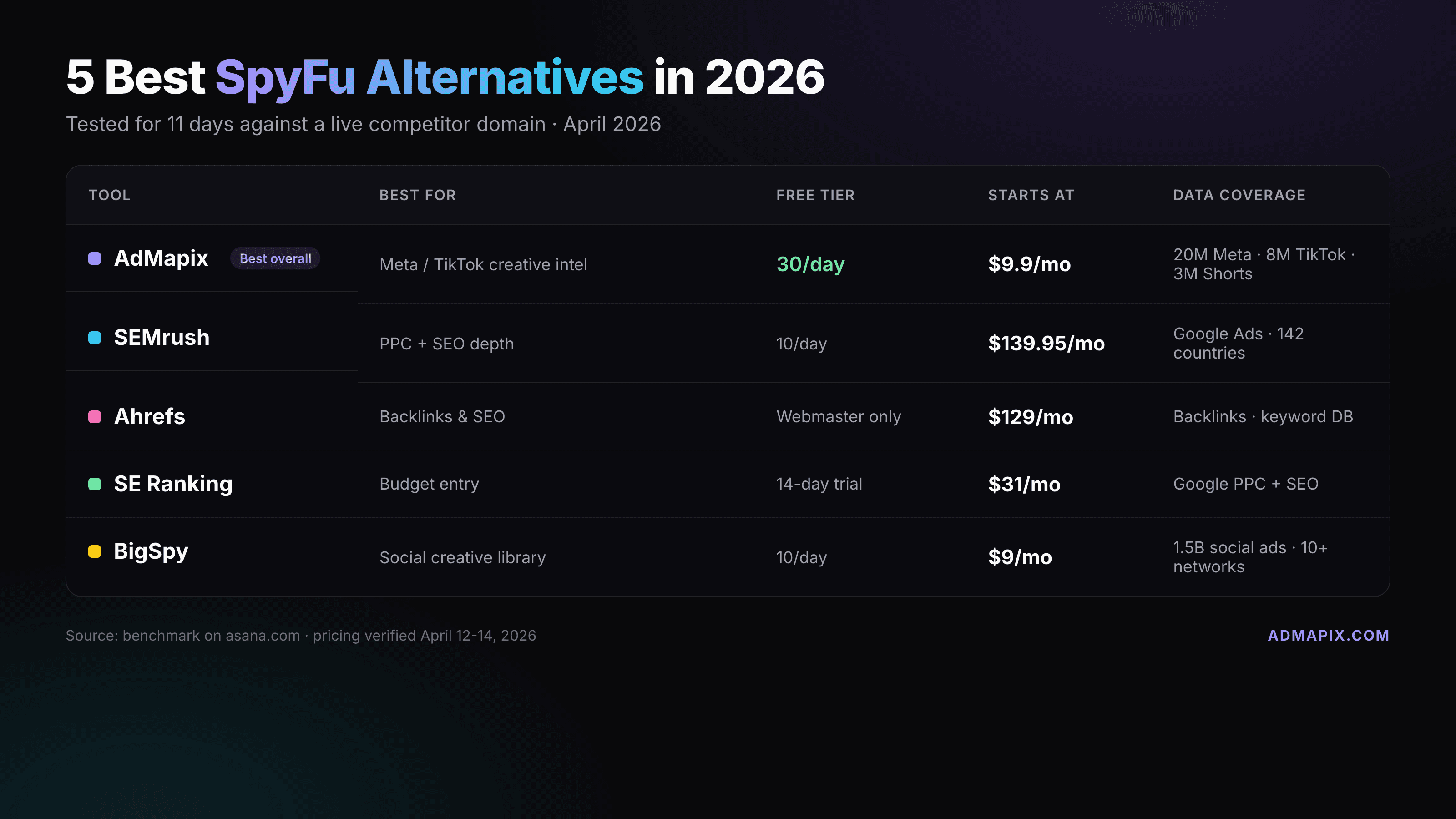
Seven SpyFu alternatives compared by job, not by hype. Semrush, Similarweb, Ahrefs, SE Ranking, Ubersuggest, and Google's free Ads Transparency Center for PPC keyword and ad-copy research, plus AdMapix for the social and video creative research SpyFu does not cover. Prices checked on vendor pages in September 2026.
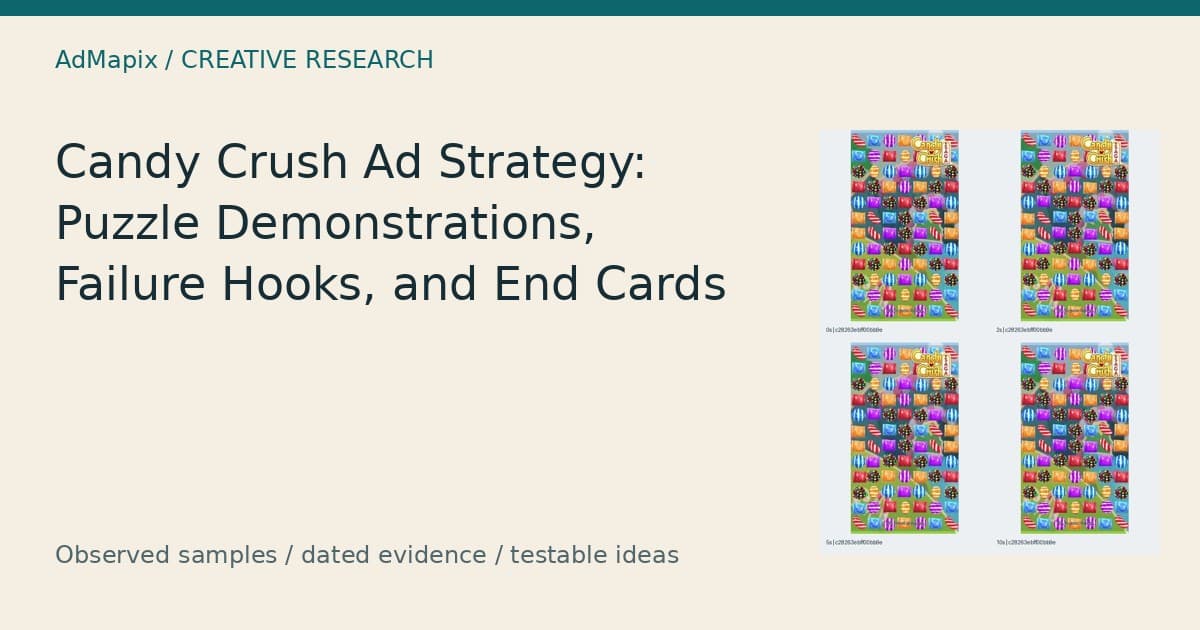
Candy Crush Ad Strategy: Puzzle Demos, Event Hooks, and End Cards
A dated US iOS sample connects 30 Candy Crush Saga advertising records to 27 video files and four playable files, with eight visual analyses and practical briefs that separate observed creative structure from untested performance hypotheses.
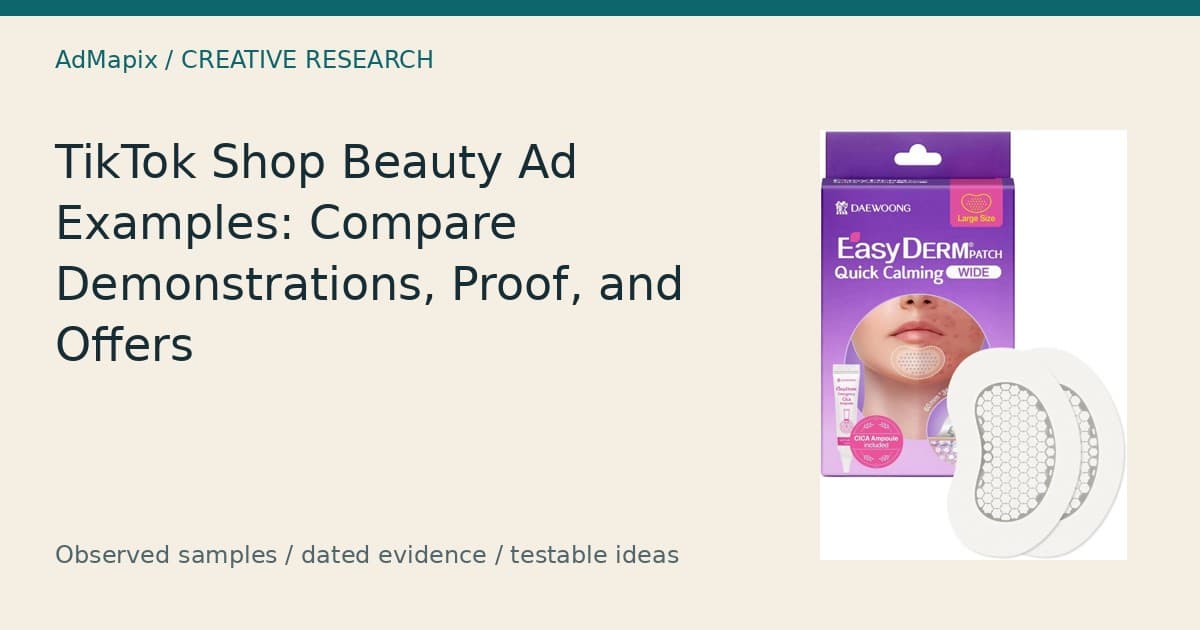
TikTok Shop Ads: Beauty References for Demonstrations, Proof, and Offers
Compare eight beauty creative references from a dated US skincare sample, distinguish demonstrations from claims and historical offers, and build original briefs without assuming verified TikTok Shop attribution or campaign performance.