
Creative Refresh Strategy for Mobile Game Ads: A Practical Playbook
Learn when to refresh mobile game ad creatives using real fatigue signals, not gut feel — and build a pipeline that prevents creative crises.
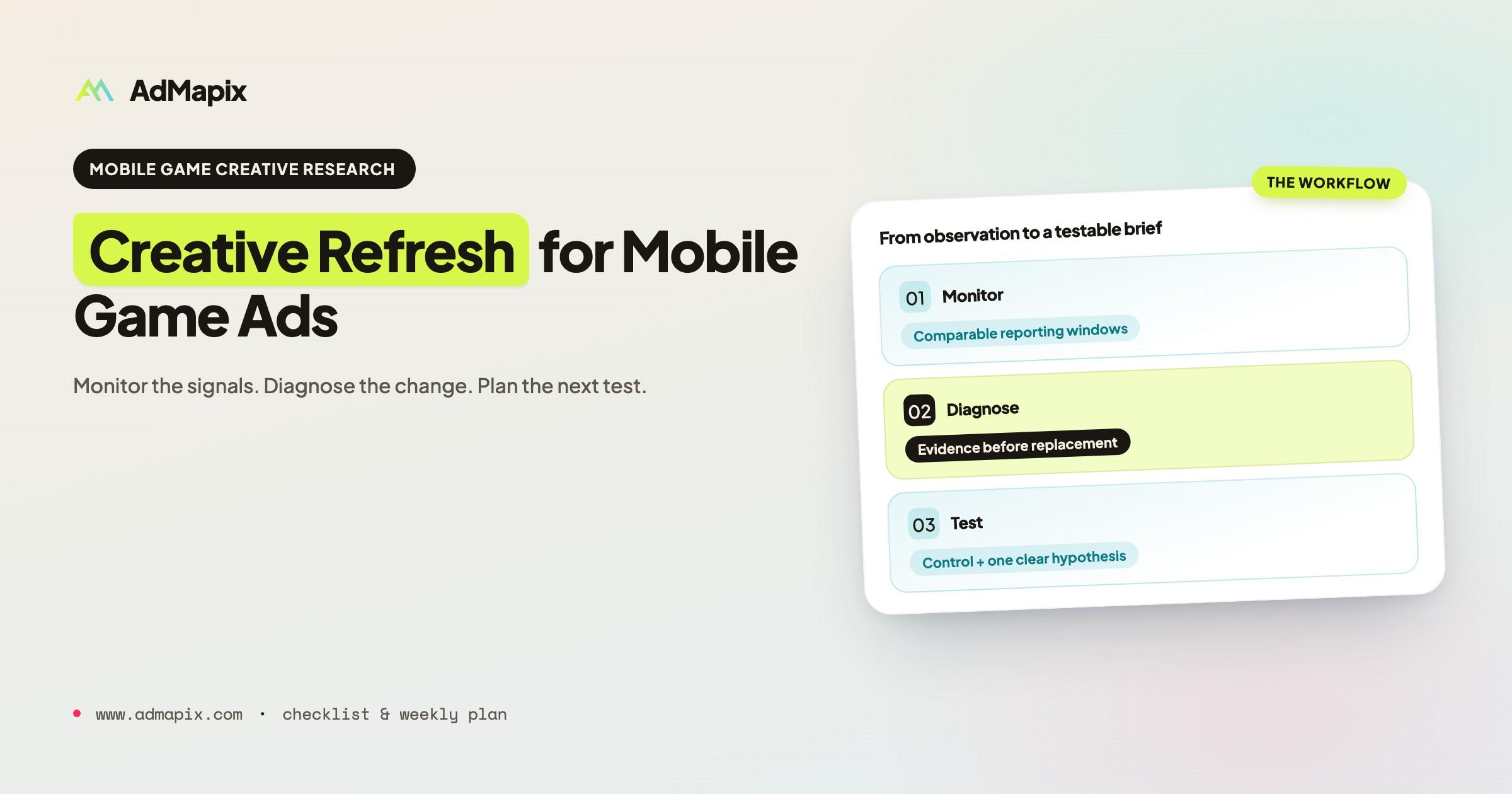
Refresh a mobile game ad when comparable performance data gives you a reason to test a change, not simply because the ad has reached a certain age. Start by checking measurement, delivery, audience mix and conversion quality. Then choose the smallest creative change that addresses your hypothesis and compare it with a control.
This playbook includes a monitoring worksheet, a diagnostic decision matrix and a weekly creative brief. It is a manual research workflow, not an automated fatigue detector. Your ad account or measurement provider supplies campaign results; competitor libraries provide context, not proof of fatigue or profitability.
Creative Refresh Checklist
Before replacing an ad, record six things:
- The creative ID, platform, market, audience and placement being compared.
- Two comparable reporting windows, with the same attribution settings and enough time for conversions to be reported.
- Changes in delivery, frequency, paid-ad CTR, installs and downstream quality.
- Tracking, bid, budget, audience, placement or store-page changes that could explain the movement.
- The hypothesis you want to test and the single primary variable you intend to change.
- The control, outcome measure, budget limit and review date agreed before launch.
The CTR discussed below is paid-ad click-through rate, not a website's organic-search CTR. Use the same click definition in both windows. IPM means attributed installs per 1,000 impressions; comparisons are meaningful only when the attribution method and reporting delay are consistent.
Why Creative Fatigue Gets Misdiagnosed
Creative fatigue describes a decline in response associated with repeated exposure to a creative. It is one possible explanation for a performance decline, not a label for every increase in acquisition cost.
Teams refresh too early when they mistake seasonal demand, audience mix, auction conditions or measurement changes for a creative problem. They refresh too late when they assume an ad is still effective simply because it continues receiving budget.
Frequency and response trends can help investigate repeated exposure. They do not establish the cause on their own. An aggregate frequency value can also hide differences between audience segments. Neither a fixed creative age nor one frequency threshold should automatically trigger replacement across every campaign.
The Signals That Matter — and What They Actually Mean
Before changing creative, establish whether the results are comparable and whether the movement is large enough to investigate.
Step 1: Check Frequency Against Engagement Drop
Compare the same creative and reporting scope across matched windows. Record impressions, reach or frequency where available, click definition, clicks, attributed installs, spend and your downstream quality measure.
A frequency increase alongside falling response is a reason to investigate fatigue. Stable aggregate frequency does not rule it out. Inspect audience and placement mix, reporting delay and available breakdowns before deciding what the movement means.
Step 2: Isolate the Audience vs. the Creative
A fresh-audience test can provide a clue, but recovery in a different audience does not prove fatigue: the new audience may simply respond differently. If you change creative, audience and budget together, the result cannot isolate the effect of the creative change.
Where available, use the platform's experiment tools and keep the other settings comparable. TikTok's split-testing documentation describes separating audiences while testing a selected variable. Define the test outcome and review conditions before launch; do not treat a fixed 48-hour window as sufficient for every campaign.
Step 3: Check the Platform and Competitive Context
Review tracking, attribution, budget, bids, targeting, placements, store-page changes and auction conditions. Each can affect the reported result independently of creative age.
Competitor research can reveal newly observed hooks, formats or messages that are worth testing. It cannot establish a competitor's budget, performance or the cause of your decline. Record the source, observation date and coverage limitations with each example. See AdMapix's methodology for the distinction between indexed observations and performance evidence.
Step 4: Separate Hook Fatigue from Concept Fatigue
Use these as test hypotheses, not diagnoses inferred from CTR alone. If available watch-time data and qualitative review suggest a weak opening, test a hook change while keeping the main body stable. If several comparable executions fail to communicate the player experience, a different concept may be worth testing.
Write down what each hypothesis predicts. A hook test should specify what would count as improvement and which downstream measure must remain acceptable. More clicks alone may not mean better players or better economics.
Diagnostic Decision Matrix
Use this matrix to select the next investigation. It does not automatically identify a cause.
| Observation | Check before attributing it to creative | Candidate next step |
|---|---|---|
| Paid-ad CTR falls while frequency rises | Audience mix, placement mix, measurement consistency and conversion quality | Compare a defined creative variant with a control |
| CTR is stable but IPM falls | Attribution delay, install tracking, click-to-install path and store-page changes | Resolve measurement or downstream issues before replacing the hook |
| CTR and IPM fall across several creatives | Shared delivery, auction, targeting or reporting changes | Investigate the common change before commissioning a full replacement fleet |
| A new audience performs differently | Audience quality and delivery differences | Treat this as an audience-test result, not proof of fatigue |
| Competitor records increase | Source coverage, duplicate assets and observation dates | Review examples for ideas; do not infer spend or profitability |
| Results fluctuate with few conversions | Data volume and normal variation | Mark the result inconclusive and use the agreed review conditions |
Creative Refresh Monitoring Worksheet
Use the fields below in your team's existing spreadsheet or project tracker. Keep one row per creative, reporting scope and window comparison. This is a recording template; it does not calculate or predict fatigue automatically.
| Field | What to record |
|---|---|
| Creative and control | Creative ID, asset link, concept, hook and control ID |
| Reporting scope | Platform, market, audience, placement and campaign objective |
| Comparison windows | Baseline start/end and review start/end; attribution setting and reporting delay |
| Delivery | Impressions, spend, reach/frequency where available, and known budget/bid changes |
| Response | Clicks and exact click definition, paid-ad CTR, attributed installs and IPM |
| Quality | Your chosen qualified event, retention or value measure, using a consistent definition |
| Confounders | Tracking, audience, placement, campaign or store-page changes |
| Evidence | Links to account exports, screenshots or experiments; distinguish observation from hypothesis |
| Decision | Keep, investigate, run a defined test, or stop under the agreed limits |
| Ownership | Owner, next action, review date and outcome |
For a nonzero baseline, relative change is (review - baseline) / baseline. A change from 1.0% CTR to 0.8% is a decline of 0.2 percentage points, or 20% relative. If the baseline is zero or a metric is unavailable, record it as not comparable rather than inventing a percentage.
Which Tools Belong in This Workflow?
| Job | Appropriate evidence or tool | Boundary |
|---|---|---|
| Monitor your campaign | Your ad account reports and measurement provider | Keep definitions and reporting windows comparable |
| Compare a controlled change | The platform's supported experiment tools | A before/after observation alone does not isolate cause |
| Explore competitor concepts | Official ad libraries and a relevant creative-research service | Public observations do not reveal your account's fatigue or competitor profit |
| Track decisions and production | The worksheet above and your team's project tracker | A checklist supports decisions; it does not validate them automatically |
AdMapix fits the competitor-research step. It should not replace first-party campaign evidence when deciding whether one of your own ads needs a refresh.
How to Refresh Without Abandoning What's Working
Treat a refresh as a specific test rather than a binary choice between keeping an asset unchanged and discarding the entire concept. Preserve a control where practical and define what the new version is intended to improve.
Identify the Load-Bearing Elements
Record the elements you believe explain the response: an opening moment, gameplay reveal, character, audio choice or offer. Separate conclusions supported by experiments from hypotheses based on qualitative review.
Do not describe an element as proven merely because it appears in a widely distributed competitor ad. Use the observation to form a testable brief.
The Three Levels of Creative Refresh
Level 1 — Hook Swap: Change the opening while keeping the body and offer stable. State the expected response and the downstream measure that must not deteriorate.
Level 2 — Format Variant: Adapt a concept to a different length, aspect ratio or execution. A new format can also change placement or delivery, so document those differences rather than attributing every change to creative.
Level 3 — Concept Evolution: Develop a new creative brief informed by previous tests. Preserve what the evidence supports and identify which assumptions the new concept is testing.
Production time and cost depend on the assets, format and team. Estimate them for the actual brief; a universal turnaround time or cost multiplier is not a reliable planning rule.
Building a Pipeline That Prevents Fatigue Crises
Maintain production capacity for tests so a decline does not force an unplanned replacement. The mix of existing performers, tests and work in progress should reflect your budget, conversion volume and production capacity.
The 3-Layer Creative Stack
Layer 1 — Proven Performers: Existing assets with evidence relevant to your current objective. Monitor quality as well as acquisition cost and preserve useful controls.
Layer 2 — Active Tests: Defined variants or new concepts with an owner, hypothesis, control and agreed review conditions. Allocate enough evidence to answer a useful question rather than launching more tests than the budget can support.
Layer 3 — Pipeline: Research, briefs and assets in production. Plan the buffer around actual production lead times and the tests you can evaluate.
There is no universal budget split, creative-count limit or install threshold in this framework. Set those conditions using the decision's risk and the data available to your team.
Weekly Creative Monitoring Cadence
This is a suggested review schedule, not a requirement to replace creative every week.
| Day | Action | Required output |
|---|---|---|
| Monday | Compare reporting windows and check measurement or delivery changes | Updated monitoring worksheet; unresolved issues identified |
| Monday | Review relevant competitor examples, with dates and source limits | A short evidence list and testable ideas, not assumed winners |
| Wednesday | Check active tests against their agreed conditions | Continue, investigate, conclude or stop; record the reason |
| Friday | Prepare the next creative brief | One hypothesis, retained elements, changed variable and control |
| Friday | Review production capacity and upcoming tests | Owners, dependencies and realistic delivery dates |
Adjust the review frequency to the amount of data and the consequence of a wrong decision. Low-volume tests may need longer observation; that does not justify forcing a weekly verdict.
When Monitoring Competitor Creative Volume
Distinguish ad records from unique assets and record the source's observation window. More records may reflect duplicates, market expansion, indexing changes or different executions. It does not demonstrate increased spend, successful experiments or profitability.
Use mobile game ad examples to identify ideas for your own brief, then evaluate them with your account data. Keep competitor evidence separate from the result of your experiment.
A Concrete Scenario: When "Fatigue" Wasn't Fatigue
Hypothetical teaching example, not a reported customer result. The heading describes the assumption being challenged; the observations below do not establish a definitive diagnosis.
A team sees a two-week IPM decline on a long-running puzzle-game ad and considers replacing the entire concept. CTR has moved less, a store-page update occurred during the same period, and some attributed installs have not yet finished reporting.
The team records these confounders before acting. It checks attribution consistency and the store-page change, retains a useful control, and writes a separate hook-test brief for the next comparable window. Competitor examples are added as context, not as proof of what caused the decline.
The immediate outcome is a clearer test plan. Whether the original creative recovers, or a variant performs better, remains unknown until the comparison is complete. A measured recovery and a customer success story would require actual results and a documented source.
Creative Refresh Brief Template
| Brief field | Complete before production |
|---|---|
| Observed problem | Metric, magnitude, scope, comparison windows and source |
| Hypothesis | What may explain the result, and what remains unknown |
| Control | Existing asset and comparable campaign conditions |
| Keep | Gameplay, message, offer or other elements to retain |
| Change | The primary creative variable to test |
| Deliverable | Asset, format, required source material and owner |
| Evaluation | Primary outcome, downstream quality check, reporting delay and review conditions |
| Limits | Budget or operational limit; conditions for stopping or marking inconclusive |
| Follow-up | Review date, decision owner and where the result will be recorded |
Common Mistakes
Refreshing on calendar cadence, not evidence. A regular review is useful; a mandatory replacement date is a different decision. An older creative is not automatically fatigued.
Treating all platforms the same. Use the actual reporting definitions, delivery settings and audience patterns in each account. Do not assume that one platform always fatigues twice as fast as another.
Briefs that start from scratch. Carry forward what prior work established, while labeling what remains hypothetical. A new brief should identify the evidence behind the elements it retains.
Measuring only at campaign level. Examine creative-level patterns alongside campaign, audience and placement context where those breakdowns are available. Neither aggregate data nor an isolated creative metric tells the whole story.
Confusing more clicks with better outcomes. Check the downstream measure that matters to your campaign. A stronger hook that brings unsuitable users is not necessarily an improvement.
Treating competitor visibility as validation. Public ad observations can inform research; they do not reveal the advertiser's profit, test result or internal campaign settings.
Not having a production pipeline. Record dependencies and realistic lead times so a test plan does not depend on assets the team cannot deliver.
Key Takeaways
- Compare like-for-like reporting windows and check measurement before diagnosing fatigue.
- Use frequency, CTR and IPM as investigative signals, not a universal automatic replacement rule.
- Preserve a control and test a defined creative change with agreed review conditions.
- Keep performers, tests and production work organized around your actual capacity.
- Use competitor examples for hypotheses; use your campaign evidence for decisions.
- Review regularly, but replace creative when the evidence and test plan support the decision.
Sources and Further Reading
- TikTok: Creative best practices for performance ads, reviewed September 7, 2026. Platform guidance on reviewing performance and maintaining a supply of creative assets.
- TikTok: About split testing, reviewed September 7, 2026. Platform guidance on testing a selected variable with separated audiences.
- AdMapix methodology. Scope and interpretation of indexed research evidence.
The worksheet, matrix and weekly plan are editorial templates. They are not validated fatigue models, platform-prescribed thresholds or guarantees of campaign improvement.
Turn these observations into your next creative study
Open the creative library and select samples for your market, network and research question.
Related Articles
Competitor Ad Analysis in 2026: The 5-Dimension Framework, Templates & SOP
A complete competitor ad analysis playbook for 2026 — a 5-dimension scoring framework, a 10-question creative teardown checklist, ready-to-use Notion and Airtable templates, a weekly-to-quarterly SOP, and the Meta Ad Library impressions shortcuts that make competitive ad research up to 60% faster.
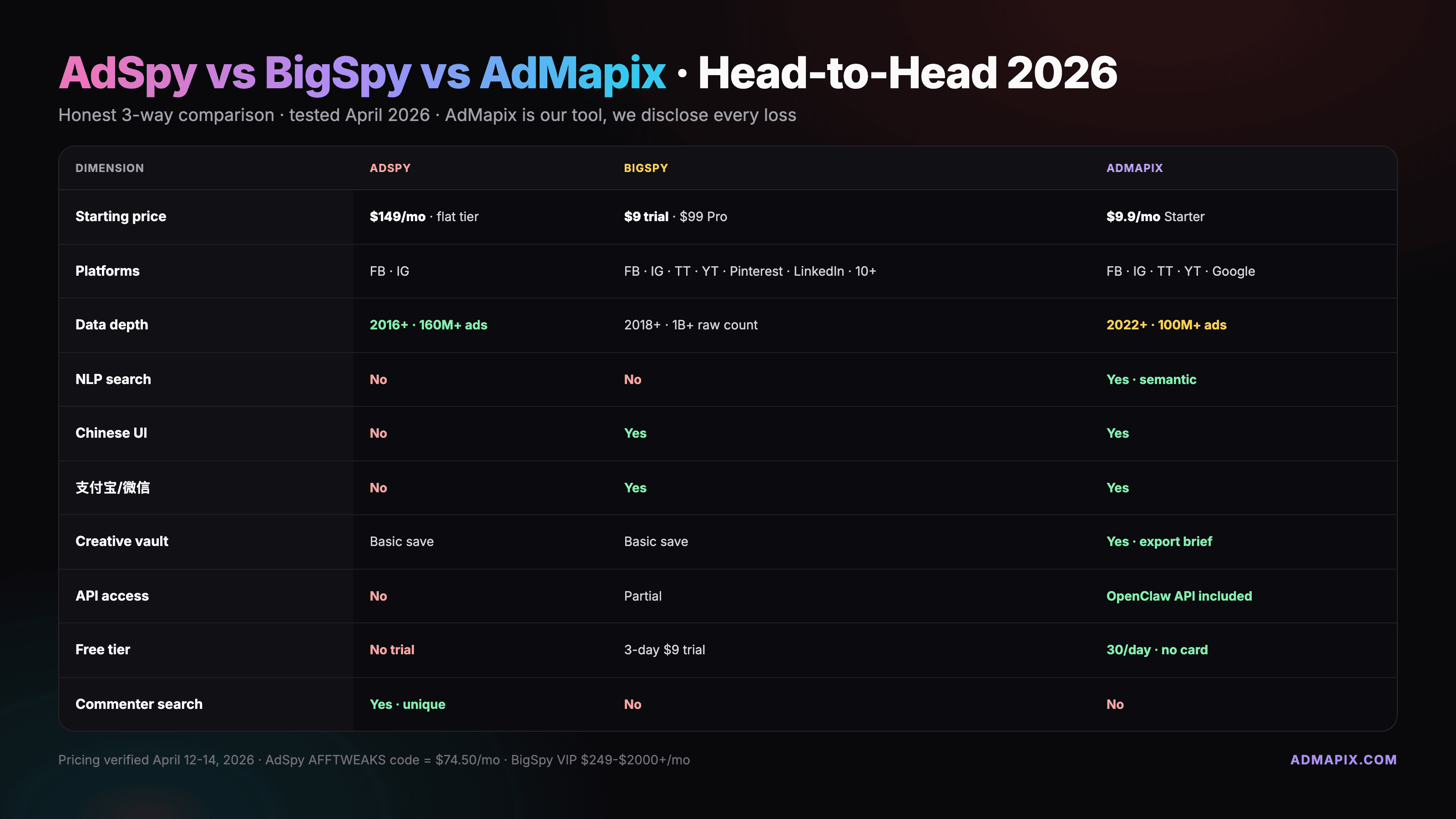
AdSpy vs BigSpy vs AdMapix 2026: An Evidence-Based Comparison
Compare AdSpy, BigSpy, and AdMapix by current public pricing, documented search workflows, source coverage, saved-creative workflow, research outputs, and evidence limits. Reviewed August 13, 2026.
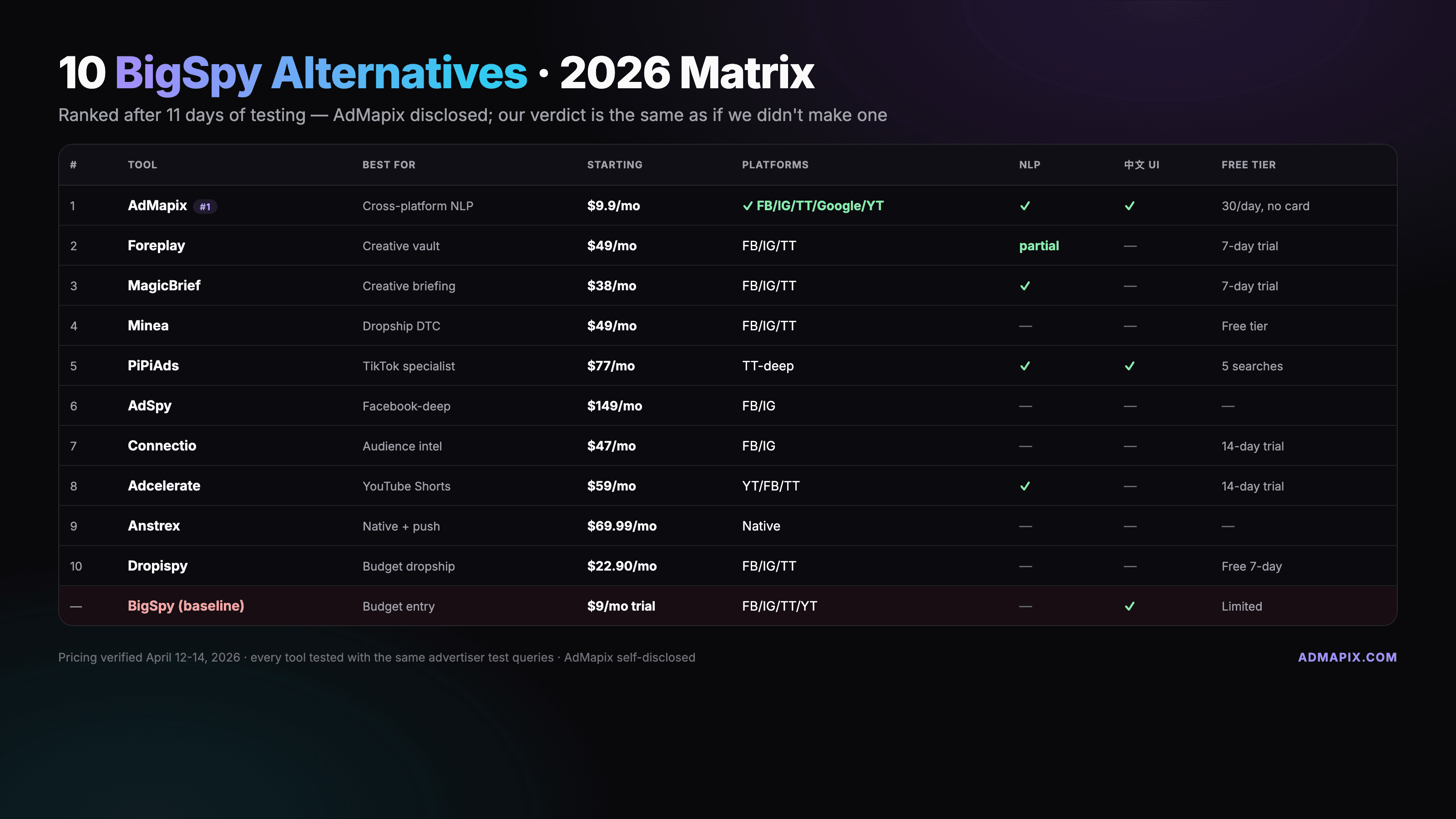
Best BigSpy Alternatives in 2026: Choose by Workflow
An evidence-based guide to BigSpy alternatives for Meta depth, app-market data, TikTok product research, PPC, display, native, and creative collection—with a migration checklist. Reviewed August 13, 2026.