
Paid Ads Competitor Research in 2026: The Complete Competitive Analysis Playbook
A 7,000-word 2026 playbook for paid ads competitor research and competitive analysis: ad libraries, SERP and Auction Insights, landing pages, confidence scoring, channel-by-channel SOPs, metrics, and a weekly operating system.
By the AdMapix Research Desk — Updated June 21, 2026
Paid Ads Competitor Research in 2026: The Complete Competitive Analysis Playbook
Paid ads competitor research is the discipline of turning publicly visible competitor advertising — their creatives, offers, landing pages, search visibility, and the auction pressure they put on you — into testable paid media decisions. Done well, it cuts blind spend, shortens your creative learning loop, and tells you exactly where a rival is beatable. Done badly, it becomes a folder of screenshots nobody acts on.
This guide is the complete 2026 system for competitive analysis in paid advertising. It is written for media buyers, PPC and paid social managers, growth leads, agency strategists, and founders who run paid campaigns and need a repeatable way to study the competition every week — not a one-time audit. It covers what you can and cannot legally and practically know, a seven-step workflow, channel-by-channel SOPs for Google, Meta, and TikTok, an evidence-confidence model, the metrics that matter, common mistakes that make analysis misleading, and a weekly operating template you can run forever.
The core principle, stated once up front: the goal is never to copy competitors — it is to learn faster than they do. A competitor's ad is public evidence of a hypothesis they are testing. Your job is to read that evidence honestly, score how strong it is, and turn only the strong signals into your own tests.
If you need the broader strategic framework, read our competitor ad analysis framework. For the wider tool landscape, see marketing intelligence tools and best ad spy tools 2026. This page is the operational playbook a paid media team runs on a weekly cadence.
Size the Pool Before You Start Researching (AdMapix Data)
The most common failure in competitor research is drawing conclusions from "a few pages of scrolling" in a pool whose size you never established. Here is the baseline — active image/video creatives by vertical over the last 30 days:
| Vertical | Image/video creatives active in the last 30 days |
|---|---|
| E-commerce | 5.0M |
| Games | 4.3M |
| Tools | 1.3M |
| Entertainment | 4.5M |
| Education | 285.0K |
| Finance | 670.0K |
This table decides your method. In e-commerce or games, where the pool runs into the millions, any manual scroll-and-eyeball pass is sampling with severe bias — you have to narrow with filters until the remainder is genuinely enumerable. In the smaller verticals an exhaustive inventory is actually feasible.
Work out which situation you are in first, then pick the method. The seven-step workflow below assumes you have already done this.
Source: the AdMapix creative index, 2026-08-09 to 2026-09-08. All figures are counts of creatives active within that window, not lifetime totals. Create a free AdMapix account to inspect currently indexed records →
<!-- /admapix-data -->TL;DR — Paid Ads Competitor Research in 2026
- Competitor research is evidence management, not spying. Public ad libraries, SERP samples, Auction Insights, and landing pages each have a different confidence level. Mixing them is the #1 cause of bad decisions.
- You cannot see exact spend, targeting, bids, or ROAS for competitors. You can see creative, copy, format, offers, landing pages, longevity, and — for auctions you participate in — overlap and impression share. Treat everything else as directional.
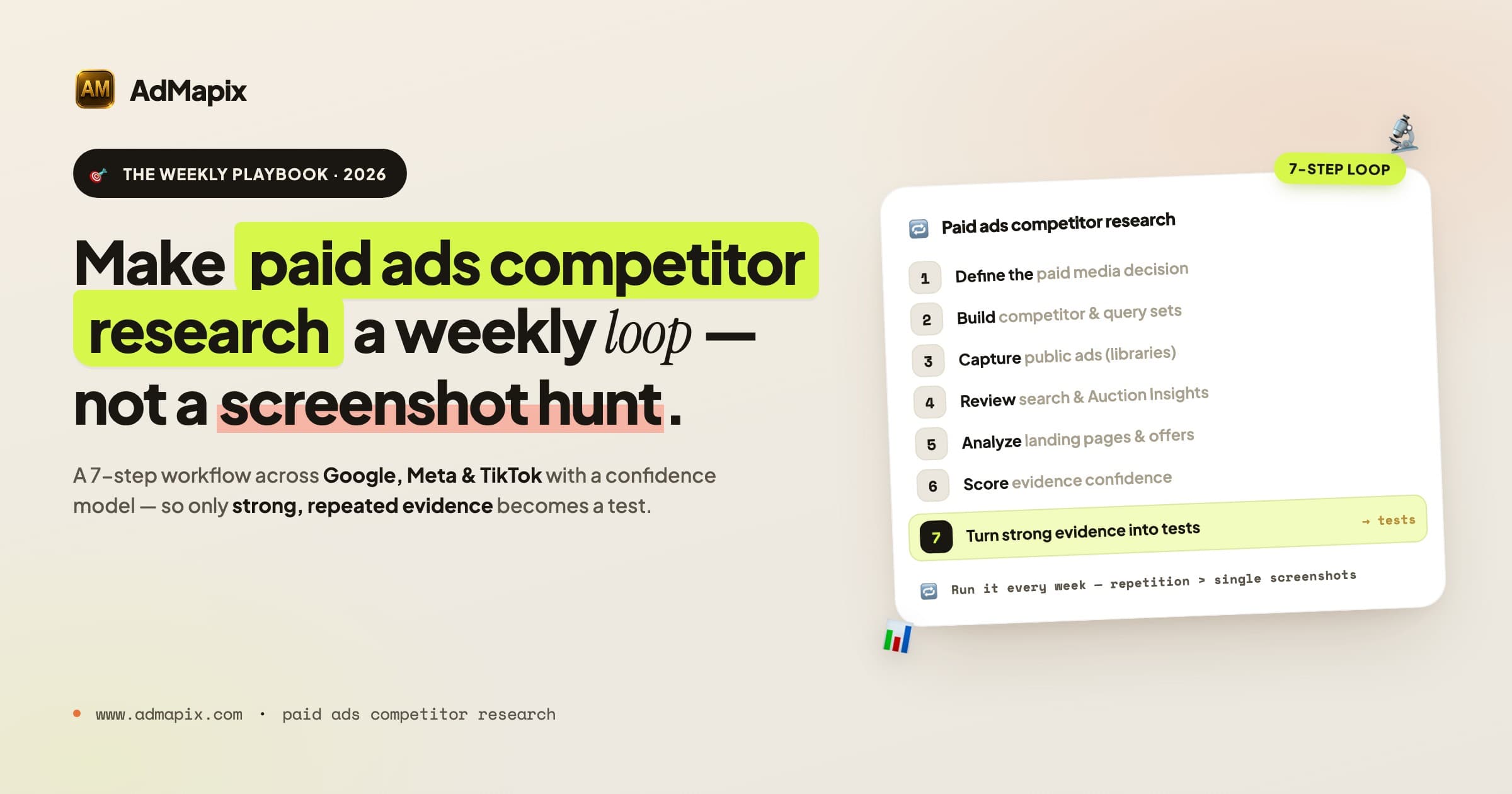
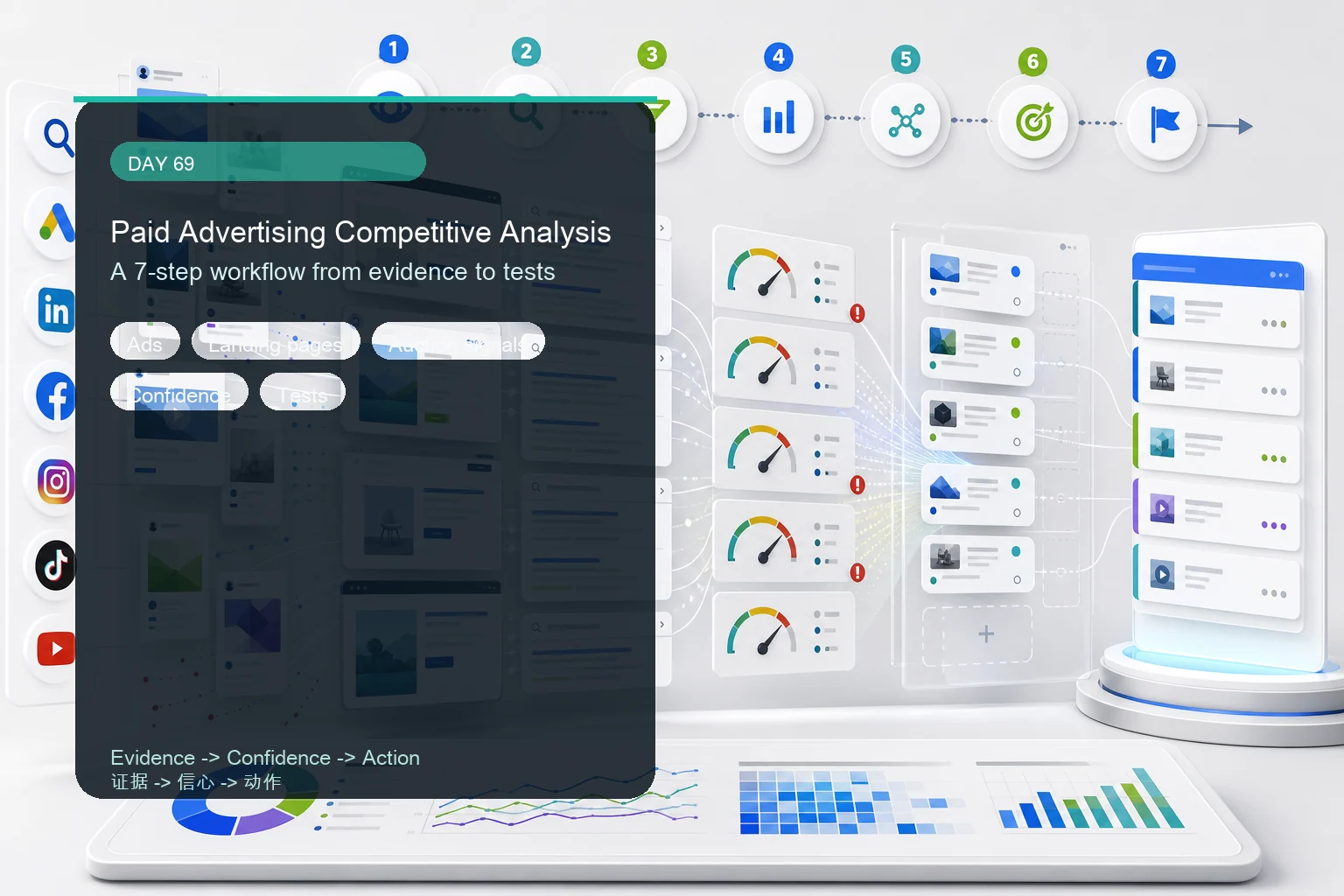
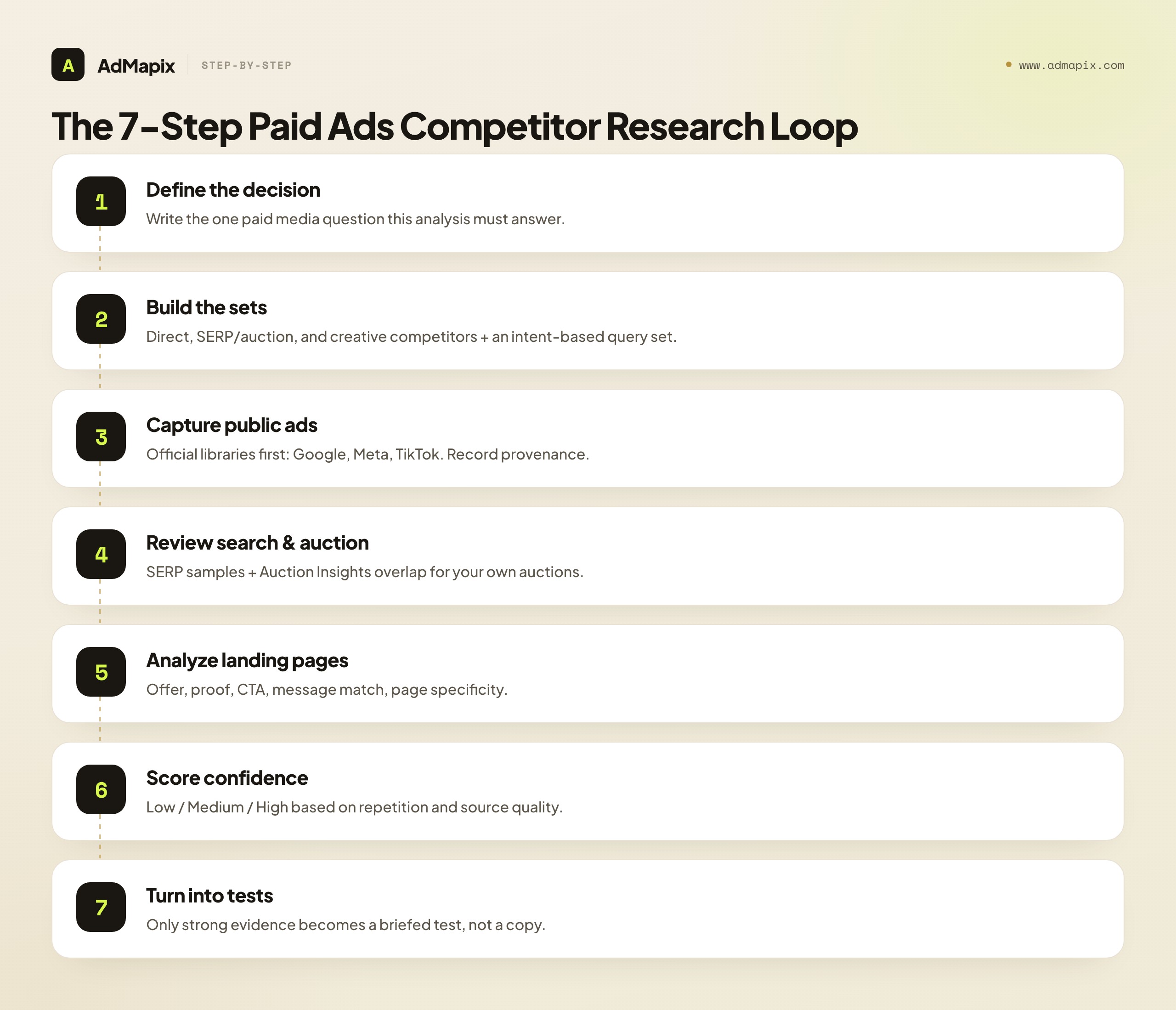
- The workflow is a 7-step loop: define the decision, build competitor + query sets, capture public ads, review search and auction signals, analyze landing pages, score confidence, and turn only strong evidence into tests.
- Run it weekly, not once. A 45-minute weekly review keyed to one paid media decision beats a quarterly 40-tab research dump.
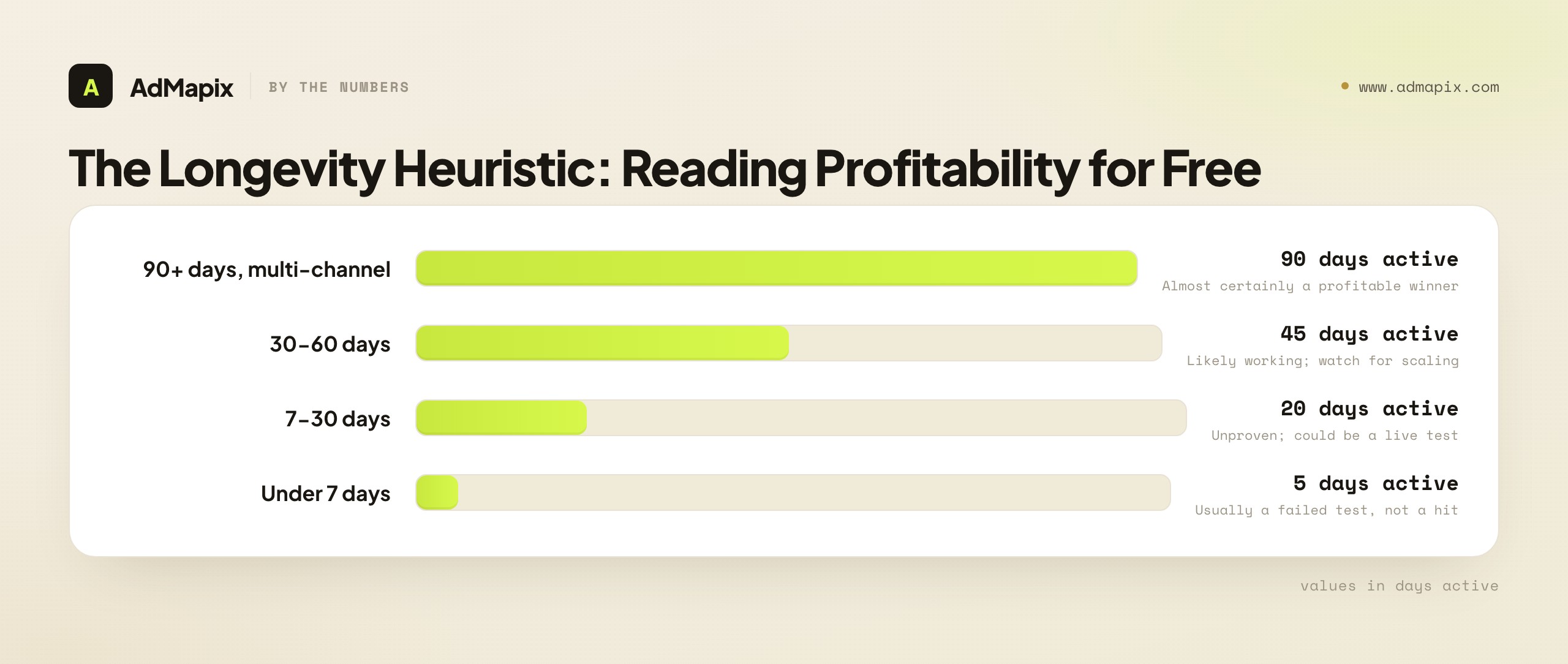
- Longevity is the cheapest profitability proxy you have. An ad running 90+ days across multiple channels is almost certainly a winner; an ad that vanishes in a week rarely was.
- The strongest action requires the strongest evidence. A public ad can inspire a creative test. Only repeated public evidence plus your own performance data should move budget.
What Paid Ads Competitor Research Actually Is
Competitive analysis in paid advertising is the process of studying competitor ads, landing pages, search visibility, channel movement, offers, and account-side auction signals so your team makes better paid media decisions. The output is never "here's what our competitor is doing" — it is a decision: test this angle, fix that page, monitor this rival, defend this query, or ignore this weak signal.
The discipline turns scattered observations into testable questions:
| Raw observation | Better analysis question | Possible decision |
|---|---|---|
| A competitor launched new Meta ads | Which hook, proof, format, or offer changed? | Brief a creative test on the new angle |
| A rival appears on a search query | Was it a one-off SERP sample or a repeated pattern? | Tag and monitor, or defend the query |
| Auction Insights shows more overlap | Which campaign, keyword group, or device is affected? | Audit assets before touching budget |
| Competitors point ads to a new landing page | What promise, proof, CTA, or objection handling changed? | Improve message match on your page |
| Multiple brands use the same claim | Is this category language, or a gap we can own? | Differentiate, or own the underused angle |
The reason this matters in 2026 is that paid auctions are more automated and more crowded than ever. With Performance Max, Advantage+, and broad-targeting AI doing the audience work, creative and offer are where competitive advantage now lives — and those are exactly the things competitor research can actually observe. The team that reads the public creative market systematically briefs better, tests faster, and wastes less.
What You Can and Cannot Know About Competitor Ads
The single most important habit in this discipline is refusing to pretend public signals are private account data. Get this wrong and you will confidently move budget on numbers that are invented.
| Evidence source | You CAN use it for | You should NOT claim |
|---|---|---|
| Public ad libraries (Meta, Google, TikTok) | Active creative, visible copy, format, landing page, date clues, longevity | Exact spend, exact targeting, exact ROAS |
| SERP checks | Which advertisers appeared for a query in a market/device context | Universal ranking or full keyword coverage |
| Google Ads Auction Insights | Overlap and visibility pressure in auctions you are eligible for | Competitors outside your auctions, or their private bids |
| Landing pages | Offer, proof, CTA, funnel depth, pricing angle, message match | Back-end conversion rate or margin |
| Third-party PPC/SEO tools | Directional keyword gaps, history, competitor discovery | Perfect budget or profit estimates |
| Your own analytics | Whether a hypothesis works for your account | Competitor profitability |
Google's Auction Insights documentation is a useful boundary marker. It explains that Auction Insights compares your performance with advertisers participating in the same auctions, and includes metrics such as impression share, overlap rate, outranking share, position above rate, top-of-page rate, and absolute top-of-page rate for Search campaigns. It also notes that auction insights depend on minimum activity thresholds.
The takeaway: Auction Insights is genuinely valuable, but it is not a competitor spy database. It tells you about auctions you are in, not every campaign a competitor runs. This boundary — "powerful, but scoped" — applies to every source in the table. Knowing the edge of each tool is what separates real competitive intelligence from confident guessing.
The longevity heuristic: your best free profitability proxy
Because exact spend and ROAS are private, you need proxies. The strongest free one is ad longevity. Most ad libraries surface a start date or "first seen" clue. Divide the implied runtime by the present:
- An ad running 90+ days and still active, especially across multiple platforms, is almost certainly profitable. No rational advertiser keeps paying to run a loser for three months.
- An ad that vanishes within a week rarely became a hit — it was likely a test that failed.
- A competitor whose active-ad count suddenly triples has found a winner and is scaling it. Their newest ads are the ones to dissect immediately.
Longevity is not proof — but it is the closest thing to a profitability signal the public web gives you for free, and it is criminally underused.
The 7-Step Paid Ads Competitor Research Workflow
This is the spine of the whole discipline. Each step has one job and feeds the next. Skip steps and you get a screenshot folder; run all seven and you get decisions.
Step 1: Define the Paid Media Question
Start with the decision you need to make, not the competitor you want to look at. Research without a decision is procrastination with a spreadsheet.
| Decision you face | Analysis focus |
|---|---|
| Are competitors increasing pressure on our search terms? | SERP checks, Auction Insights, search ad copy, landing pages |
| What creative should we test next? | Public ads, hooks, proof, formats, CTA patterns |
| Is a competitor changing its offer? | Ads, landing pages, pricing pages, promo copy |
| Should we defend a brand or comparison query? | Search results, competitor pages, internal conversion quality |
| Are we losing because of copy, page, budget, or product proof? | Competitor evidence + your own paid media analytics |
If the question is vague ("let's see what competitors are doing"), the analysis collapses into a screenshot-collection exercise. Write the decision first, in one sentence, before you open a single ad library.
Step 2: Build the Competitor and Query Set
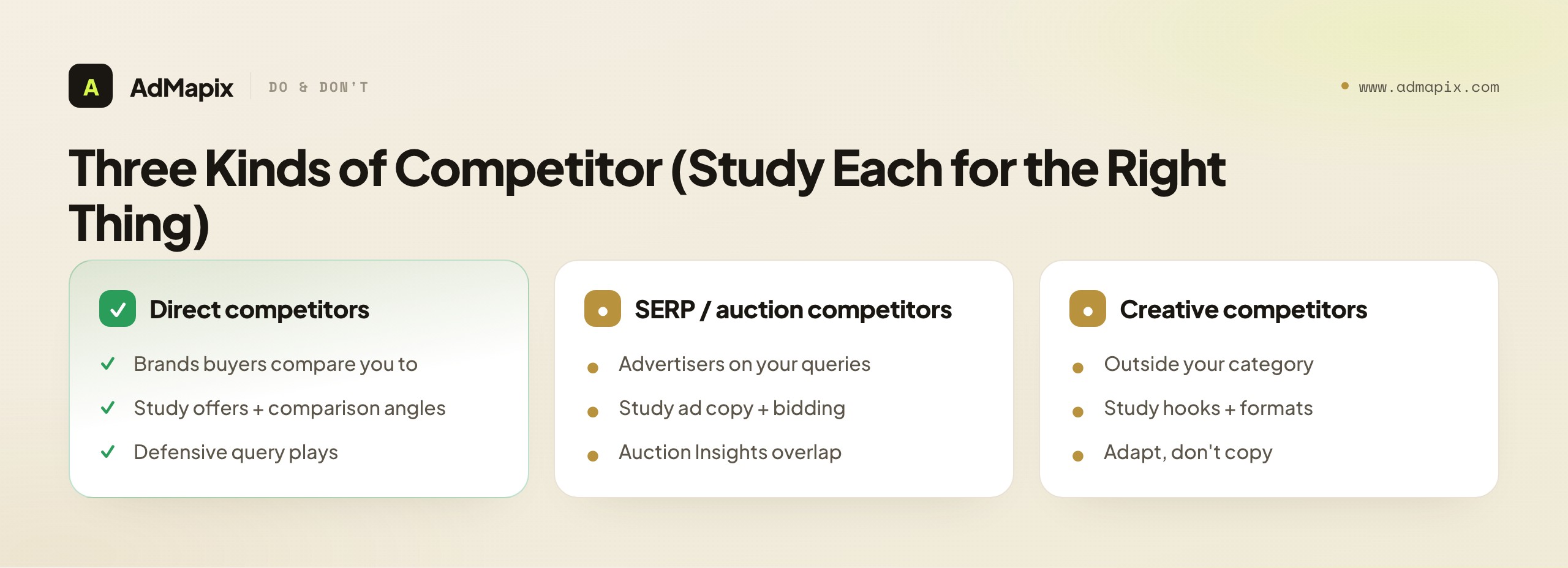
Not all competitors are the same kind of competitor. Separate three groups so you study each for the right thing:
| Group | Definition | Study them for |
|---|---|---|
| Direct competitors | Brands buyers actively compare against you | Offers, comparison angles, defensive plays |
| SERP / auction competitors | Advertisers visible on your high-intent queries | Query pressure, ad copy, bidding behavior |
| Creative competitors | Brands outside your category with strong formats/hooks | Creative inspiration you can adapt |
The third group is the one most teams forget. A DTC skincare brand can learn more about a thumb-stopping hook from a mobile game ad than from another skincare brand running the same tired before/after.
For search and PPC, build a query set organized by intent:
| Query bucket | Example pattern | Why it matters |
|---|---|---|
| Category | "ad intelligence tool" | High volume, high competition, broad intent |
| Problem | "find competitor ads" | Mid-funnel, solution-aware buyers |
| Feature | "google ads competitor analysis" | Specific intent, easier to convert |
| Comparison | "[competitor] alternative" | Highest commercial intent, defensive + offensive |
| Brand-adjacent | "[your brand] pricing", "[your brand] vs [competitor]" | Protect your own demand |
For every check, record country, language, device, date, and source (tool, manual SERP, or account-side data). That provenance is what lets you score confidence later.
Step 3: Capture Public Ads Across Channels
Use official, first-party sources before any third-party tool. They are the strongest evidence of what is publicly visible.
| Source | What to capture | Strength |
|---|---|---|
| Google Ads Transparency Center | Advertiser, ad format, visible copy/creative, region, last-shown clue, landing page | Verified Google-ecosystem ads, format coverage |
| Meta Ad Library | Active ads, page, creative type, copy, CTA, landing page, repeated themes, impressions range | Live cross-Meta visibility, variant grouping |
| TikTok Creative Center | Top Ads, trend signals, short-form formats, creator-style patterns | Free, filterable by industry and region |
| TikTok Keyword Insights | Phrases from TikTok ads, category keyword patterns, script inspiration | Ad-data based (not organic-only) |
| AdMapix reports | Competitor creative patterns across networks, research summaries, decision-ready briefs | Cross-platform consolidation in one workspace |
Official sources are strong evidence for what is publicly visible and weak evidence for profitability. A competitor may run a bad ad briefly, or an old campaign may linger in a library-like surface. Always look for repetition, freshness, and landing-page match before reacting. One ad is an anecdote; a repeated ad with a matching dedicated landing page is a pattern.
Step 4: Review Search and Auction Signals
Search ads need special handling because a single SERP is never a complete market view — it is one sample, shaped by your time, market, device, and personalization. Use three distinct lanes:
| Lane | What it answers | Confidence |
|---|---|---|
| Live SERP sampling | Who appeared for a priority query under a specific context? | Low until repeated |
| Search ads intelligence | Which visible copy, query intent, and landing pages repeat? | Medium |
| Auction Insights | Which domains overlap with your eligible auctions, and where did visibility pressure change? | High for your auctions |
The most common Auction Insights mistake: a competitor's overlap rises, so you immediately raise bids. Don't. Rising overlap has many possible causes. Before touching budget, check whether the affected campaign has weak ad assets, low message match, poor landing pages, or low conversion quality. Budget is only one explanation — and usually the most expensive one to act on by reflex.
Step 5: Analyze Landing Pages and Offers
This is where paid ads competitor research becomes genuinely useful, because the landing page often carries the real strategy — and most teams stop at the ad.
| Page element | What to inspect | The question it answers |
|---|---|---|
| Hero claim | Does the page repeat and prove the ad promise? | Is there message match? |
| Offer | Demo, free report, trial, discount, audit, comparison, migration help | What's the conversion mechanism? |
| Proof | Logos, reviews, screenshots, benchmarks, case studies, security badges | How do they handle skepticism? |
| CTA | Is the next action aligned with the query/ad intent? | Is the funnel coherent? |
| Objections | Price, switching cost, implementation, trust, data quality | What friction are they removing? |
| Specificity | Dedicated campaign page vs generic homepage | How seriously do they invest in paid? |
| Mobile experience | Does it work for paid traffic on a phone? | Where's the leak? |
If a competitor's ad looks ordinary but their landing page is dedicated, proof-heavy, and tightly matched, the opportunity is page strategy, not ad copy. That insight is invisible to anyone who only screenshots the ad.
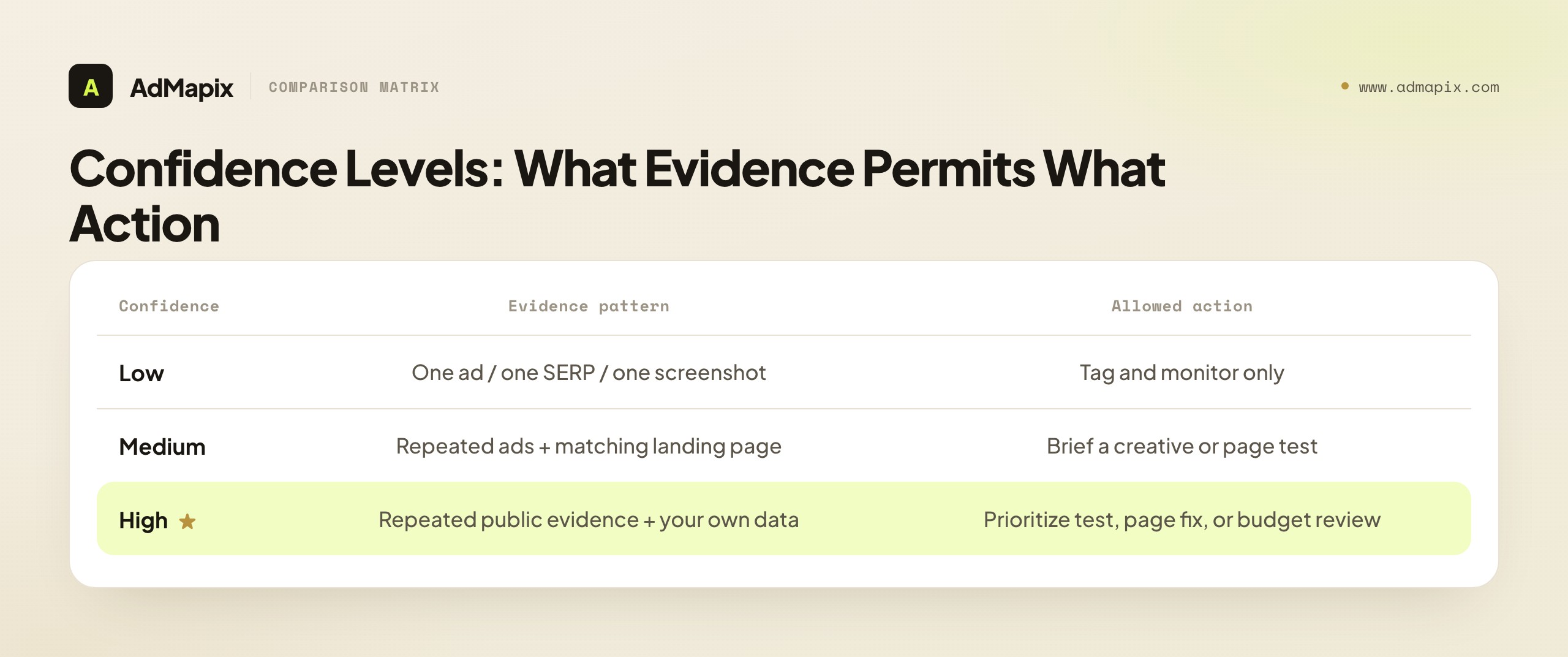
Step 6: Score Confidence Before You Act
Confidence scoring is the discipline that prevents overreaction — and it gives leadership a clear reason for every test.
| Confidence | Evidence pattern | Allowed action |
|---|---|---|
| Low | One ad, one SERP sample, one unverified screenshot | Tag and monitor only |
| Medium | Repeated ads, matching landing page, same theme across channels | Brief a creative or page test |
| High | Repeated public evidence + Auction Insights or your own performance data | Prioritize a test, page update, or budget review |
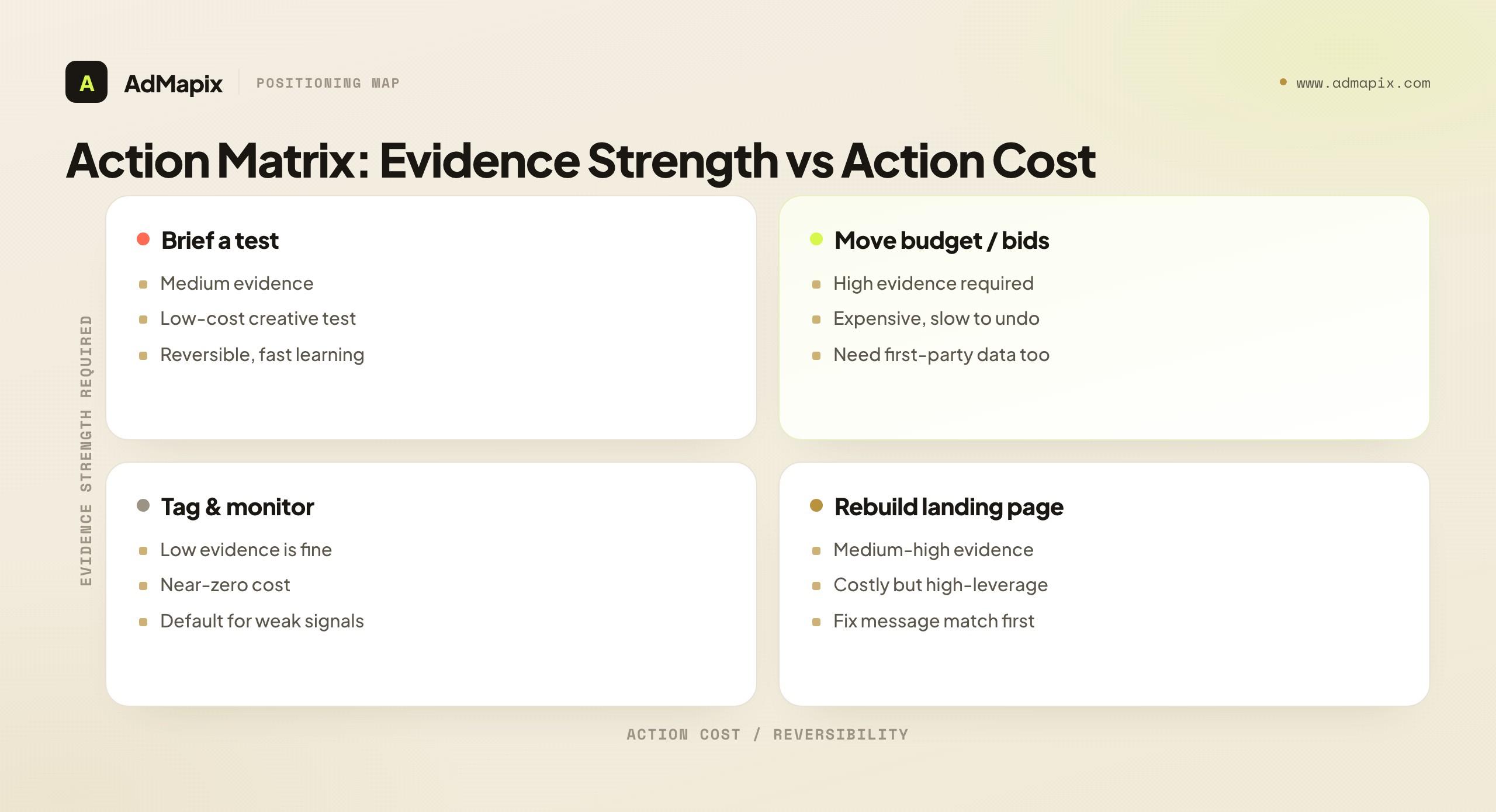
The rule that ties the whole playbook together: the stronger the action, the stronger the evidence must be. Tagging a rival costs nothing and needs almost no proof. Moving budget is expensive and needs high-confidence, multi-source evidence.
Step 7: Turn Findings Into Paid Media Tests
Every review must end with a small, concrete decision. "Interesting" is not an output; a briefed test is.
| Finding | Better test (not a copy) |
|---|---|
| Competitors repeat a speed promise | Test a speed-led headline only if your page can prove time-to-value |
| Several rivals use comparison pages | Build or improve a factual comparison page |
| Meta ads shift toward customer proof | Test proof-led creative, not just a new visual style |
| TikTok ads repeat a phrase | Test that buyer language if it fits your offer |
| Auction overlap rises | Audit ads, assets, landing-page match, conversion quality before budget |
| Competitors promote discounts | Test value framing against discounts instead of copying price pressure |
Do not copy the surface — copy the learning. If a competitor uses "save 10 hours," ask which anxiety that claim addresses, then write your own proof-backed version. A copied ad without the same product, proof, audience, and funnel context usually fails fast.
The Evidence Source Matrix
Before any analysis, internalize this matrix. It is the difference between a team that makes defensible decisions and one that confidently acts on noise. Each source has a strength, a weakness, and exactly one job it does best.
| Source type | Strength | Weakness | Best output |
|---|---|---|---|
| Google Ads Transparency Center | Verified Google-ecosystem ad examples | Limited performance context | Search/display/video creative evidence |
| Meta Ad Library | Active Meta ad visibility + impressions ranges | Commercial-ad history erased when ad stops | Social creative and offer map |
| TikTok Creative Center | Short-form formats and creative patterns | Needs interpretation, top-performers skew | Hook, pacing, keyword, creator-style ideas |
| SERP sampling | Real query context | Varies by time, market, device, personalization | Query-level competitor notes |
| Auction Insights | Account-side overlap evidence | Only auctions you participate in | Visibility pressure and competitor overlap |
| Landing pages | Funnel strategy and proof | No back-end conversion data | Offer and message-match analysis |
| First-party analytics | Real account performance | Internal-only view | Validation or rejection of hypotheses |
| Third-party PPC/SEO tools | History, keyword gaps, discovery | Modeled estimates, not ground truth | Prioritization and competitor discovery |
Use the matrix to avoid mixing evidence quality. A public ad can inspire a test; it should never automatically change bids. The most common failure mode in paid media is treating a modeled spend estimate or a single screenshot with the same authority as your own conversion data.
The Competitor Evidence Scorecard
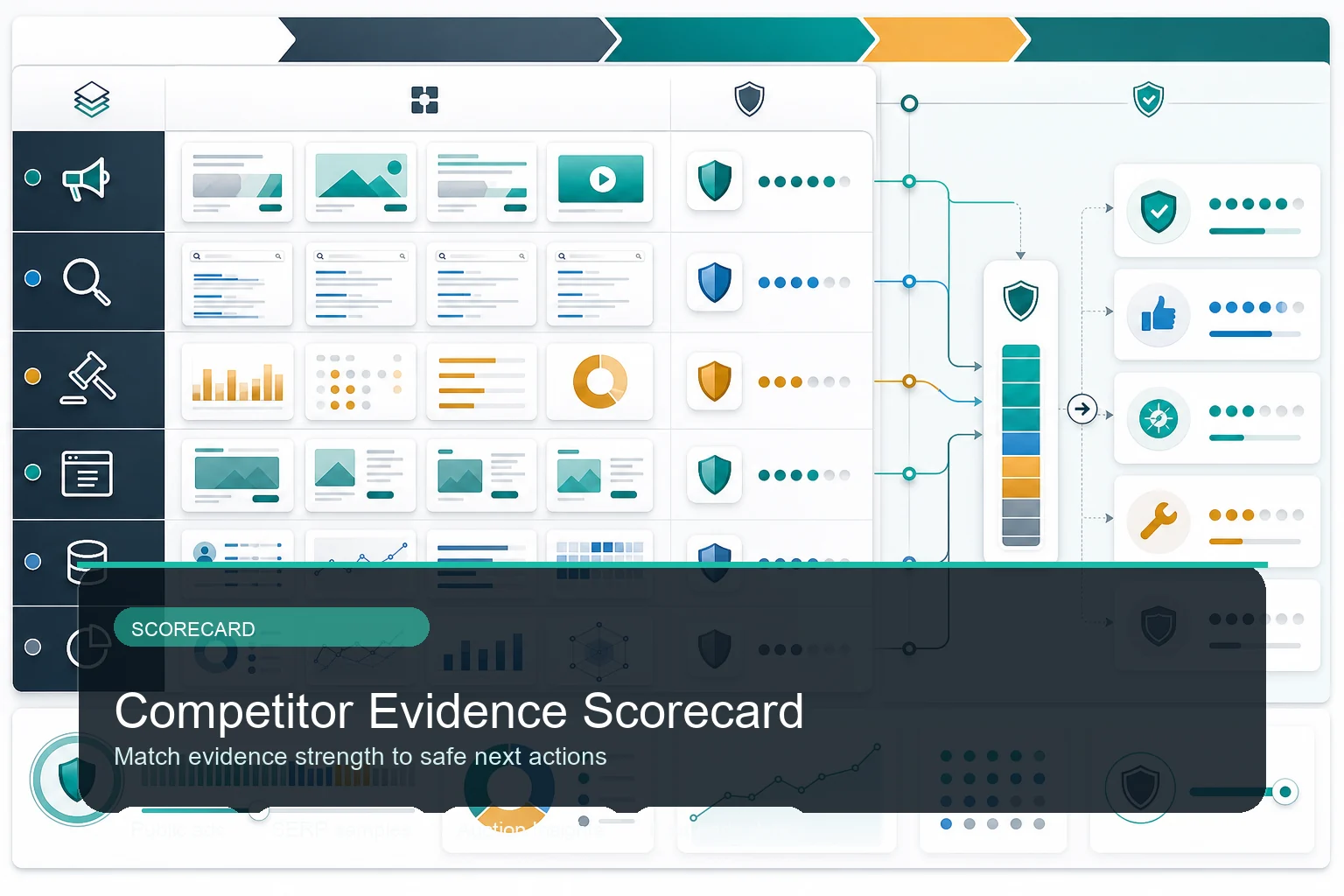
Score evidence strength before turning competitor observations into bids, creative tests, landing-page changes, or monitoring rules.
After collecting evidence, run it through this scorecard. It maps each source to a default confidence and the safe action that confidence permits.
| Source | What you captured | Default confidence | Safe action |
|---|---|---|---|
| Public ads | Creative, copy, format, date, landing page | Medium when repeated | Brief creative tests |
| SERP sample | Query, market, device, visible rivals | Low until repeated | Monitor and tag |
| Auction Insights | Overlap, position, top-of-page, outranking | High for your auctions | Budget or bid review |
| Landing pages | Offer, proof, pricing, CTA, funnel match | Medium-high | Fix page match |
| First-party data | CPA, CVR, ROAS, lead quality, cohorts | High for your account | Validate or reject |
| Research tools | Keyword gaps, history, competitor lists | Directional | Prioritize checks |
The scorecard exists for one reason: to force a pause between observing and acting. The cost of that pause is seconds. The cost of skipping it is moving budget on a single screenshot.
Channel-by-Channel SOPs
Each platform exposes different evidence and rewards a different reading. Here is how to run competitor research on each of the big three, plus the cross-channel synthesis that makes the whole thing more than the sum of its parts.
Google Search Ads Competitor Analysis
Google search is the highest-intent, highest-stakes paid channel, and the one where naive competitor analysis does the most damage (because raising bids is so easy and so expensive).
What to study, in order:
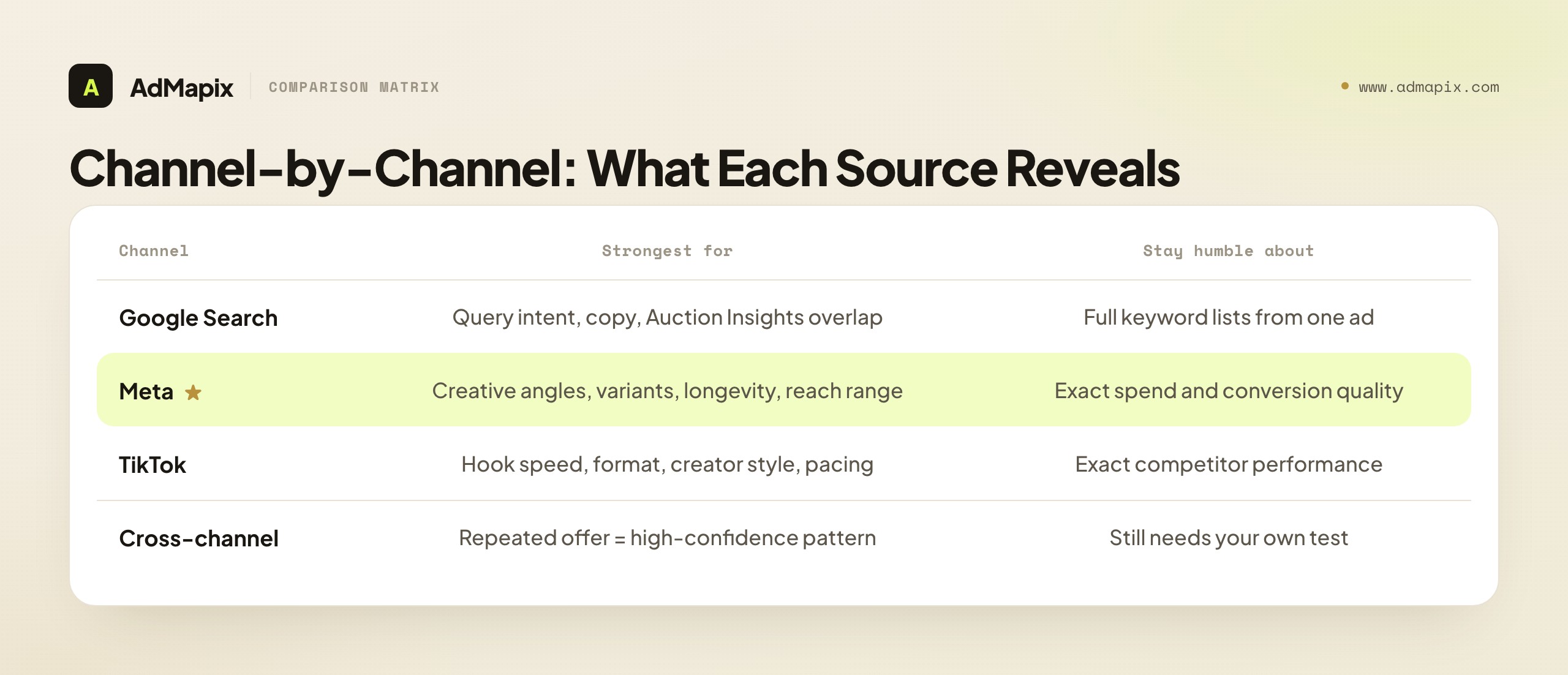
- Query intent first. Group competitor visibility by your intent buckets (category, problem, feature, comparison, brand). A rival showing up on your comparison queries is a different threat than one showing on broad category terms.
- Ad copy patterns, not single ads. Look across the Transparency Center for repeated headlines and descriptions. Repetition signals what the competitor believes works. A one-off ad is noise.
- Landing-page match. Click through. Does the ad's promise survive to the page? Mismatch is a competitor weakness you can exploit with better message match.
- Auction Insights overlap. This is your only account-side ground truth. Read impression share, overlap rate, and outranking share — but only for the auctions you're actually in.
The cardinal rule: never infer a competitor's full keyword list from a single visible ad. SERPs are personalized and sampled. Focus on repeated messages and page strategy, which are stable, rather than on which exact terms triggered one impression, which is not.
Useful internal follow-ups: Google Ads Transparency Center guide, AdWords intelligence, and search ads intelligence.
Meta Ads Competitor Analysis
Meta is the richest channel for creative intelligence and the weakest for performance truth. Lean into the former and stay humble about the latter.
What the Meta Ad Library gives you that nothing else does:
- Variant grouping. Meta bundles related creatives under one result. Expand them to see how a competitor is A/B testing copy and imagery around a single concept. The spread of variants tells you how seriously they're investing in an angle.
- Impressions ranges. In 2026 the impressions filter covers all ads, not just political. Combined with start date, it gives you a rough reach-and-velocity read.
- Longevity. Start dates let you apply the longevity heuristic — long-running creatives are proven, short-lived ones are tests.
- Cross-Meta surface map. See which placements (Facebook, Instagram, Reels, Threads, WhatsApp) a competitor runs the same creative on.
What to do with it: build a public evidence layer of competitor creative concepts, cluster them by angle (most categories run 8–12 distinct angles at once), find the saturated angles to avoid and the underused ones to own, then validate the winners against your own performance data. Use Facebook Ads Library as the deep-dive reference. Just never claim spend or conversion quality from the Library — those are private.
TikTok Ads Competitor Analysis
TikTok analysis is about creative mechanics: hook speed, format, creator style, product-proof moments, pacing, and language. Performance is opaque; craft is visible.
What to extract:
- Hook in the first 1–2 seconds. TikTok punishes slow openings. Catalog how competitors stop the scroll — pattern interrupt, question, fail-state, satisfying moment, on-screen text.
- Creator-style vs polished. Note whether winning ads look native (UGC) or produced. In most categories, native-style wins on cost-per-result.
- Keyword and phrase patterns. TikTok's Keyword Insights highlights top keywords and phrases from TikTok ads (not organic-only), filterable by region and industry. Use it for script and hook inspiration — not for exact competitor performance claims.
- Sound and pacing. Sound-first edits and fast cuts dominate. Note the rhythm of winning ads, not just the visuals.
Use our TikTok Creative Center tutorial when you need a platform-specific, click-by-click workflow.
Cross-Channel Synthesis
This is where isolated observations become high-confidence patterns. A single competitor ad on one channel is weak evidence. The same offer, proof, and angle repeated across Google, Meta, TikTok, and a dedicated landing page is a strong signal worth a prioritized test.
| Signal pattern | Confidence | What it usually means |
|---|---|---|
| One ad, one channel | Low | A test, possibly already failing |
| Same angle, two channels | Medium | A concept they're committing to |
| Same offer across 3+ channels + matching landing page | High | A core, likely-profitable strategy |
| Sudden multi-channel scale-up of one angle | High | They found a winner — dissect it now |
Even at high confidence, the next step is a test, not blind imitation. Cross-channel repetition tells you what a competitor believes works; only your own test tells you whether it works for you.
The Metrics That Matter
Competitor research is only as good as the metrics you anchor it to. Some are observable for competitors; most are observable only for your own account. Keep them straight.
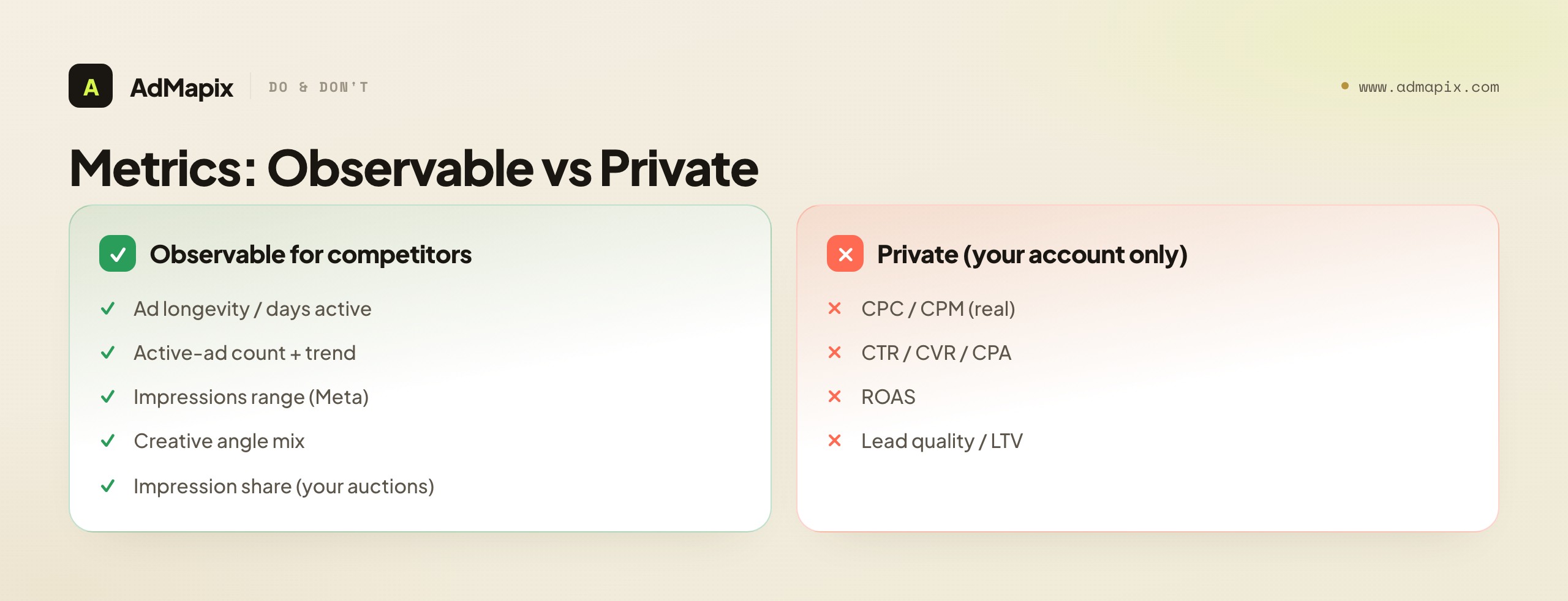
| Metric | Observable for competitors? | Use it for |
|---|---|---|
| Ad longevity / days active | Yes (via start date) | Profitability proxy — your best free signal |
| Active ad count + trend | Yes | Detecting scale-ups and winners |
| Impressions range (Meta) | Yes (bucketed) | Rough reach and velocity |
| Creative angle distribution | Yes | Finding saturated vs underused angles |
| Impression share / overlap | Yes (your auctions only) | Visibility pressure on shared terms |
| Landing-page specificity | Yes | How seriously they invest in paid |
| CPC / CPM | No (only modeled estimates) | Directional benchmarking at best |
| CTR / CVR / CPA / ROAS | No (private) | Your own validation only |
| Lead quality / LTV | No (private) | Your own scaling decisions only |
The discipline: never present a modeled competitor metric (estimated CPC, estimated spend) with the same authority as an observed one (days active, active-ad count). Label them differently in every report. Leadership decisions degrade fast when a guess gets dressed up as a measurement.
Mistakes That Make Competitor Analysis Misleading
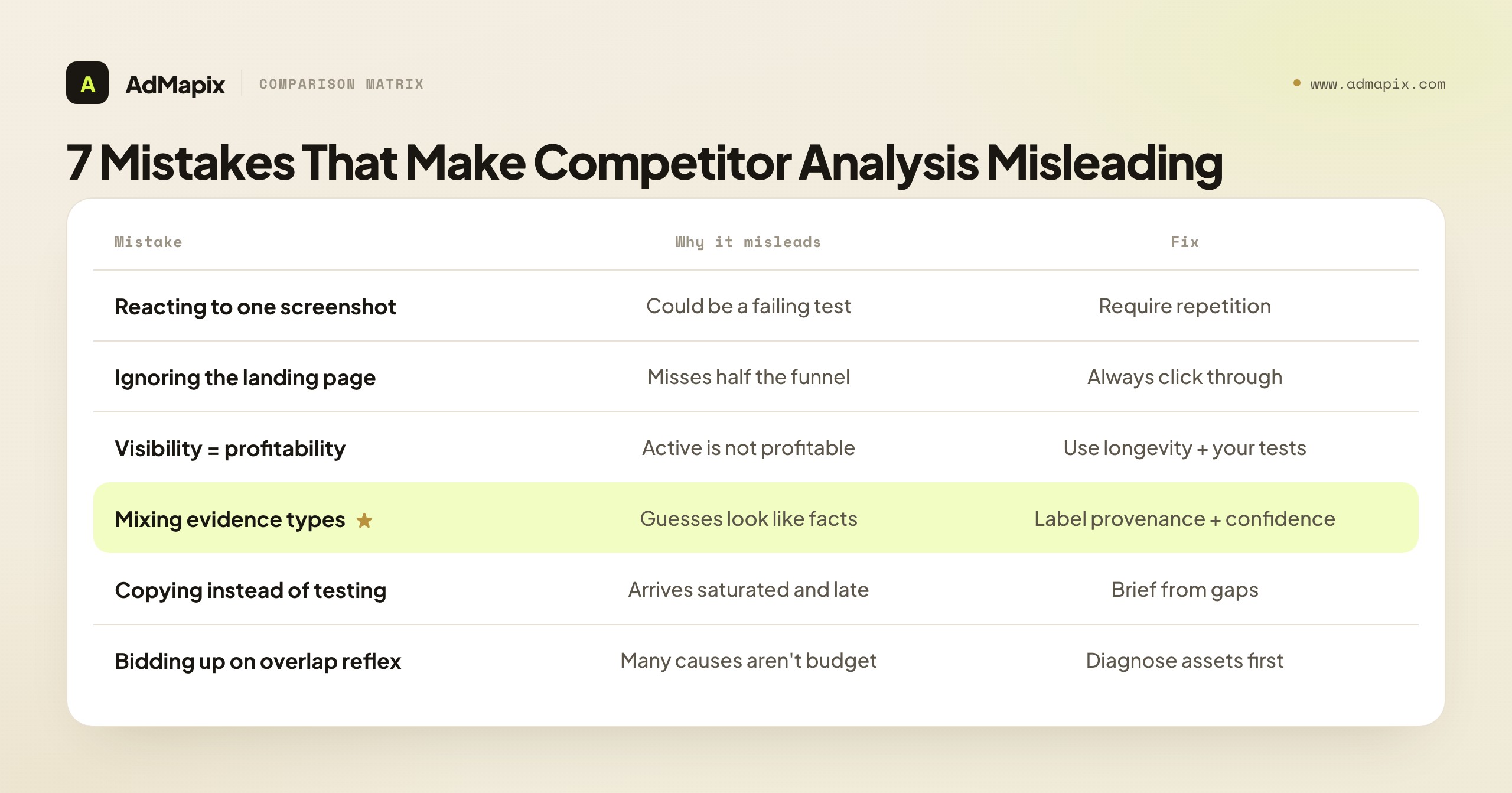
Most wasted competitor-research effort traces back to a handful of repeatable errors. Audit every analysis against this list before it reaches a decision-maker.
Mistake 1: Reacting to One Screenshot
One screenshot is not strategy. It may be a short test, a low-spend experiment, a geo-specific trial, or simply a bad ad. Require repetition before action — the same creative seen across multiple checks, days, or channels.
Mistake 2: Ignoring the Landing Page
The landing page often carries the real strategy. A competitor can win with proof, offer, and page specificity while the ad copy itself looks completely ordinary. If you only study ads, you systematically miss the half of the funnel where most paid battles are actually won or lost.
Mistake 3: Assuming Visibility Means Profitability
An active ad does not prove a profitable campaign. Visibility and profitability are different things. Use the longevity heuristic, cross-channel repetition, and page match as proxies — and never forget that the only true profitability signal you fully control is your own test result.
Mistake 4: Mixing Evidence Types
Public ad evidence, modeled estimates, Auction Insights, and first-party performance data must be labeled separately in every report. The moment a modeled "$40K/month estimated spend" sits next to a real "our CPA is $32" with no distinction, the team starts making claims it cannot support.
Mistake 5: Copying Competitors Instead of Testing Hypotheses
The job is to learn from the market, not clone it. A copied ad — without the same product, proof, audience, price, and funnel context — fails quickly and teaches you nothing. Worse, copying means you arrive at an angle after the competitor has already saturated it. Brief from gaps, not from winners.
Mistake 6: Raising Bids by Reflex on Rising Overlap
When Auction Insights shows a competitor's overlap climbing, the reflex is to bid up. But overlap can rise because your Quality Score dropped, your landing page slowed, your message match weakened, or your conversion tracking broke — none of which more budget fixes. Diagnose before you spend.
Mistake 7: Researching Without a Decision
Research with no decision attached is the most expensive mistake because it feels productive. Hours disappear into tabs and screenshots, and nothing changes. Every research session must start with a written decision and end with a test, a monitor rule, or an explicit "ignore."
The Weekly Operating System
The teams that win at competitive analysis don't do it quarterly in a big push — they do it weekly in a small, ruthless loop. Here is the lightweight operating template. The whole thing should take 30–60 minutes.
| Step | Question | Output |
|---|---|---|
| 1 | Which paid media decision do we need this week? | One-sentence review question |
| 2 | Which competitors and queries matter for it? | Scoped competitor/query set |
| 3 | What changed in public ads and landing pages? | Evidence notes with provenance |
| 4 | Do Auction Insights or account metrics support the finding? | Confidence score |
| 5 | What is the safe next action? | Test, monitor, ignore, or brief |
| 6 | Who owns the action and by when? | Owner + deadline |
| 7 | How will we know if it worked? | Success metric |
Keep the template small on purpose. The goal is a better paid media decision this week — not a perfect research archive nobody reads. A disciplined team running this loop for a quarter builds something more valuable than any single insight: a history of competitor moves and their own responses, which turns "what did they run last spring?" from a lost cause into a one-query answer.
A realistic weekly cadence by team type
| Team type | Cadence | Focus |
|---|---|---|
| Solo founder / small DTC | Weekly, 30 min | Top 3 competitors, comparison queries, creative angles |
| In-house paid team | Weekly, 60 min | Full query set, Auction Insights, landing-page diffs |
| Agency (per client) | Weekly + launch spikes | Client competitor set, monthly trend report |
| High-spend / enterprise | Twice weekly | Auction Insights deep-dives, cross-channel synthesis |
The cadence should match the speed of your creative testing and budget decisions. If you ship new creative weekly, research weekly. If you launch monthly, a monthly deep-dive with weekly spot-checks is fine.
A Worked Example: One Week, End to End
Frameworks are easier to trust when you see them run on a real decision. Here is a complete, realistic week of paid ads competitor research for a fictional B2B SaaS team — call it "Northwind Analytics" — selling a $99/month analytics tool. Follow how each of the seven steps produces an output that feeds the next, and notice how often the disciplined answer is "monitor," not "act."
Monday — define the decision. The paid team's blended CPA crept up 18% over the past three weeks on their highest-intent search campaign. Leadership wants to know whether competitors are the cause and whether to raise bids. The team resists the bid-up reflex and writes the decision in one sentence: "Decide whether rising CPA on our 'analytics tool' campaign is driven by competitor pressure, our own asset decay, or landing-page weakness — and choose one corrective test." That single sentence keeps the whole week scoped.
Tuesday — build the sets and capture evidence. They list three direct competitors, two SERP competitors that keep appearing on their comparison queries, and one creative competitor (a consumer app with unusually strong short-form hooks worth borrowing from). They pull each rival's live ads from the Google Ads Transparency Center and Meta Ad Library, recording for every ad the format, visible copy, landing page, and — crucially — the start date. Two findings emerge immediately. First, one direct competitor has nearly tripled its active-ad count in three weeks, a classic scale-up signal. Second, that competitor's newest ads all lead to a dedicated comparison landing page, not their homepage. Both observations get logged with their source and date so they can be scored later.
Wednesday — review search and auction signals. In Auction Insights for the affected campaign, the same competitor's overlap rate has risen from 22% to 41%, and their outranking share against Northwind has climbed too. This is account-side ground truth, the highest-confidence evidence available — but the team is careful about what it actually proves. It proves the competitor is now in more of Northwind's auctions and often winning position; it does not prove Northwind must bid more. The team checks its own Quality Score and finds the campaign's landing-page experience score has slipped, which inflates CPC independent of any competitor. So part of the CPA rise is self-inflicted.
Thursday — analyze landing pages. The team clicks through every competitor ad. The scaling competitor's comparison page is genuinely strong: it names Northwind directly, leads with a feature-by-feature table, answers the switching-cost objection with free migration help, and proves it with three customer logos and a security badge. Northwind's own paid landing page, by contrast, is its generic homepage — no comparison, no migration story, weaker proof. The ad copy was never the real gap. The page was.
Friday — score confidence and choose one test. Now the evidence gets scored. The competitor scale-up is high confidence: repeated public ads, a tripled active-ad count, rising Auction Insights overlap, and a coherent dedicated landing page all point the same direction. The "raise bids" instinct is explicitly rejected, because the diagnosis showed two cheaper, higher-leverage causes: a slipped Quality Score the team can fix, and a missing comparison page they can build. The single corrective test for next week is chosen: ship a dedicated, proof-backed comparison landing page that answers the switching-cost objection, and fix the on-page experience issue dragging Quality Score. Budget stays flat until that test reads. Success metric: landing-page conversion rate and Quality Score recover, and CPA returns toward baseline within two weeks.
The lesson of the worked example is the lesson of the whole discipline: the rising CPA looked like a competitor budget problem, and the reflexive fix — bidding up — would have been the most expensive possible response. Disciplined, multi-source competitor research found the two real causes, both cheaper to fix than a bidding war. That gap between the reflex and the diagnosis is exactly the money competitor research saves.
How This Maps to Your Role and Budget
Competitive analysis looks different depending on who you are and what you can spend. Prioritize accordingly instead of trying to do everything.
| If you are... | Prioritize | Skip / defer |
|---|---|---|
| A solo founder with a small budget | Free ad libraries, longevity heuristic, comparison-query defense | Paid multi-tool stacks, daily monitoring |
| An in-house PPC manager | Auction Insights, landing-page diffs, weekly confidence scoring | Vanity competitor dashboards |
| A paid social buyer | Meta Ad Library angle clustering, TikTok hook analysis | Search auction minutiae |
| An agency strategist | Repeatable per-client SOP, monthly trend reports | One-off hero research nobody reuses |
| A growth lead | Cross-channel synthesis, test-to-learning loop | Manual screenshotting (delegate or tool it) |
The through-line: match the depth of research to the size of the decision. A $500/week test budget does not need an enterprise competitor-intelligence stack. A seven-figure account cannot afford to run on screenshots.
The 2026 Tool Stack
You can run real competitor research entirely on free, first-party surfaces — and many small teams should. But as spend and the number of competitors grow, manual checking stops scaling. Here's how the stack layers up.
| Layer | Tools | When you need it |
|---|---|---|
| Free first-party | Google Ads Transparency Center, Meta Ad Library, TikTok Creative Center, Auction Insights | Always — these are ground truth for "what's public" |
| Manual analysis | Landing-page review, SERP sampling, your own analytics | Always — no tool replaces clicking through |
| Cross-platform consolidation | AdMapix and similar ad-intelligence platforms | When tab-hopping across 5 libraries costs more than the tool |
| Directional research | PPC/SEO keyword and competitor-discovery tools | For keyword gaps and competitor discovery, treated as directional |
The free surfaces are excellent for brand-specific deep dives. Their structural limits are well known: commercial ads vanish from libraries when they stop (no history), there's no cross-platform consolidation (you can't study Google, Meta, and TikTok in one pane), and there are no performance signals beyond impressions ranges. A consolidation layer like AdMapix reports solves those by snapshotting creative so nothing is lost, normalizing multiple networks into one workspace, and turning raw evidence into decision-ready briefs. For teams running multi-channel paid media weekly, that beats tab-hopping across five free tools. See pricing for recurring-workflow tiers, and best ad spy tools 2026 for side-by-side comparisons. If your research is single-platform and brand-specific, the free libraries are genuinely enough.
From Weekly Signals to a Quarterly Competitive Narrative
The weekly operating loop produces a stream of individual observations: a new hook here, a rising overlap rate there, a landing-page test a rival quietly shipped. On their own, each is a data point. The teams that get real strategic value from competitor research are the ones that periodically step back and turn three months of those data points into a narrative — a story about where the competitive set is moving and what it implies for your own roadmap.
Run this synthesis once a quarter. Pull every captured signal from the last twelve weeks and sort it into three buckets: persistent patterns (things multiple competitors are doing, or one competitor has sustained for eight-plus weeks), one-off experiments (creative or offers that appeared and vanished — usually failed tests, occasionally early signals), and structural shifts (a competitor entering a new channel, changing their core offer, or repositioning). Persistent patterns are the highest-confidence input because longevity is your profitability proxy; a tactic no one abandons is almost certainly working.
From those buckets, write a one-page narrative that answers four questions. Where is the category's creative consensus heading — which hooks, formats, and proof types are converging? Which offers are becoming table stakes versus genuine differentiators? Which channels are getting more competitive (rising auction overlap, more advertisers) and which are thinning out? And where is there a visible gap — an angle, audience, or channel the whole competitive set is ignoring that your first-party data says converts?
That gap analysis is where competitor research stops being defensive and becomes a source of offense. Most teams use competitor monitoring only to copy what rivals do, which guarantees you arrive second. The quarterly narrative reframes the same evidence as a map of unclaimed territory.
Keep each quarter's one-pager in a running document so you can read the trend across quarters, not just within one. A hook that shows up in Q1, spreads across three competitors by Q2, and becomes universal by Q3 tells you the window to differentiate on it has closed — and that you should already be testing what comes next. This is the difference between a screenshot folder and compounding competitive intelligence, and it is exactly the longitudinal view AdMapix reports are built to preserve.
FAQ
What is competitive analysis in paid advertising?
Competitive analysis in paid advertising (also called paid ads competitor research) is the process of studying competitor paid ads, landing pages, search visibility, channel activity, and account-side auction signals so you can make better paid media decisions. The output is always a decision — test a creative angle, fix a landing page, defend a query, monitor a rival, or move budget — never just a description of what a competitor is doing.
How do you analyze competitors' paid ads?
Run a seven-step loop: (1) define the paid media decision you need to make, (2) build your competitor and query sets, (3) capture public ads from official libraries, (4) review search and Auction Insights signals, (5) analyze landing pages and offers, (6) score the confidence of your evidence, and (7) turn only strong, repeated evidence into tests. Anchor everything to repetition and longevity, not single screenshots.
Can you see competitors' ad spend or ROAS?
Not exactly. Exact spend, bids, targeting, conversion rate, ROAS, and profit are all private. Public sources and third-party tools provide directional signals — Meta's impressions ranges, ad longevity, active-ad counts, advertiser-level cumulative spend ranges — but treat every estimate as directional and validate it against your own first-party data before acting.
What is the best free way to research competitor ads?
The strongest free stack is the official ad libraries — Google Ads Transparency Center, Meta Ad Library, and TikTok Creative Center — combined with Google Ads Auction Insights for your own auctions and manual landing-page review. Apply the longevity heuristic (long-running ads are likely winners) and look for cross-channel repetition. This costs nothing and covers most brand-specific research.
How do you use Google Ads Auction Insights for competitor analysis?
Auction Insights compares your performance with advertisers in the same auctions you participate in, reporting impression share, overlap rate, outranking share, position-above rate, and top-of-page rates for Search. Use it to detect rising visibility pressure on shared terms — but remember it only covers your auctions, not every competitor campaign, and it depends on minimum activity thresholds. When overlap rises, diagnose your assets and landing pages before raising bids.
How is paid ads competitor research different from SEO competitor analysis?
Paid research studies live ad creatives, offers, auction overlap, and paid landing pages — signals that change daily and reward weekly monitoring. SEO competitor analysis studies organic rankings, content, backlinks, and on-page structure — slower-moving signals. They share the discipline of evidence-confidence scoring, but the sources, cadence, and decisions differ. This guide is specifically about the paid side.
How often should you review competitor paid ads?
Most teams should run a weekly review of 30–60 minutes, keyed to one paid media decision. High-spend accounts, agencies, and launch periods may need twice-weekly monitoring. Solo founders and small budgets can do a focused 30-minute weekly check of their top three competitors. The cadence should match the speed of your creative testing and budget decisions.
What metrics can you actually observe about a competitor's ads?
You can observe ad longevity (days active), active-ad count and its trend, Meta impressions ranges, creative-angle distribution, landing-page specificity, and — for your own auctions — impression share and overlap. You cannot observe CPC, CTR, CVR, CPA, ROAS, or lead quality; those are private and only available as modeled estimates, which should never be presented with the authority of measured data.
How does AdMapix help with paid ads competitor research?
AdMapix consolidates competitor ad evidence across multiple ad networks into one workspace, snapshots creatives so nothing is lost when an ad stops, and turns the evidence into decision-ready reports and creative briefs. Use AdMapix reports when manual ad-library checks across five tabs become too slow, or review pricing for recurring weekly workflows.
Related Reading
- Competitor ad analysis framework — the broader strategic framework this workflow sits inside
- Marketing intelligence tools — the wider tool landscape
- Best ad spy tools 2026 — side-by-side tool comparisons
- How to spy on competitors' ads in 2026 — tactical spying techniques
- Spy on ads across all platforms — the multi-channel playbook
- Facebook Ads Library complete guide — deep dive on the Meta evidence layer
- Google Ads Transparency Center guide — the Google evidence layer
- Search ads intelligence — query and copy analysis for paid search
Authoritative Sources
- Google Ads Auction Insights documentation — https://support.google.com/google-ads/answer/2579754?hl=en
- Google Ads Transparency Center — https://adstransparency.google.com/
- Meta Ad Library — https://www.facebook.com/ads/library/
- TikTok Creative Center — https://ads.tiktok.com/business/creativecenter/
- TikTok Keyword Insights help — https://ads.tiktok.com/help/article/keyword-insights
Conclusion
Paid ads competitor research is only valuable when it changes a decision. Public ad libraries, SERP samples, Auction Insights, landing pages, third-party tools, and your own first-party analytics all matter — but they carry different confidence levels, and treating them as equal is the fastest way to waste budget.
Build your whole practice around evidence quality. Capture competitor signals with their provenance, score how strong the evidence is, and choose a safe next action: test, monitor, ignore, or brief. Apply the longevity heuristic to read profitability for free, synthesize across channels to raise confidence, and never move budget on a single screenshot. Run the weekly loop, keep a history, and let strong evidence — not competitor anxiety — drive your tests.
That is how competitive analysis in paid advertising becomes a compounding growth process instead of a screenshot folder. When manual checking stops scaling, start with AdMapix reports to consolidate the evidence and turn it into briefs your team can actually act on.
Turn these observations into your next creative study
Open the creative library and select samples for your market, network and research question.
Related Articles
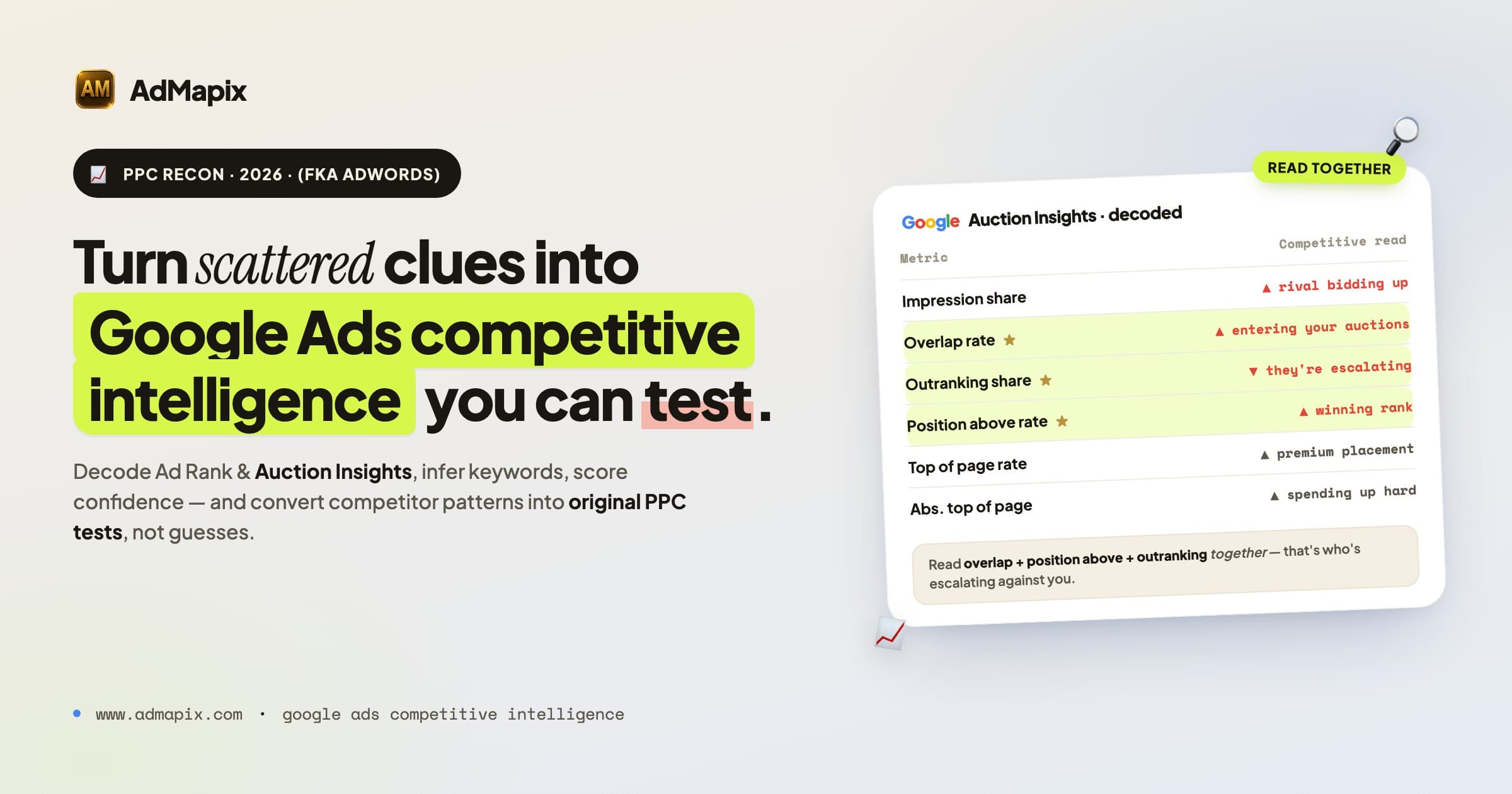
AdWords Intelligence in 2026: A Google Ads Competitive Intelligence Playbook
A complete 2026 Google Ads competitive intelligence workflow: research competitors with public ads, decode Ad Rank and Auction Insights, infer keywords, dissect landing pages, score confidence, and turn findings into original PPC tests.
Google Ads Auction Insights vs Transparency Center: When to Use Each
A practical comparison of Google Ads Auction Insights and Google Ads Transparency Center for PPC competitor research in 2026.
How Often Does Facebook Ads Library Update? 2026 Timing & Delays
Direct answer to Facebook Ads Library update timing: how often it refreshes, why delays happen, what Meta documents, and how to monitor competitor ads without assuming real-time data.